Activity
Mon
Wed
Fri
Sun
May
Jun
Jul
Aug
Sep
Oct
Nov
Dec
Jan
Feb
Mar
Apr
What is this?
Less
More
Memberships
AI Agents For Beginners (Free)
194 members • Free
AI For Teachers (Free)
163 members • $9/month
NotebookLM Tips & Templates
30 members • Free
3 contributions to AI For Teachers (Free)

Feb 20 •
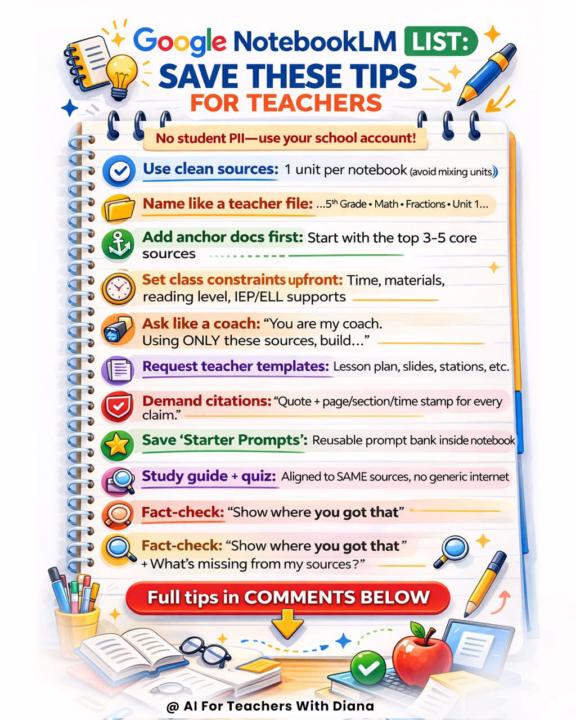
✅ Best NotebookLM Tips for Teachers (Printable)
Hi teachers. I have consolidated the most important strategies to get high-quality output from NotebookLM. If you use it correctly, it becomes your instructional coach, curriculum assistant.😊 📘 Here are your secret weapon tips: 🔹 Use one unit per notebook. Avoid mixing subjects or units. Clean inputs = accurate outputs. 🔹 Start with anchor documents. Upload your top 3–5 core sources first (curriculum guide, textbook chapter, pacing guide, key articles). Build from there. 🔹 Name files like a teacher. “5th Grade – Math – Fractions – Unit 1” is better than “Chapter3.pdf.” Organization improves clarity. 🔹 Set constraints upfront. Tell it the time limit, materials available, reading level, IEP/ELL supports. You’ll get usable plans, not generic ones. 🔹 Ask like a coach. Try: “You are my instructional coach. Using ONLY these sources, build…” This keeps everything aligned and citation-based. 🔹 Request templates. Lesson plans, slide outlines, stations, exit tickets, study guides — all aligned to your uploaded materials. 🔹 Demand citations. Ask for quote + page/section/time stamp for every claim. This is how you maintain academic integrity. 🔹 Build from the same sources. When you create a study guide and quiz, ensure both pull from the SAME notebook. No generic internet filler. 🔹 Fact-check strategically. Ask: “Show me where you got that.” “What’s missing from my sources?” This helps strengthen your unit. Most teachers underuse NotebookLM because they treat it like a search tool. It’s not. It’s a source-grounded thinking partner when used correctly.🤓 💡How do you plan on using it in your classroom?

1 like • Feb 20
I have been meaning to try Notebook LM....Your steps make it so much easier.
Feb 16 •
📰 Update: NotebookLM hit with voice-cloning lawsuit
A former NPR host filed a lawsuit alleging NotebookLM’s AI voice closely mimics his voice without permission, putting renewed attention on consent and identity rights in AI-generated audio.
1 like • Feb 18
Wow interesting...that voice cloning is scary stuff!
Feb 15 •
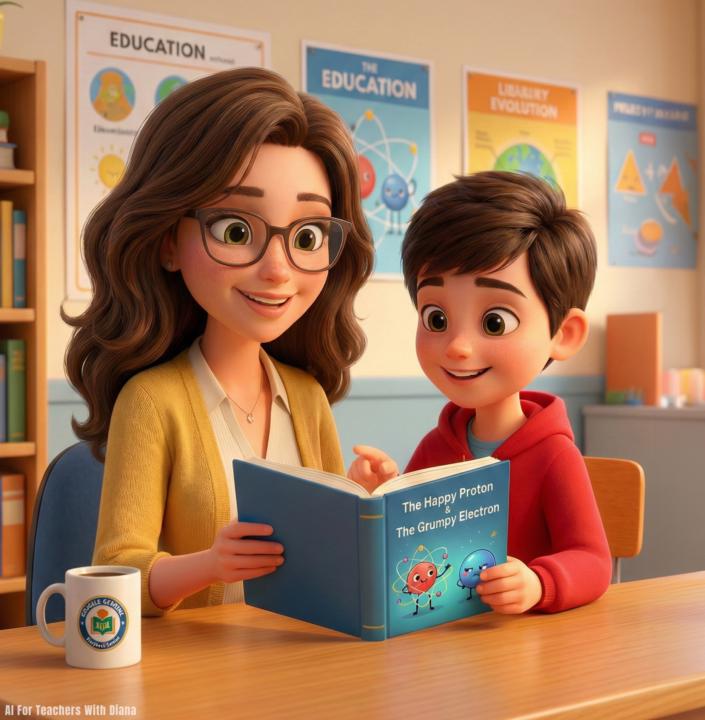
How to Use Google Gemini to create a Storybook in Seconds
Here’s how you can use the Google Gemini "Storybook" Gem to instantly turn any lesson plan or boring text into a fully illustrated, narrated digital book for free. Here's how I did it: 1. Open the "Storybook" Gem You don't need to be a designer. Open Google Gemini (on your phone or computer) and look for the "Gems" tab in the sidebar (the diamond icon). Click on the specific "Storybook" Gem. This activates a special mode designed solely for creating visual narratives. 2. Enter Your Prompt You don't need complex instructions. Just tell it what topic you want to teach. Prompt: "Create a story about a 'Happy Proton' who meets a 'Grumpy Electron.' Make it funny for 5th graders to help them understand atoms." 4. Watch It Build the Book Gemini will instantly generate a 10-page book with: * Narrative Text: Broken down into easy-to-read pages. * Custom Illustrations: It creates a matching image for every single page automatically. * Audio Narration: It includes a "Read Aloud" feature, making it perfect for listening stations or accessibility needs. Why this is a game-changer: It takes the "director" role off your plate. You simply give it the concept, and it directs the entire production—writing, illustrating, and narrating a complete digital book that you can project on the smartboard or share with parents. Drop STORY for the full step by step setup. How are you using the Storybook Gem to visualize learning? Let’s share ideas.
1 like • Feb 18
This is something I am definitely going to try this week.
1-3 of 3

@elaine-dellano-3834
I provide child care for babies, toddlers, and young children and I am always looking for fun learning activities.
Active 28d ago
Joined Feb 17, 2026
NJ
Powered by