Activity
Mon
Wed
Fri
Sun
Nov
Dec
Jan
Feb
Mar
Apr
May
Jun
Jul
Aug
Sep
Oct
What is this?
Less
More
AI Ranking
699
5.0
$27/m
AI Ranking (FREE)
9.6k
Free
81 contributions to AI Ranking (FREE)

Aug 25 •
Datawise Upgrade ??
Hey guys, small hurdle, i am trying to upgrade my datawise subscription, it says i am on "community", minimal tokens, can anyone show me how to upgrade my status on there ? been looking through it for some time, no visible sign of an upgrade anywhere?

0 likes • Aug 30
@Steve Russo I have sent you a message.

🚀
Aug 14 •
SEO From Your Phone: all the files
Everything from the video (Coming Soon) is attached to this post as a zip. On your phone? Scroll down, it's right there. 🤨What's inside🤨 1. START-HERE — the order of operations, and the "what goes where" table people get wrong 2. Checklist 1: connections — Windsor.ai for Search Console, Analytics and your Google Business Profile, plus your website connector 3. **Checklist 2: your two exports— People Also Ask and fan-out queries, as CSVs 4. 1. The setup prompt — paste into a normal chat with both CSVs attached. Gives you back your business brain and your content plan 5. 2. The project instructions — paste into the project's instructions field, not the knowledge 6. 3. Your phone card — screenshot it, it's the only thing you need on your phone 7. 4. The schedule prompt — the daily review check from the end of the video The one thing to get right Connect your data *before* you run the setup prompt. The content plan is built from your Search Console, so running it before you connect gives you a much weaker plan. The other thing people get wrong The two files Claude makes for you get **uploaded** to project knowledge. The project instructions get **pasted** into the instructions field. Not the other way round. DataWise is free for members here, so if you're doing the two exports, that's in the classroom.
0 likes • Aug 17
@Nafis Azad
🚀
Aug 2 •
⚡ 40% off the PREMIUM annual, this week only
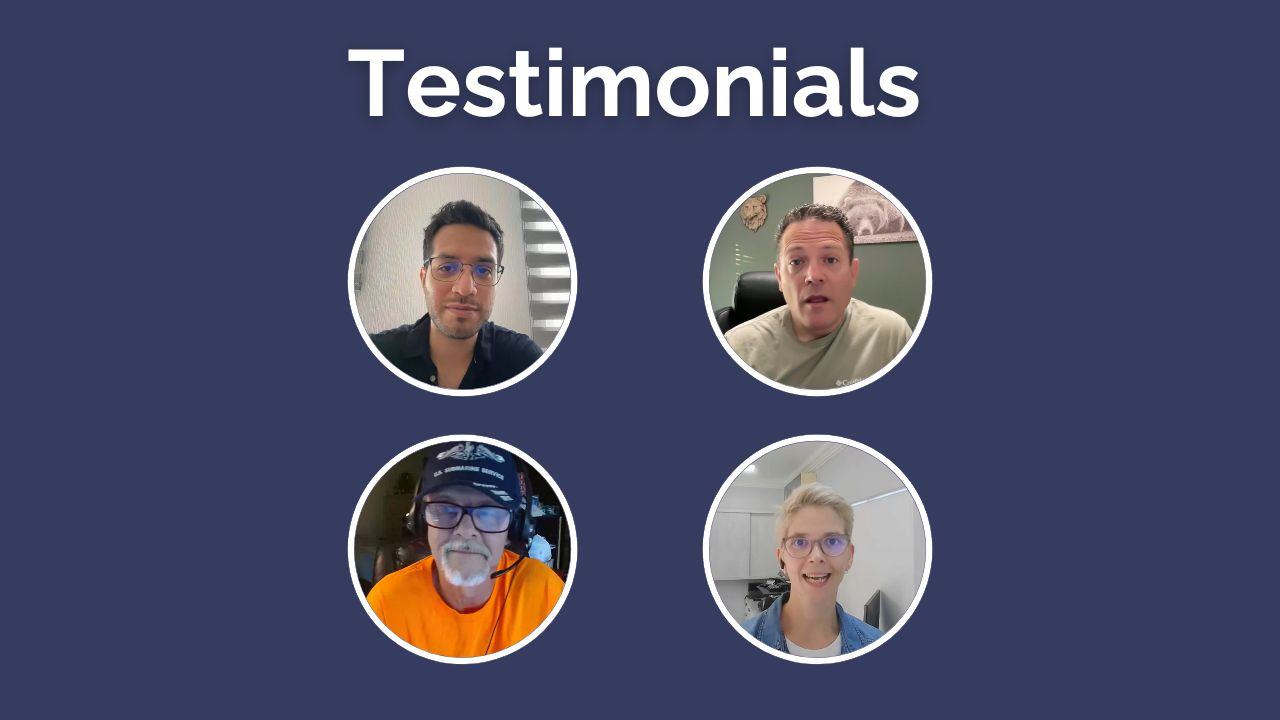
Quick one for the free side. Until Sunday the 9th, the premium annual is 40% off. To be clear: premium only, not the basic plan. - Premium normally: $47/mo, so $564 a year - This week: $336 for the year, or $28/mo $228 back in your pocket. What premium adds over basic Both plans get DataWise and the 7-Day Action Plan. Premium adds: ✅ Weekly live Q&As ✅ Website reviews (submit your site, I record a full audit video) ✅ Premium tutorials, updated weekly ✅ AI workflows for titles, metas, schema, content and local SEO ✅ 1:1 Onboarding Session (To make a custom strategy for you) The website reviews are the one that actually moves people. You can't proofread your own website. Recent wins 🔥 William: 0.3% to 2.3% CTR, 9x clicks, 35x impressions 🔥 Daniel: 119 to 1,200 clicks in 28 days 🔥 Steven: 0 to 100+ booked appointments a month Who should not buy this ❌ If you're not going to do the work. This isn't a magic fix button. The reviews show you what's wrong, you still have to go and change it. ❌ If you won't submit your site for feedback. The people who ask questions win faster than the people who only watch. ❌ If you can't give it 1 to 3 hours a week for at least 3 months. SEO lags. Below that you won't be around long enough to see whether it worked. I don't want this to be another subscription you forget about, that gives you a fake sense of productivity just because you bought it. If that's you, skip it and catch the next one. Need Proof it works: - Premium Member Win 1 - Premium Member Win 2 - Premium Member Win 3 - Premium Member Win 4 More testimonials in the video attached ✌🏼 7-day money back guarantee. Cancel anytime.
2 likes • Aug 5
@Mary Nevius
🚀
Jul 23 •
I outranked a 10-year-old agency with a 2-month-old site
New video is live: the SEO Heist. How to find where a competitor is weak and take that traffic back, ethically. No AI spam, no black hat. (PROMPT FILE ATTACHED - IF ON MOBILE, SCROLL RIGHT) The whole thing runs on one idea: you don't beat a competitor everywhere, you beat them where they're weak. And there are only four places that weakness hides: 1. Fundamentals (on-site SEO) 2. Content that supports your money page 3. Backlinks 4. AI citations You check them in that order, because there's no point buying links for a page that's technically broken. The free giveaway: the Pillar 1 prompt This is the exact prompt from the video. Drop in two URLs (your page and a competitor's), and Claude Code + DataForSEO crawl both live and hand you back a designed HTML report scoring five categories out of 100. Titles, headings, schema, speed, image SEO. Side by side, colour coded, winner flagged. If you're winning four of the five categories, you have a real case to rebuild their page better than they did. It's attached below. You need DataForSEO connected (MCP or env keys) and that's it. Costs about a third of a cent per run. Want to write the content that actually ranks? Pillar 2 in the video is about supporting your money page with content. The how-to for writing that content lives here in the community: Lesson 6 of the free AI Search Kickstarter, "How to write content the AI search engines will love." That's the exact strategy behind the site in the video.
0 likes • Jul 27
@Yoel Nisenbaum we recommend logging on via a desktop to access the prompts.
🚀
Jun 9 •
The 20-point checklist I run before I publish ANY page (steal it)
Every site I've launched this year gets indexed almost from day one, starts pulling organic traffic, and gets picked up by ChatGPT. It isn't luck. Every page runs through the same 20-point checklist before it goes live. I broke it into 6 phases so you can run it top to bottom. Nothing goes live until it passes. Phase 1: Agentic readiness (the new layer) 1. WebMCP exposed, so AI agents can actually use the page, not just read it (test it in Chrome Canary + Lighthouse) 2. llms.txt file present at the root 3. Schema done right for the page type, validated, zero errors Phase 2: Page architecture 4. One page, one intent (no kitchen-sink pages) 5. Every service on its own dedicated page 6. Content capsule technique: question as an H2, answer it immediately 7. Front-load the answer in the first ~30% of the page 8. Add your real experience ("I tried X and got Y") Phase 3: Trust and sourcing 9. Every claim backed, ideally with a number 10. Link the source inline, not dumped at the end 11. Author bio present (and in the Person schema) Phase 4: Technical pre-flight 12. Loads fast (aim under 2.5s, check mobile too) 13. Image SEO: WebP, not PNG/JPEG, plus descriptive alt text 14. Don't block the bots (check your Cloudflare AI crawler settings) 15. Pages are actually indexable (no stray noindex) 16. Title tags + meta descriptions written for humans 17. Internal links in and out, so nothing is an orphan Phase 5: Submit and measure 18. Submit to Google Search Console and request indexing 19. Submit to Bing Webmaster Tools (it helps you show up in ChatGPT) Phase 6: Old content 20. Revive anything 10 to 16 months old: rewrite, add fresh research, update it I turned the whole thing into a Google Sheet with real checkboxes so you can tick it off on every launch. Make your own copy here: 👉 [LINK TO THE SHEET]
1 like • Jun 18
@Roland Kleba
1-10 of 81

Online now
Joined Aug 19, 2024
Powered by