Activity
Mon
Wed
Fri
Sun
Aug
Sep
Oct
Nov
Dec
Jan
Feb
Mar
Apr
May
Jun
What is this?
Less
More
Memberships
Beginner AI Society
353 members • Free
Poster Print on Demand
8.4k members • Free
37 contributions to Poster Print on Demand

22d •
integration Of tracking
Hi @Tom Beeston im getting emails with my tracking but it’s not automatically completing the order it did the first couple of days, is it just a technical issue? Or do I need to do anything? Thanks
1 like • 22d
Ohh that was done manually as it didn’t recognise it, thanks @Mihai Volintiriu

29d •
Listings removed from pages
So I recently noticed that my views dipped by a large amount, I would get at least 800+ views daily with over 200 visits a day minimum, and now i'm barely passing 50 visits. I thought this was normal and just hoped it would pass, but decided to just check if they were appearing normally in the search, and of course they weren't at all, none of my listings show up when I search them up. I can search the exact title and it still doesn't, it's like i've been removed from Etsy. Has anyone experienced this or can anyone help me out as to why this is happening. Thank you.
0 likes • 28d
@Adnan Sami yeah same getting less than half views an clicks than before, you still getting sales
0 likes • 25d
@Adnan Sami hey mate, mine has gone back up now I would say, still not what I was making but still better than that week, how about you?
25d •
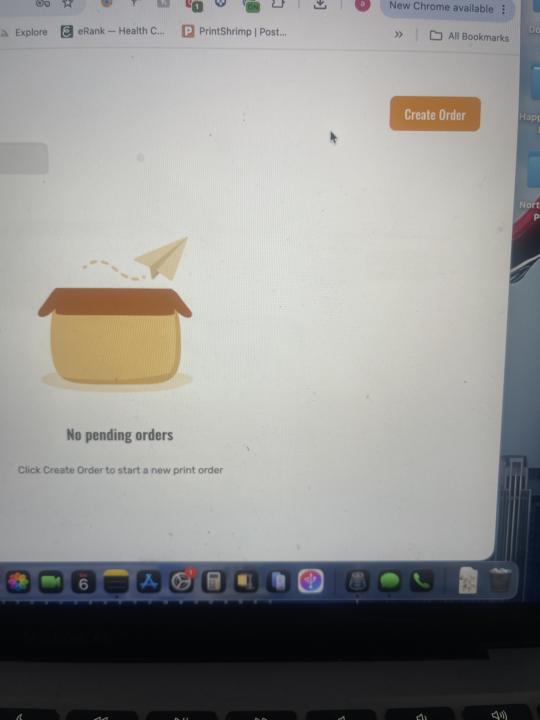
Import orders down
Hello I was just sending my prints off this morning which I sold last night and the import orders has gone, any ideas? @Tom Beeston
1 like • 25d
All sorted cheers
0 likes • 25d
@Tom Beeston thanks Tom
30d •
How many posters …
Hi I’m going to open another shop, I forgot how many prints are you allowed to upload at the beginning so you don’t get blocked for them thinking your AI? Thanks
0 likes • 30d
No going to start a new shop but when you start a shop you can’t do like 15 listings a day I just can’t remember what the number it is before Etsy start getting suspicious
1-10 of 37

Active 5d ago
Joined Jan 4, 2026
Powered by