
Write something
Jan 5 •
Start here: Path Guide
Welcome! Start Here This space is designed to support orientation, self-trust, and aligned movement at your own pace. There is no urgency here, no requirement to keep up, and no expectation of constant participation. You are not behind. This space is meant to help you locate yourself and move forward when it feels right for you. The Path This space follows a simple, self-directed path. You may move slowly, pause, or revisit stages at any time. The four stages are: 1. Orientation: Getting grounded and understanding where you are 2. Stabilization: Building steadiness without external pressure 3. Alignment: Clarifying what is yours and what is not 4. Embodiment: Gently integrating this work into real life There is no “right” pace and no expectation to complete anything. What To Do Now If you are new, begin here. Read this post, notice which stage feels closest to where you are right now, and allow yourself to simply be here before doing anything else. There is nothing you need to post, complete, or decide today.
0
0
Dec '25 •
Skool Navigation and tech help
This space is for questions about navigating Skool or using platform features. For orientation or next steps, please begin wikth the path guide.
3
0
Dec '25 •
Make Sure You Have These Settings ON For YOUniversity
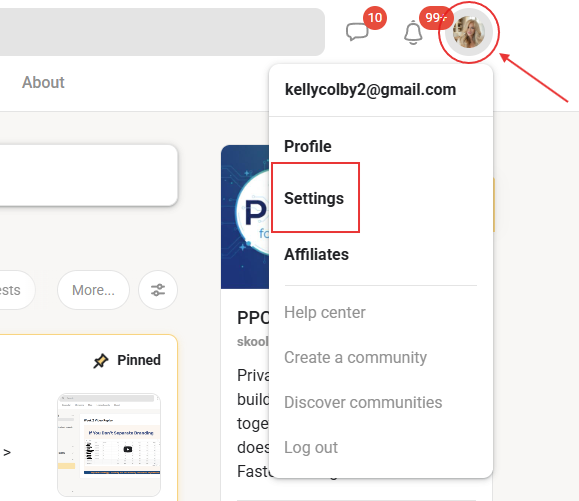
Go to your profile in the upper right corner. >Click SETTINGS. >Go to NOTIFICATIONS. >Find YOUniversity and to the right of that will be the word Custom and a little down arrow v. >Click the little v DOWN ARROW. You will now be in the notifications area. Make sure you have the following recommended settings toggled: See last image. >In the top area, make sure at least new NEW FOLLOWER and LIKES toggled on. See last image. Under Custom: >Set DIGEST EMAIL to DAILY. >NOTIFICATIONS EMAIL to either DAILY or HOURLY >ADMIN ANNOUNCEMENTS to ON >EVENT REMINDER EMAIL to ON Now you won't miss anything important from us!
2
0
1-3 of 3
powered by
skool.com/the-youniversity-6864
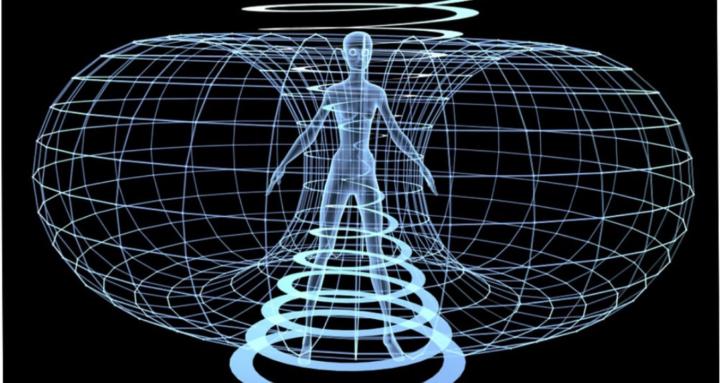
A self-paced school for awakening, healing, and aligned living, where intuition, energy, and self-mastery come together to transform your life.
Suggested communities
Powered by