
Write something
May 1 •
The people winning aren’t more talented than you..they just stopped overthinking and started posting
Honestly , your fear of judgment is basically funding someone else’s success while you’re sitting on gold content that never sees the light of day. It’s time to break that cycle. I’ve spent the last three years in the trenches training AI models, building tech, and figuring out the hard way how to make this stuff actually look and sound human. I’ve packed every shortcut and prompt I’ve perfected into The Branding Bar Lab so you don’t have to do the heavy lifting. Here’s what you can do for free the second you jump in: - Teach it your brand: Tell the platform who you are so it finally "gets" your voice. - Build your AI Twin: Get high-end video content ready to go without ever picking up your phone. - Instant Brainstorming: Get scripts and content ideas whenever you're feeling stuck. - The LinkedIn Engine: A total game-changer for growing your network and making real connections while you sleep. You don’t need to spend years figuring out the tech—I already did that for you. Just take five minutes to get set up and let’s get your face and your voice out there. Sign up for free right here: www.thebrandingbarlab.com Can't wait to see what you create!
0
0
Jan 25 •
Two New Higgsfield Tools to Elevate Your AI Twin
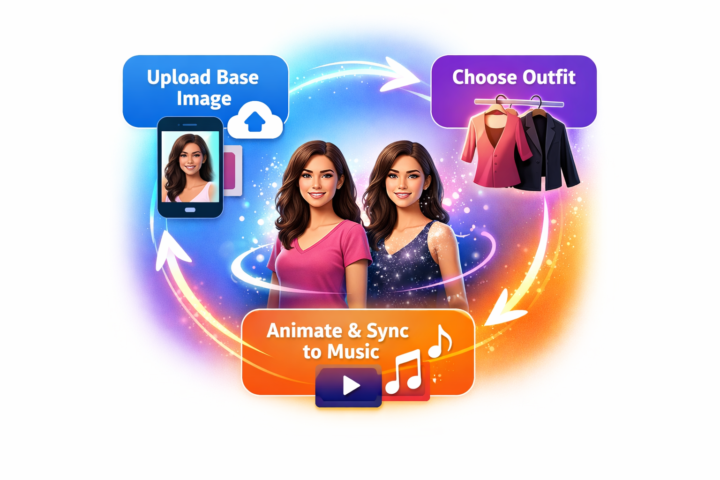
Hey creators! Higgsfield has just rolled out two cool tools to make your AI twin workflows smoother. Here’s a quick rundown: 1. **AI Stylist.** This feature lets you restyle a character from a single image. Upload a base photo of your model, then choose from ready‑made outfits or upload your own. Once your look is generated you can animate the image, reuse it as a reference, or create different angles and variations. It’s a simple way to refresh your character without regenerating everything from scratch. 2. **Urban Cuts.** Urban Cuts turns your still images and outfits into music‑synced videos. Upload a base image, pick your outfit (reuse your AI Stylist presets or upload your own) and choose a song. The tool automatically cuts to the beat, perfect for fashion, outfit showcases or any rhythmic social post. These tools reduce friction and work with your existing Higgsfield workflow. Give them a try and let us know how they work for you! Drop your first AI Stylist or Urban Cuts video below—let’s see those transformations!
0
0
Jan 25 •
AI Twin Quick Start Guide: Create Content Like a Pro
Hey Brand Builders! Ready to meet your AI twin? Here’s how to get your digital double up and running so you can create content in half the time: 1. **Pick a platform.** Tools like HeyGen or InVideo let you build a video clone of yourself. Sign up and choose the option to create an AI twin. 2. **Record your sample.** Read a short script on camera (30–60 seconds) so the system can capture your voice, tone and mannerisms. Good lighting and quiet audio make all the difference. 3. **Let the magic happen.** The platform will process your clip and create a twin that looks and sounds like you. It usually takes a few minutes. 4. **Start scripting.** Type in what you want your twin to say—think quick tips, answers to FAQs or your latest blog post. Keep it casual and true to your voice. 5. **Customize.** Choose backgrounds, outfits and expressions that match your brand. Many platforms let you adjust colours and scenes to fit your vibe. 6. **Publish and repurpose.** Download your AI twin videos and share them on Instagram, TikTok, Substack or wherever your people hang out. Cut longer videos into shorter clips for more content. The goal is to amplify your voice, not replace it. Use your AI twin when you’re short on time or need to stay consistent. Have fun experimenting and drop your questions or first AI twin video in the comments below. Can’t wait to see what you create!
0
0
Dec '25 •
Use Nano Banana Pro For Free
Here’s another site that you can also add as a desktop app that produces Nano Banana Pro images for Free. You can generate up to 4 at a time and upscale afterwards up to 2K (4K at an extra cost). Only downside for me is that it only does one size setting of 9:16 but apart from that it’s amazing for those that like the Nano Banana Pro realism look. https://labs.google/fx/tools/flow
0
0
Nov '25 •
Back in the Creative Groove! (Life's been a lot, you feel me? 😅)
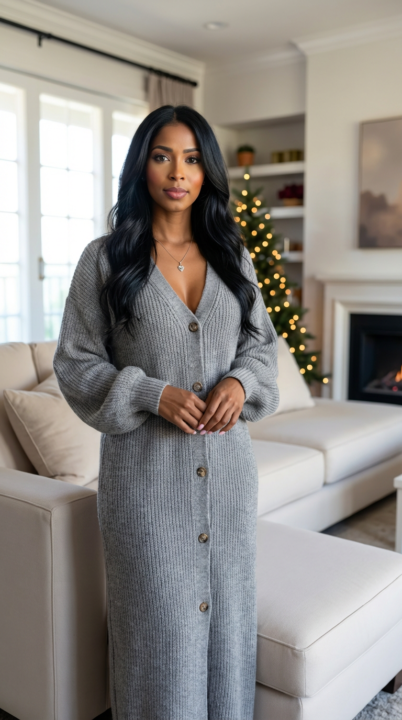
Hey everyone! I know I've been quiet lately it's been a non-stop hustle (you know the feeling!). But I'm officially out of my creative funk and ready to share what got me back on track. With Black Friday right around the corner, I needed a serious content upgrade. I jumped on the new Nano Banana Pro model within the Higgsfield app, and I can officially say: it is the ultimate cheat code for high-quality realistic visuals. The detail, the prompt following, the legit-looking text... it's a massive step up. Seriously, scroll through the pics below to see the 4K results I'm getting. What about you? Are you grinding on any holiday/Black Friday content? Share what tools are saving you right now.
0
0
1-6 of 6
powered by

skool.com/the-branding-bar-1662
Learn how to use AI + content tools to grow your brand, save time, and show up confidently in The Branding Bar AI Lab
Suggested communities
Powered by