
Write something

Apr 8 •
Anthropic just held back an AI model. Here's what it means for us
So Anthropic announced they built a new model called Claude Mythos and then decided NOT to release it to the public because of safety concerns. First time a major AI lab has done this. And honestly, the ecom community should pay attention to why this matters. Here's the thing. This tells us these models are getting seriously powerful, fast. If a lab is building something they're scared to ship, you can bet the stuff they ARE releasing is already more capable than most sellers are using day to day. Most people in this community are still using AI to write a product bullet or two. The gap between what's possible and what people actually do is massive. For our businesses, the practical takeaway is this: don't wait for the "perfect" model before you build real AI workflows. The tools we have right now, Claude, GPT-4o, Gemini, are already good enough to cut your customer service ticket time in half, generate 30 ad creative variations in an hour, and rewrite your entire listing catalog in a weekend. The ceiling keeps moving up but the floor is already high enough to build on. The other thing worth thinking about is trust. Anthropic choosing not to ship something because it wasn't safe yet is actually a signal that they take the reliability of their tools seriously. For sellers running automated review responses, AI-generated ad copy, or supplier negotiation scripts, that matters. You want the company behind your tools to have some standards. Bottom line, the AI race is moving faster than any of us expected. The sellers who win aren't going to be the ones who waited for the best model. They're going to be the ones who built repeatable systems with what's available right now and iterated from there. What's one workflow in your store, could be ads, listings, support, anything, where you know AI could help but you just haven't set it up yet?
11
0


Mar 3 •
What's the first thing you'd automate?
Curious — if you could snap your fingers and have ONE business task completely automated, what would it be? For me it was email. Absolute game changer. But I've heard people say: - Competitor monitoring - Inventory reorder alerts - Content scheduling - Customer review responses What's your #1?
Mar 4 •
Live Claude Code Workshop — This Friday, March 6th at 10 AM AZ
Hey! You answered A to my previous question. I'm hosting a live Claude Code workshop this Friday (March 6th) at 10 AM Arizona time. I'll show you how to use Claude Code — No coding experience needed. We'll go through a few use cases and get you comfortable. Zoom link: https://us02web.zoom.us/j/82356008619?pwd=sVd0kMyEI9c79z1MgnDWbstg4tWZ5N.1 One ask: there's a quick 7-minute setup checklist in the Zoom invite description. Please knock it out before Friday so we can jump straight into the fun stuff. You will get the most out of it if you can play along. Stuck on any of the setup steps? See the detailed instructions in the invite or ask AI. See you Friday!

Mar 5 •
How Anthropic Teams Actually Use Claude Code (Insider Insights)
Ever wondered how the people who BUILT Claude actually use Claude Code in their daily work? Anthropic just published a behind-the-scenes look at how their own teams - from engineers to lawyers to marketers - use Claude Code every day. The results might surprise you. Here are the most interesting use cases: 🔍 CODEBASE NAVIGATION New hires feed Claude Code their entire codebase to get productive quickly. Instead of spending weeks understanding complex systems, Claude reads the code, explains dependencies, and shows how everything connects. Product engineers call it their "first stop" for any programming task - identifying which files to examine before even starting to code. 🧪 TESTING & CODE REVIEW The security team transformed their workflow completely. Instead of "design doc → janky code → refactor → give up on tests", they now ask Claude for pseudocode and guide it through test-driven development. Result: More reliable, testable code with way less frustration. 🚨 DEBUGGING UNDER PRESSURE During a production incident, when Kubernetes clusters stopped scheduling pods, the team fed Claude Code dashboard screenshots. Claude guided them menu-by-menu through Google Cloud's UI until they found the issue (pod IP address exhaustion) and provided the exact commands to fix it. Time saved during a critical outage: 20 minutes. ⚡ RAPID PROTOTYPING Data scientists who don't know TypeScript are building entire React applications for visualizing model performance. They describe what they want, Claude writes it, and they iterate. The design team even had Claude build Vim key bindings for itself with minimal human review. 📚 DOCUMENTATION What normally requires an hour of Google searching now takes 10-20 minutes. That's an 80% reduction in research time. Teams have Claude ingest multiple documentation sources to create markdown runbooks and troubleshooting guides. 🤖 AUTOMATION The marketing team built an agentic workflow that processes hundreds of ads, identifies underperformers, and generates new variations - all in minutes instead of hours.
Mar 3 •
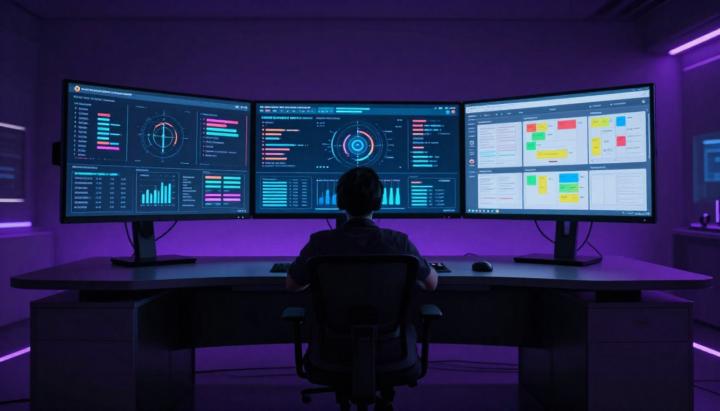
🎛️ My Mission Control Setup: How I Actually Manage My AI Agents
Your AI agent is only as good as the system around it. I've been running OpenClaw for months now, and the single biggest upgrade wasn't a new model or fancy prompt — it was building a Mission Control dashboard to actually see what's happening. Here's my exact setup and the thinking behind it. The Problem I Was Solving Before Mission Control, I had no visibility. I'd ask my agent to do something, close Telegram, and hope for the best. Did it finish? Did it fail halfway? No idea. That's not how you run a system. That's how you run a prayer. My Mission Control Philosophy I wanted three things: 1. Visibility — See everything the agent is doing, in real-time 2. 2. Control — Approve, reject, or redirect work before it ships 3. 3. Memory — Track what was done, when, and why The 5 Screens I Actually Use 📋 Task Board Kanban-style view. Every task gets tracked here — what's in backlog, what's in progress, what's done. My agent updates this automatically as it works. The key insight: I assign tasks to the agent the same way I'd assign to a team member. Clear ownership, clear status. 📅 Calendar / Cron Jobs This shows every scheduled task. If I asked my agent to check something daily, I can confirm it's actually scheduled. No more "I thought you were doing that" moments. 🧠 Memory Browser Daily logs of every conversation and decision. Like a journal, but automatic. When I forget context from two weeks ago, I search here instead of re-explaining everything. 📄 Content Queue This is where I review anything before it goes public. Posts, emails, messages — nothing leaves without my approval. The agent drafts, I decide. 🤖 Agents Overview I run multiple agents for different purposes. This screen shows who's active, what they're working on, and their current status. Org chart for my AI team. The Setup That Made It Click Here's what most people miss: your agent needs to update the dashboard, not just you. I configured my agent to: - Log every significant action - - Update task status automatically - - Queue content for review instead of sending directly - - Write daily memory summaries
30
0
1-6 of 6
powered by
skool.com/the-ai-upgrade-7790
Stop using AI like a search engine. Learn to build real automation that runs your business 24/7. Free guides, templates, and a community of builders.
Suggested communities
Powered by