

🔥
3d •
Sunday Funday! What’s your fav colour?
Had to jump on and show you my new work uniform 😄 Pink is my absolute favourite colour… and with the UK weather right now, it’s spot on. I got this at the end of a Copilot session and it made me laugh more than it should have. “Talk to my agent.” (For those of you still getting to grips with AI, my “agent” lives inside Word, Excel and PowerPoint and does the heavy lifting for me!) I’m keeping the hat. And intend on wearing it to meetings as much as possible! 🤣 𝗦𝗼, 𝘄𝗵𝗮𝘁 𝘆𝗼𝘂𝗿 𝗳𝗮𝘃 𝗰𝗼𝗹𝗼𝘂𝗿 - 𝘀𝗵𝗼𝘄 𝗺𝗲 𝘃𝗶𝗮 𝗴𝗶𝗳𝘀!

🔥
Jan 16 •
📌 New Here? Read This First
If you’re new here, this post is your “how it all works” guide so you don’t feel lost on day one. Think of this space as part classroom, part community, part confidence-boosting zone. Let’s get you settled in with 7 simple steps!👇 👋 𝗦𝘁𝗲𝗽 𝗢𝗻𝗲 - 𝗜𝗻𝘁𝗿𝗼𝗱𝘂𝗰𝗲 𝘆𝗼𝘂𝗿𝘀𝗲𝗹𝗳 I’d love it if you could introduce yourself to the group. This is how we start building a supportive community where we can learn together, cheer each other on, and share ideas. Here is a post ready for your introductions! 💻 𝗦𝘁𝗲𝗽 𝗧𝘄𝗼 – 𝗘𝘅𝗽𝗹𝗼𝗿𝗲 𝘁𝗵𝗲 𝗖𝗹𝗮𝘀𝘀𝗿𝗼𝗼𝗺 There is loads of free content waiting for you in the Classroom. Short videos, guides and resources designed to build confidence with everyday tech like Excel, Word, PowerPoint and now AI. This is where the good stuff lives, so go have a nosey here. 🎯 𝗦𝘁𝗲𝗽 𝗧𝗵𝗿𝗲𝗲 – 𝗖𝗵𝗼𝗼𝘀𝗲 𝗪𝗵𝗮𝘁 𝗬𝗼𝘂 𝗪𝗮𝗻𝘁. Some people just dip into free content. Some want extra support, live sessions and deeper learning. You can upgrade or downgrade anytime with a click, no contracts, no pressure. View info on the pricing plans here. 💬 𝗦𝘁𝗲𝗽 𝗙𝗼𝘂𝗿 – 𝗚𝗲𝘁 𝗜𝗻𝘃𝗼𝗹𝘃𝗲𝗱 Scroll, read, like and comment on a post that speaks to you. That’s how connection and a sense of community starts. The more you join in, the more you’ll get out of this space. And yes, engaging also unlocks extra freebies in the Classroom. Win! To understand the points levels, and how to level up, read this post. 📅 𝗦𝘁𝗲𝗽 𝗙𝗶𝘃𝗲 – 𝗖𝗵𝗲𝗰𝗸 𝘁𝗵𝗲 𝗖𝗮𝗹𝗲𝗻𝗱𝗮𝗿 Head to the calendar and see what live training sessions, expert talks or coffee social sessions are coming up. Add the ones you like to your diary so you don’t forget. Replays are available to purchase later if you miss one. Click here to go to the calendar.

🔥
6d •
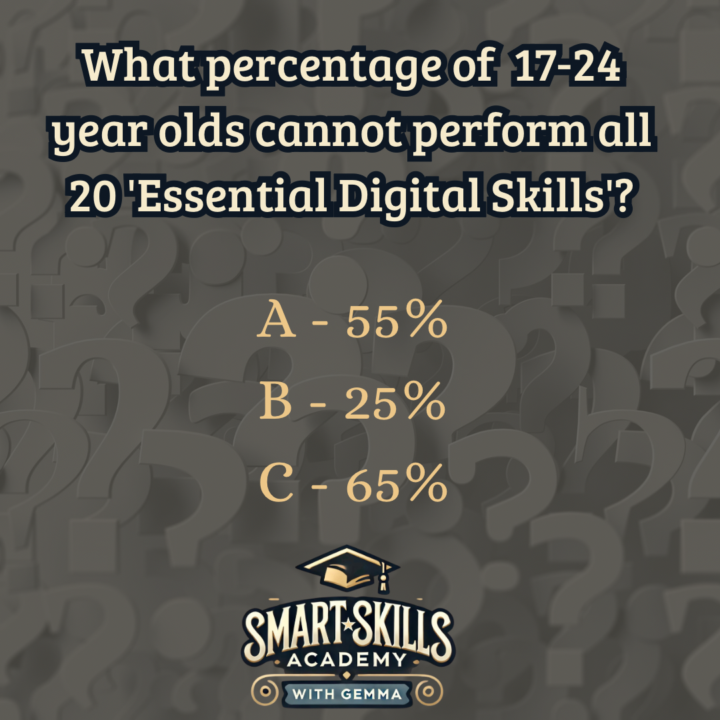
Thursday Quick Quiz
What percentage of 17-24 year olds cannot perform all 20 'Essential Digital Skills'? (Cast your vote first – answer is revealed in the comments).
Poll
5 members have voted

🔥
10d •
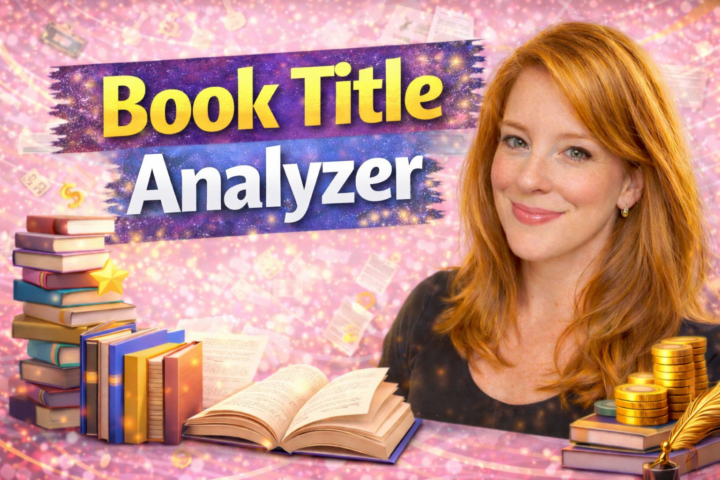
Book Title Analyzer
I was telling @Gemma Coles yesterday I made my first custom GPT it is a book title analyzer. I wanted to share it here because it could help someone but feel free to play with it. I have not really had a lot of time to put it through testing, but I would love to see what you think. https://chatgpt.com/g/g-69990c1718a081918a72f769ef91ca5a-book-title-analyzer
🔥
11d •
Sunday Funday!
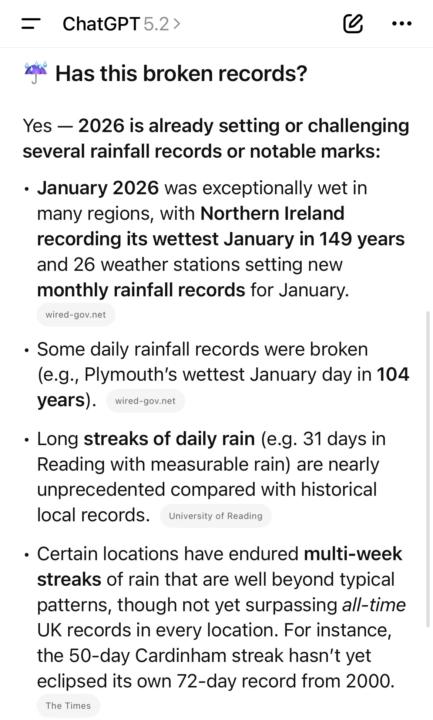
What’s your favourite season? The UK is on a record breaking spell at the moment for rain! I’ve enlisted AI, of course, to give us a summary - it’s hard going when your a fair weather kinda gal! So let’s have some fun - what’s your favourite season? Answer in gifs! I’m sure you can guess what Mine is - it’s in the first comment!
1-30 of 35
powered by
skool.com/smart-skills-academy-9059
Learn Microsoft Excel, Word, PowerPoint and AI in a friendly, confidence-building community with live training and practical resources.
Suggested communities
Powered by