User
Write something
Live Clawing Sessions is happening in 4 days
BUILD LOG — HOW I BUILT A 5-CHANNEL OUTREACH MACHINE AS A SOLO OPERATOR
This is a deep-dive post because I want to share the actual architecture not just "I automated outreach" vibes. For context: I build AI systems chatbots, voice agents, outreach automation for service businesses and agencies. Every system I build for clients gets tested on my own business first. Last 2 weeks I built the outreach system I'd been putting off for 6 months. Here's what's inside. THE PROBLEM Every outreach tool I tried had one of two flaws: 1. It sold me scale but gave me spammy templates that killed my sender reputation 2. It was a dashboard, not a system I still had to decide who to message, when, and what to say What I wanted was the opposite: a system that runs like a pipeline. Something that tells me every morning: "Here are 23 people to message today here's which channel, here's the context, here's the template." And dedupes across every channel so the same prospect never gets 5 messages from me in 3 days. THE ARCHITECTURE Three layers, all built on Python + Google Sheets + Apps Script. Layer 1: PROSPECTING Six scrapers running in parallel: - Google Maps (for local service businesses) - Apollo.io (for B2B contacts) - Hunter.io (for domain-based email discovery) - Snov.io (for additional email enrichment) - Apify (for Instagram/LinkedIn web scraping) - Serper (Google search API for long-tail discovery) Each feeds into its own raw sheet. Every lead gets a universal ID. Layer 2: ORCHESTRATION One master sheet that: - Pulls from all 6 scraper sheets - Dedupes across platforms (same person on LinkedIn + Twitter = one entry) - Tags with source, niche, platform readiness - Generates a daily queue: 15-30 people to message TODAY, split by channel - Tracks a 21-day follow-up sequence per prospect Layer 3: DELIVERY Four Apps Scripts (one per channel) that: - Read the daily queue - Pull the right template for Day 1 / Day 3 / Day 5 / Day 7 / Day 14 / Day 21 - Personalize based on niche and prospect data
0
0
BUILD LOG — HOW I BUILT A 5-CHANNEL OUTREACH MACHINE AS A SOLO OPERATOR
How I vibe-coded a live Pokémon game website using OpenClaw
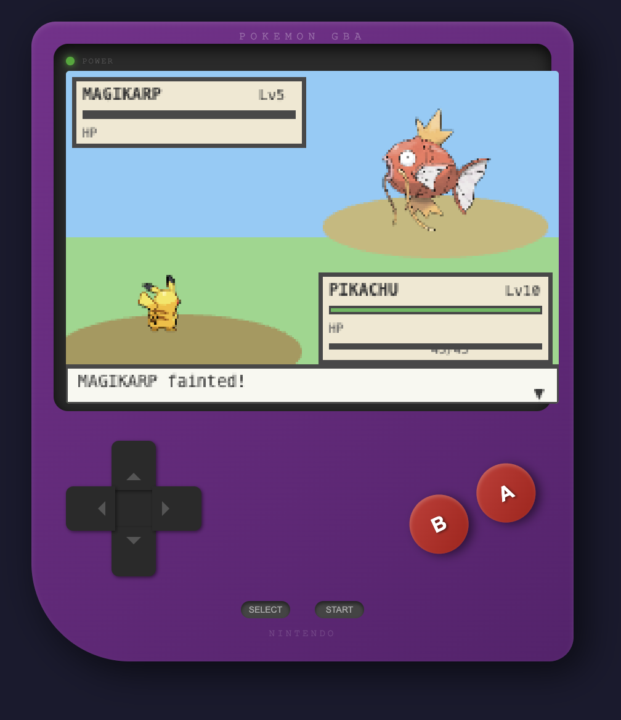
I built and published a live Pokémon game website without writing a single line of code. Anyone can play it, and you can even save it as a shortcut app and play it directly on your iPhone. https://sc-zhn4pruh.vnc.signatureclaw.com/pokemon-gba.html Here’s how you can do it — with or without SignatureClaw. For SignatureClaw users, OpenClaw already comes with the necessary skills and tools to vibe-code and publish a website or game. Each user gets a unique HTTPS URL. Once you tell OpenClaw to publish your website, it handles everything automatically. If something doesn’t work, you can email their team and they’ll help you troubleshoot. For other OpenClaw users, you can set things up manually: 1. Install Nginx 2. Buy a domain and set up an HTTPS certificate (or use a service like ngrok if you don’t have a domain) 3. Disable all unused ports except 443 4. Vibe-code your web game and link it to your website folder That’s it — you can now publish your game without coding!
1
0
How I vibe-coded a live Pokémon game website using OpenClaw
1-2 of 2
Making Better Agents
skool.com/openclaw-academy
Join and Learn how to create your own AI Assistants / AI Teams with OpenClaw/Clawdbot.
Powered by