

7h •
Build an AI That Actually Sounds Like You!!!
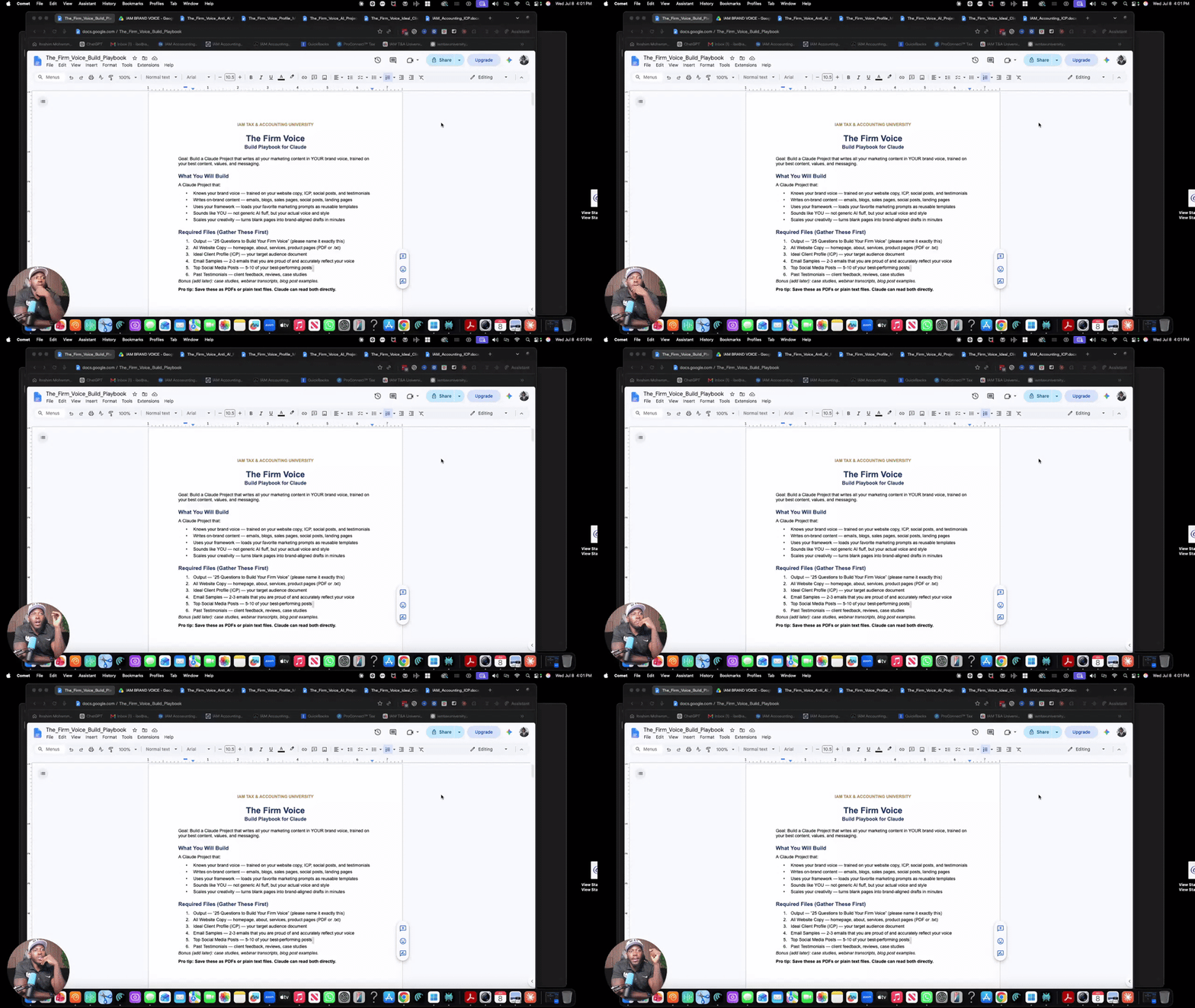
I built an AI that writes exactly like me. Here's exactly how, in two videos and about three hours of setup. Every one of us has typed "make this sound like me" into ChatGPT or Claude at some point. It never actually sounds like you. It sounds like AI wearing your logo. So I recorded the whole build. Two parts, start to finish, showing exactly how I set up a Claude Project trained on my real brand: my website, my ideal client, my actual emails, my actual reviews, and 25 honest answers about why my firm exists in the first place. 🎥 Part 1: https://www.loom.com/share/0af3961b693a4e74b3b46fdde6fdbcf5 — gathering your source material and setting up the project 🎥 Part 2: https://www.loom.com/share/4f5773aabec44496ac131c179b05f316— generating your brand voice, locking in custom instructions, and testing it Attached below are the exact templates I used. Use these as your model: - Ideal Client Profile template - Website copy and brand audit example - Client reviews compilation example - 25 Questions to Build Your Firm Voice (the interview prompt) Here's the short version of what you're doing: 1. Gather your website copy, ideal client profile, best emails, and reviews. 2. Create a new Claude Project and upload everything. 3. Answer the 25 questions honestly. Upload your answers. 4. Ask Claude to generate a full brand voice document, then a one-page summary. 5. Ask Claude to turn that into custom instructions, then lock them into your project. 6. Add your own non-negotiables: words you never say, habits you hate, tone you won't allow. 7. Test it with something simple. Read the output out loud. If it's off, tell it exactly what to fix. Budget two to three hours. Watch both videos first, then build it alongside me. Drop your questions below. If you get stuck on any step, tag me and I'll help you work through it.
12d •
🛠️ My exact tech stack running IAM Accounting in 2026
Some of you have asked what I actually run my firm on. So here is my full stack: 🧾 Tax Prep - Drake Tax — Tax Prep - Intuit TaxAdvisor— Tax Planning 📊 Bookkeeping - QuickBooks Online — client books 🗂️ CRM / Workflow - Tax Dome — client portal, e-sign, document requests, automation 📣 Marketing & Sales - Go High Level (GHL) — funnels, SMS, email, pipeline - Stripe — billing + subscriptions 🎥 Content & AI - Perplexity Comet — research, drafting, automation - Notion — SOPs and team docs - Claude & ChatGPT - Miscellaneous tasks and research That's it. 👉 Your turn — drop your stack in the comments.What's the ONE tool you couldn't run your firm without? And what's the one you're about to fire? 👇
2
0

Jun 8 •
Most accountants think the back half of the year is the slow season.
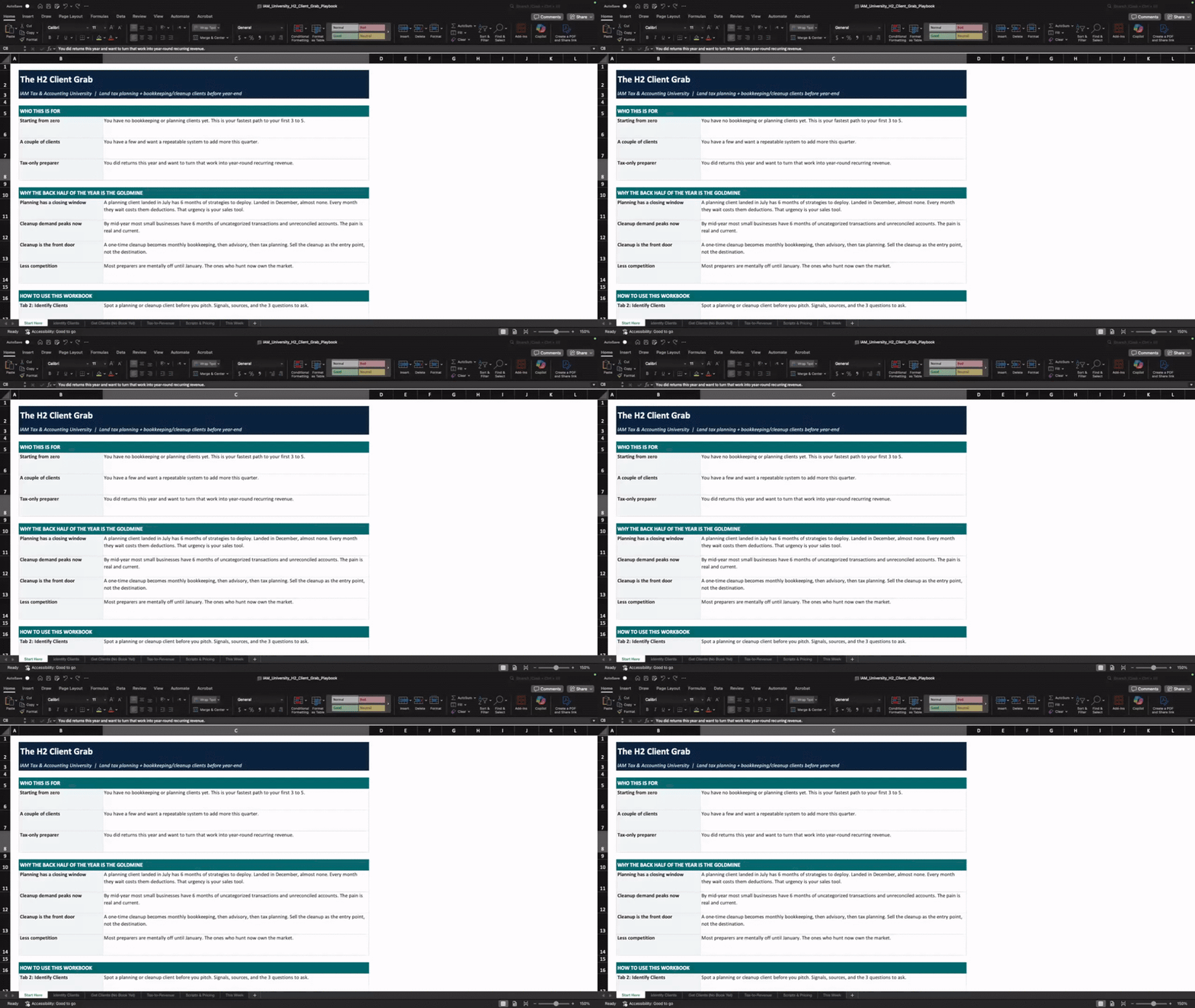
That's where they get it wrong. From now until December is the best client-acquisition window all year. Tax planning sells itself right now because there's still time to lower the client's 2026 bill. And cleanup work is sitting in every messy QBO file in your market. In last night's call I broke down exactly how to land both, even if you have zero clients right now or just finished a season of tax returns. Here's what we covered: How to spot a planning or cleanup client before you ever pitch The 6-play cold-start playbook to get your first clients with no existing list How to mine the returns you already filed for bookkeeping, cleanup, and planning revenue The 3 questions that tell you in 30 seconds if someone's a fit Copy-paste outreach scripts, pricing anchors, and the cleanup-to-retainer close I also dropped the full playbook as a sheet you can work straight through. Watch the recording here: https://www.loom.com/share/1c9f7257e9994b5782dcaa6f0c4819ee Grab the playbook here: https://docs.google.com/spreadsheets/d/1w83u2O86rfDbUuiNWJDcxQrW6QxJH5irBlzzdYh-3NM/edit?usp=sharing
0
0
Oct '25 •
Stop the back-and-forth and start collecting info with my Client Document Tracker template.
This plug-and-play Google Sheet helps you: ✅ Track what each client has pending to submit ✅ Set simple color-coded statuses for missing docs ✅ Stay organized with built-in upload date columns ✅ Keep everything in one place — no more messy threads or DMs 🔗 Grab the free Client Status Tracker here: 👉 Client Status Update Tracker Template

Aug '25 •
Weekly Money Pulse Check 🔄
Stop waiting until month‑end to uncover issues. Use this 20‑minute weekly pulse check to keep clients on track: 1. Review cash position – check bank balances versus upcoming outflows (payroll, bills, loan payments). 2. Scan AR & AP aging – note any invoices or bills overdue more than 30 days. 3. Create a quick P&L trend – compare revenue and key expenses against the last four weeks. 4. Sweep for red flags – look for uncategorized expenses, negative balances, or missing reconciliations. Template snippet: [Client Name] – Weekly Pulse Report ✔ Cash on hand: $___ vs upcoming outflows $___ ✔ AR past due (>30 days): $___ ✔ AP due this week: $___ ✔ Revenue trend: up/down ___% ✔ Red flags: [list] KPI to track: Pulse Completion Rate – the percentage of clients receiving their weekly pulse report. Aim for 80%+. Next action ✅: Pick one active client and run this pulse check this week. Post your anonymized report and share what insights you found.
3
0

1-6 of 6

skool.com/iam-ta-university-plus-2593
Tax pros, bookkeepers & accountants:
- Build a 6-figure virtual firm with weekly coaching
- Proven templates
- Systems to land premium clients
Leaderboard (30-day)
1

+5
2

+4
3

+1
Powered by