
Write something

Mar 12 •
Guys... making twilio obsolete with n8n + imessage is wild
so remember how yesterday i got my n8n to be able to *send* imessages/sms with my mac? well today I have now loaded in my entire contacts and have a listener for all new messages that I get through the door! literally about to build out my own ecosystem with my mac and n8n... crazy times we live in any questions or comments? What should the first thing I build with this be? check the updated github for the latest way to do this

Jun 1 •
Beware of the n8n memory limit (and check out these hidden n8n settings)
I know many of you are just now getting into n8n and wont run into this issue for a while. That being said, this is something I wish I had known long before it became an issue. Inside a workflow, if you go to the top right part of the window, you'll see 3 little dots. These dots are your workflow settings. While were here, this is a good time to talk about all that is here: - one really cool thing many dont know is you can actually have a default "on error" workflow where when your workflow encounters any error, it will send all the details to a given workflow that has an "on error" trigger and then you can do with it as you please - you can adjust a given workflows timezone. So if you are working on a workflow for a client and they are in a different time zone, you'd be able to adjust it so that the scheduled triggers will work accordingly - Then comes the part that i was talking about earlier: The saves portion! your n8n workflow is most likely still running the default sqlite database, which is literally just a file! that on top of your server you are running it on most likely doesnt have a ton of storage. both of these limitations can be solved by selectively choosing what workflow executions you are storing. I'd recommend only storing the manual and prod error executions bc those are the ones you will most often use! These executions can sometimes hold LARGE files and json outputs that can really slow down your workflows and consume all your memory Then one thing you should often do is prune your execution history even with these things. that way your n8n instance stays clean and efficient! Any Questions?
1
0

May 26 •
If you don't know what Apify is... you need to know
When I need scraped data, i dont think of building it from scratch. I immediately go to apify.com. Why? Bc someone else has already done the work, taken the risk, and published it for me to consume! So all i have to do is go and use their curated database for my own use cases. likeeeeee scraping data from linkedin profiles and posts! This is one of the most powerful data sources i've seen for linkedin. only $1/1000 requests... I'm able to build my own database of curated linkedin posts to help automate my linkedin post generation. Why linkedin? bc that is where all the buyers are these days! If you are looking to make money from an ai/software agency, you have to do it through Linkedin. places like upwork are so bloated and you will always get beat out by someone who is willing to work for pennies. Dont sell yourself short There are millions of people on linkedin who are willing to pay what you are worth to get the value you'll bring and how are you goign to know what to post about? By looking at what others are posting about! This is the link to this apify scraper: https://apify.com/supreme_coder/linkedin-post thankfully n8n has a built in Apify node and so its SUPER easy to connect with it and get the data you need! Guys, i'm serious. This is why I run cohorts on how to sell on linkedin and build with n8n and cursor! These things are what are making my agency over $100k in less than 8 months. and as a sneak peak... I'm bout to release a product called Ghostpost that will basically give this power of getting a curated linkedin feed to you. Im excited! Any questions?
1
0

May 21 •
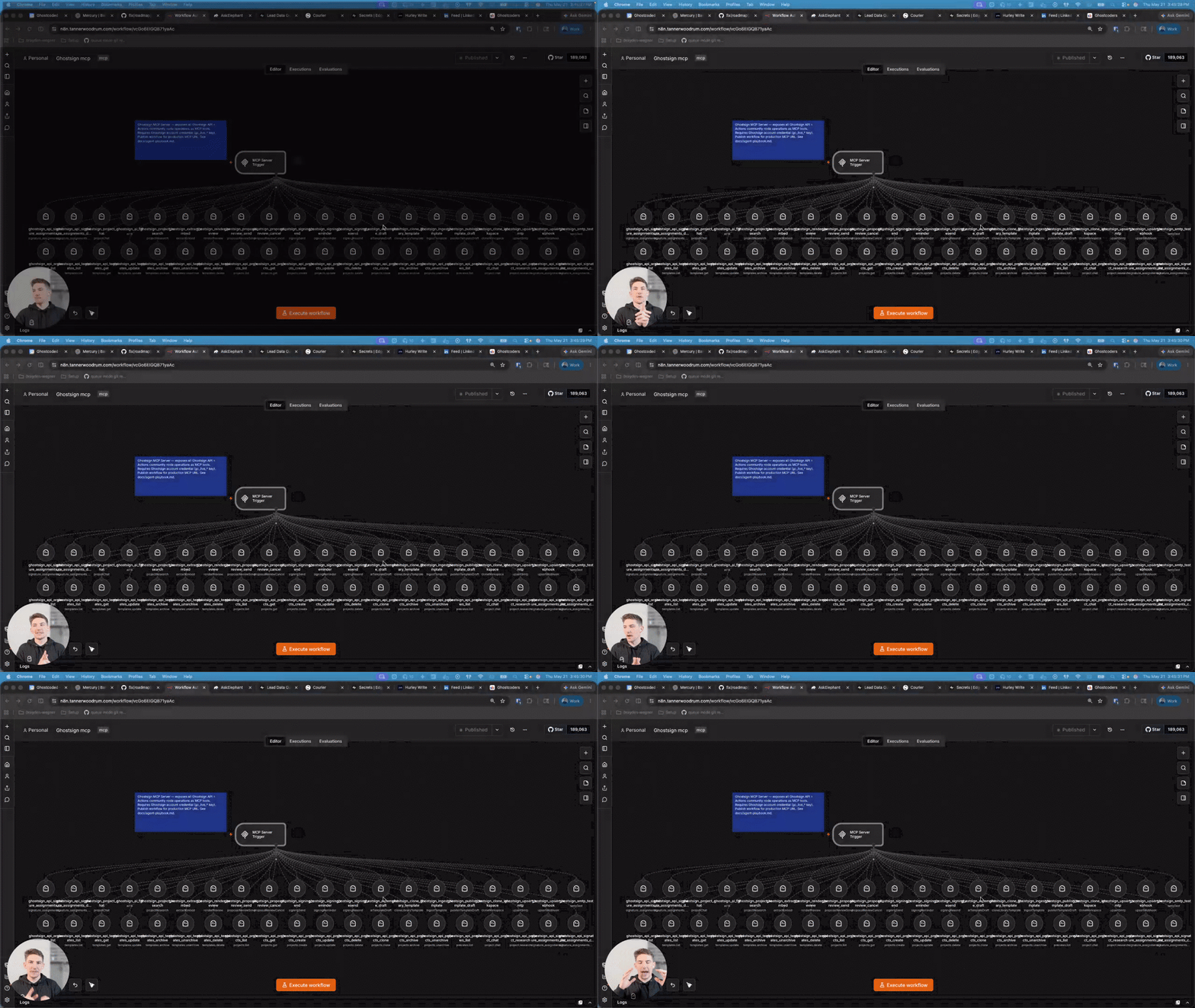
Ever wanted to know how to build a custom MCP server in n8n?
What's up guys! If you've been alive in this ai space, then you've heard of mcps, but maybe you've never actually learned how to use them, let alone how to build them! That ends today! n8n makes it so easy to get your most important tools in front of your ai agents and it only takes a few minutes. Come learn how to build mcp servers in n8n. Any questions? // p.s. Imagine being able to have your Claude Code or Cursor help you send out documents for signature or even draft your client's proposal. Ghostsign allows you to do that. No more uploading clunky pdfs for a wonky interface to build your quotes or proposals. No more paying per document send. And no more not being able to us AI to help you through this process. Cut the bottlneck and start making more deals with Ghostsign! Seriously guys, i use it every day for research, proposal reviews and ultimately signatures. it has bought me back so much time, and has made me thousands of dollars bc it took away the bottleneck! go get started for free at sign.ghostcoded.com
May 13 •
I just built an agent that can draft and send dynamic agreements for signature!
Let's say I'm on the move and I need to send off an NDA for a client. Instead of going into my Ghostsign dashboard and running the already optimized flow, I can just chat with my agent, it'll grab all the details that it needs to fill out the project, can even have me upload files or text in order to add as context for the document generation. Because the really cool thing about Ghostsign is that it allows you to make *truly* dynamic agreements. Like I mean, not just like a single word or some numbers on a strict table etc. I mean 100% dynamic. Bc the interface for building your agreement template is Google Docs, you just put in {{variables}} that have special prefixes like {{table_...}}, {{bullets_...}} or {{sig_...}} and they have special abilities to dynamically create documents and style them as well! And the best part: all you do is upload context for the project and *it* will generate all your variable fields for you. Go get started completely for free, no credit card required sign.ghostcoded.com
2
0

1-30 of 42

skool.com/ghostcoders
Learn how to start, run, and operate an AI agency that actually provides ROI. I've generated over $150k in the past 11 months and will show you how.
Leaderboard (30-day)
1

+1
Powered by