
Write something

3d •
Introduce Yourself
Hello and welcome to Flipping Innovations Skool. Please introduce yourself and vibe.
0
0
4d •
Herstory and Legends - Video Prompt
These selfies are a tribute. A mirror. A reminder. From Cleopatra to Harriet Tubman. From Josephine Baker to Rosa Parks. From Shirley Chisholm to Angela Davis. From Maya Angelou to Whitney Houston. Different eras. Different lanes. Same courage. Same brilliance. Same refusal to shrink. I didn’t just create images. I honored lineage. I stood beside the women who cleared the path so I could stand fully in my own power. This is legacy in motion. This is Black womanhood remembered, reclaimed, and reimagined. Because they came, we rise. Prompt in the comments

4d •
Ready to Blast Off with Microsoft 365 Copilot
🚀 Ready to Blast Off with Microsoft 365 Copilot? Stop guessing and start doing. If you’ve been hearing the AI hype but still wondering how this actually helps me at work, this is for you. In this video, I’m introducing the Copilot Launchpad — a FREE mini course built to help you uncover the real, practical value of Microsoft 365 Copilot right now. This isn’t theory. It’s hands-on, real-world, and immediately useful. What you’ll learn inside the Copilot Launchpad 👇 💡 The “Lightbulb” Moments Discover what Copilot can actually do for your daily tasks — far beyond summarizing emails or rewriting text. ⚙️ Real-World Workflows Watch over my shoulder as I turn a blank page into a polished, finished document in minutes. ✨ The “Magic” Prompts Get access to my personal swipe file — the exact prompts I use to consistently get high-quality results. 🧠 Avoid the Hallucinations Learn simple, practical techniques to keep Copilot accurate, focused, and aligned with your intent. If you want to work faster, think clearer, and finally feel confident using AI in Microsoft 365 — this is your launchpad.
1
0
11d •
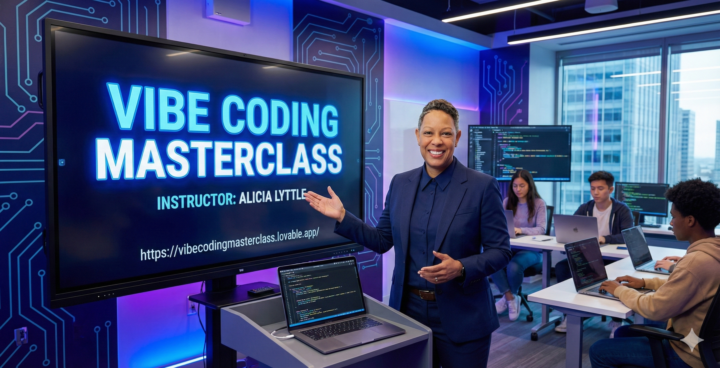
Vibe Coding Quickstart: Turn Any Idea Into a Build Ready Product Spec in 30 Minutes Using AI
https://us06web.zoom.us/meeting/register/s4ZxyeDMRQyy4ldvUge6PQ In this free Vibe Coding Mini Course, I’ll show you how to take a messy idea and turn it into a clear, build ready product spec you can hand to a developer or drop into an AI app builder. You’ll learn a simple Vibe Coding workflow to: - Clarify your idea fast (without overthinking it) - Lock in your target user and the real problem you’re solving - Define the core features that matter (and cut the fluff) - Generate a mini PRD (Product Requirements Document) and a technical outline using AI - Walk away with sprint ready next steps you can execute immediately Perfect for founders, creators, coaches, product managers, and anyone who wants to build faster with less confusion. Bonus: I’ll share what most people miss when using AI to plan products, and how the full Vibe Coding Master Class takes this method deeper (validation, user flows, data models, APIs, prompts, and production level specs). Outcome: You’ll leave with a usable spec for your idea and a repeatable process you can use every time you build. Call to action: Save your seat, and come ready with one idea you want to turn into something real.
0
0
1-4 of 4
skool.com/flipping-innovations
Learn to think clear and build no code AI apps with simple steps. Flipping Innovations guides your growth, skills, and creativity.
Powered by