Write something

Feb 6 •
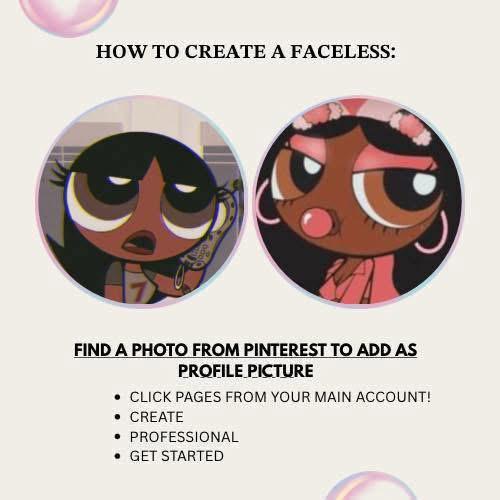
Stop paying people to learn how to make money on fb I BEEN leaked the sauce! ✨
Step 1: Connect a page through your regular account! Step 2: Create mood boards regarding your moods, your thoughts, or your current situation. Since photos get paid a lot post more photos than statuses! Step 3: Post those mood boards directly in the groups, I will help grow them as I see them! Aesthetic Vibes ✨🦋https://www.facebook.com/share/g/17umb4i5n6/?mibextid=wwXIfr Do it have to be a new page? Or can you use your old account? If you’re monetized on your old account use it if not create a whole fresh one! Imagine Facebook paying your bills for 2026 because you decided to take 5 minutes out your day to create a faceless account & started posting to ease your way in the algorithm! Goodluck & you’re welcome 😉💋
Feb 6 •
SIGN UP FOR THE MAVELY APP ITS GOOD FOR BEGINNERS 🚨
Step 1: Sign up with Mavely:https://app.mave.ly/S1m1OTjpZVb (#ad) Step 2: Pick a store from the list of brands. You can choose Walmart, Target, Ulta, etc. Step 3: Click “Create Link” and find a product you want to promote and create a link for it. Step 4: Find an attention grabbing photo or video that uses your product. Step 5: Use the photo or video you found to make a post on your social media platforms. Step 6: Get exposure. Whether you post on Facebook, Instagram or TikTok, you need exposure. The easiest way for a beginner is Facebook. That’s it! Make your first post and comment when you’re done 🫶🏽🫶🏽
1
0
Feb 6 •
New To Content Creating ?
New To Content Creating ? Well You’re At The Right Place !! PLEASE READ ALL THE WAY THROUGH!! 🔑 HOW TO GET MONETIZED ON FACEBOOK Step-by-Step Breakdown STEP 1: SET UP FOR MONETIZATION 1. Go to your Facebook Profile or Page 2. Turn on Professional Mode • Profile → Menu (•••) → Turn on Professional Mode • OR use a Facebook Page 3. Confirm: • Real identity • No policy violations • Account in good standing 📌 Monetization does NOT work on personal profiles without Professional Mode. STEP 2: MEET BASIC ELIGIBILITY REQUIREMENTS Facebook checks these automatically: • You are 18+ • You follow Community Standards • You follow Monetization Policies • You post original content • No recent strikes or violations If you fail this step, monetization will NOT unlock. STEP 3: BUILD CONSISTENT CONTENT ACTIVITY Facebook rewards consistency over virality. Minimum best practices: • Post Reels regularly (3–7 per week recommended) • Mix in photos and text posts • Respond to comments • Avoid reused TikTok watermarks • Avoid copyrighted music (unless licensed) 📌 Watch time matters more than views. STEP 4: ENTER FACEBOOK’S CREATOR TRACKING SYSTEM Once active, Facebook begins tracking: • Watch time • Retention • Engagement • Posting consistency You’ll see progress inside: Professional Dashboard → Monetization / Achievements This is where Facebook decides if you’re monetization-ready. STEP 5: QUALIFY FOR MONETIZATION TOOLS Facebook monetization comes in layers, not all at once. Common Monetization Tools: • Reels Ads • Performance Bonus • Stars • In-Stream Ads (long-form video) ⚠️ You do NOT apply for most of these. Facebook sends in-app invitations only. STEP 6: RECEIVE A BONUS OR MONETIZATION INVITE When eligible: 1. Facebook sends an in-app notification 2. You accept the invitation 3. Monetization turns on immediately 4. Earnings tracking begins ❌ No emails ❌ No DMs ❌ No third-party links Only inside Facebook. STEP 7: SET UP PAYOUTS Before getting paid: 1. Go to Monetization Manager
1
0
Feb 6 •
Welcome! Introduce yourself + share a pic of your workspace 🎉
Let's get to know each other! Comment below sharing where you are in the world, a photo of your workspace, and something you like to do for fun. 😊
0
0
1-4 of 4