

Mar 9 •
Updates: Bug Fixes, UI Polish, and a New Feedback Board
Hey movers! First, apologies for going quiet these past few weeks. I've been deep in the weeds with some really tough bugs and the coding process has just been kicking my ass. Solo dev life. But I kept grinding, and have a new build with bug fixes and stability improvements. Bug fixes - Fixed a crash that could happen mid-recording or when stopping a recording. Thank you @Jenna Pomaville and @Valeria Esquivel for flagging that (I wasnt seeing this on my end) - Fixed a bug that made the initial headphone calibration confusing for new users. Thank you @Nickel Yudat for catching that one - Fixed an issue where exporting a video could silently fail and leave the app stuck. Exports now always show a clear error if something goes wrong UI cleanup: - Highlights tool now matches the Refine tool design - Playlist sort options added: Recently Viewed, Recently Created, Alphabetical, or Custom - New playlists now appear at the top of the grid instead of the bottom - Fixed playlist artwork not loading after restoring track data - Fresh splash screen and settings screen with updated logo Storage Optimization: - The app didn't have storage cleanup logic, and when I checked, it had taken up 28GB on my phone from old temp files. Fixed. The app now sits around 4GB depending on how many drafts you have saved. New: In-App Feedback Board: In Settings under "Feedback" you'll see two new buttons 1. Request a Feature 2. Report a Bug. Most feedback was coming through DMs, voice notes, and one-off messages, which meant good ideas were getting lost and I had no way to see what actually mattered most to everyone. The feedback board fixes that. Submit an idea or bug, everyone can see it, vote on it, and I can prioritize based on what the community actually wants instead of whatever's loudest in my inbox. This community isn't going anywhere, but as we get closer to the public App Store launch and new users start coming in, I needed one central place where everyone's voice counts.
0
0
Jan 1 •
START HERE: Welcome! Introduce yourself 👇
Hey fellow movers! (This is the home for all beta communication) Here you can: ✅ Report bugs and help improve the tool ✅ Request new features and help shape the tool ✅ Ask questions and get support ✅ Discover tips & tricks from other artists ✅ Get Exclusive updates I don't share anywhere else Whats next? 1. Get setup with Cyphr Cam fast here 2. Watch the beta testing guidelines here 3. Introduce yourself and what you're working on (Copy / paste this template below in the comments) Let us know: 1. Who are you and where are you from? 2. How long have you been dancing / what kind of movement do you do? 3. What are you currently working on in your practice? 4. What's one thing you use some support with? 5. What are you hoping to get out of using CyphrCam? Thank you for believing in this passion project and helping shape its evolution! I’m truly grateful for YOU!

Feb 8 •
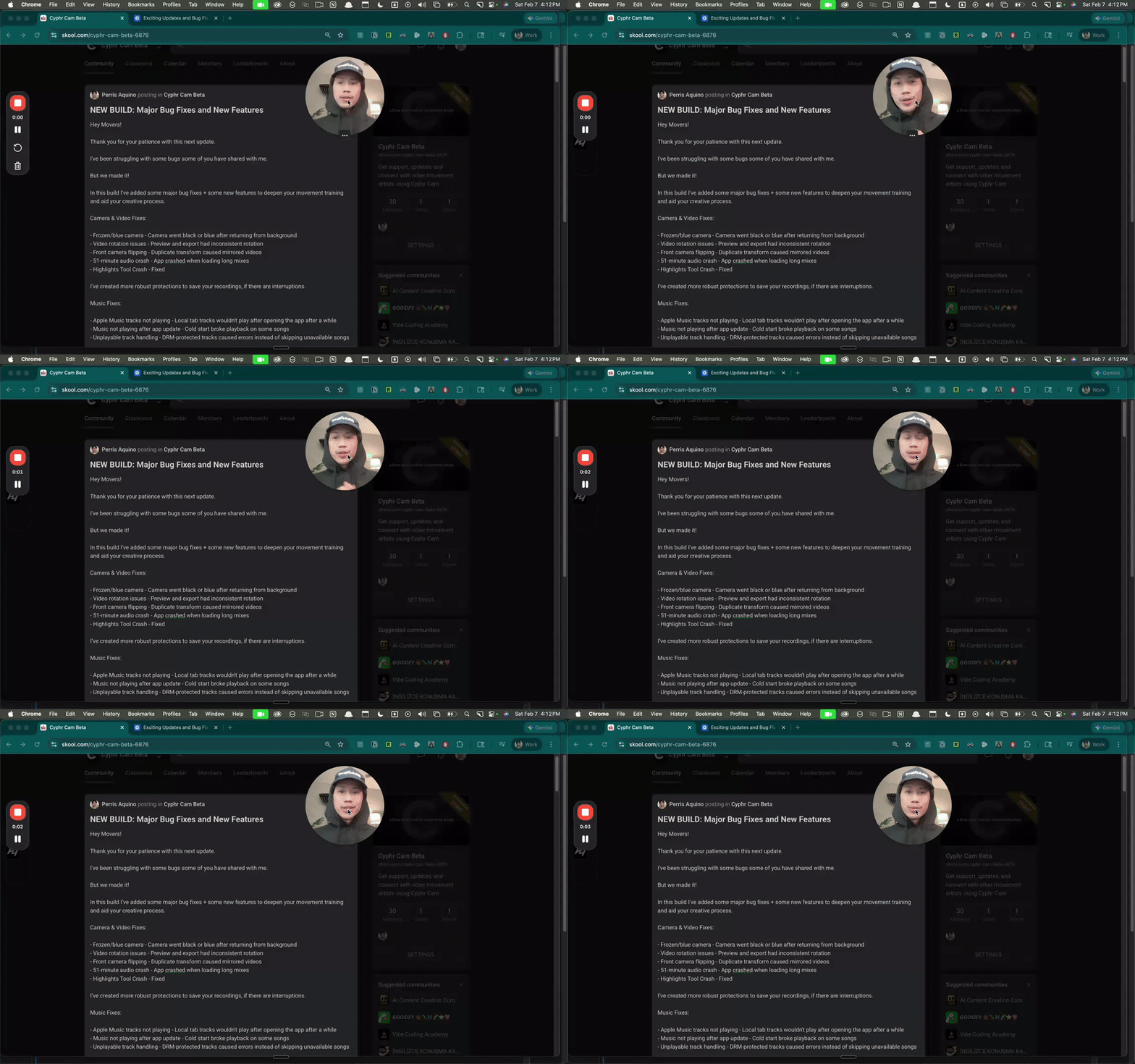
NEW BUILD: Major Bug Fixes and New Features
Hey Movers! Thank you for your patience with this next update. I've been struggling with some bugs some of you have shared with me. But we made it! In this build I've added some major bug fixes + some new features to deepen your movement training and aid your creative process. Camera & Video Fixes: - Frozen/blue camera - Camera went black or blue after returning from background - Video rotation issues - Preview and export had inconsistent rotation - Front camera flipping - Duplicate transform caused mirrored videos - 51-minute audio crash - App crashed when loading long mixes - Highlights Tool Crash - Fixed I’ve created more robust protections to save your recordings, if there are interruptions. Music Fixes: - Apple Music tracks not playing - Local tab tracks wouldn't play after opening the app after a while - Music not playing after app update - Cold start broke playback on some songs - Unplayable track handling - DRM-protected tracks caused errors instead of skipping unavailable songs [New Features] Account Creation with Google and Apple Logins: - save your data and insights On-Screen Tutorials: - Interactive tutorials to set up calibration properly - Visual tool-tips guide you through features Silent Disco Mode: - You can now dance with a partner, record videos while using Audio Sharing with 2 AirPods - Mini-player controls stay responsive during recording - To use, toggle "Silent Disco Mode" in the settings. - Be sure to toggle it off when not in use, to capture ambient audio This only works w/IOS Airpods and the AudioSharing feature; Use 2 pairs of the same airpods for best results Music Library : - Music Notes: Click Add Note" option with the “+” Icon to write creative notes on individual songs - Tags: Click Add Tag option with the “+” Icon to add tags to songs and organize music Song Credits after export: - After exporting a video you can easily copy all the song credits to past in a caption for social media - Works with multi-song sessions, and will display each song and the time code you danced to it
0
0
Feb 1 •
UPDATE: Silent Disco Mode w a partner
I was finally able to figure out what was wrong with the dual headphones mode! In the next update you’ll be able to silent disco with 2 pairs of AirPods with a partner, using Apples audio sharing feature while recording. This allows you to make dance vids with a friend in any environment without disturbing the peace. In the videos below, I’m at the park with my mom on her bday, and it was so easy to capture these moments: People were fishing, It was quiet, and calm. Many ppl there were elderly. But we were still able to party in our own world, feel close to the music, and make this little video. (I want to try filming some vids in ikea soon with a friend, they got scenes everywhere) Things to know before the update: 1. This feature works best if you have 2 pairs of the same AirPods - since they have the same Bluetooth delay. Unfortunately IOS ecosystem doesn’t allow this with off-brand headphones (cause they dumb) 2. You won’t be able to capture ambient audio in silent disco mode (sounds of hyping eachother up, clapping cheering, etc) because of IOS limitations with the audio sharing feature. All silent disco recordings export with music only. 3. It’s dangerously fun. It might be a bit buggy at first , so be sure to post any bugs you find in this group so I can fix them right away! Next update will be published soon along with music notes, and Cyphr insights 💪
2
0

Jan 31 •
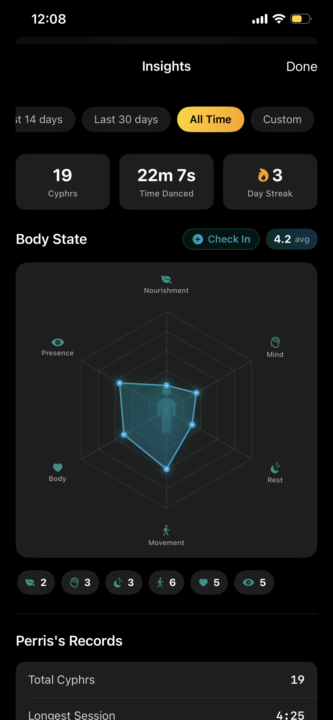
UPDATES: Cyphr Insights
Hey movers! It’s been a while since I’ve updated the tool to the public, the world has been quite crazy the past couple weeks. I hope you’re all safe, creating, and surrounded by love and support during this time. I’ve been working on alchemizing your feedback, and I’m excited to share this next update with yall. Many bug fixes have been made, some UI improvements, and you will soon have tools to deepen how you document and track your movement practice. These are experimental features and I personally find them valuable to build more awareness around my practice habits / creative process. Check out the screenshots for what’s to come 👇 Ps: would love to know if you would find these things valuable or not in your training! Don’t be shy to share any questions or thoughts, in the comments :)
1-9 of 9
powered by
skool.com/cyphr-cam-beta-6876
Get support, updates, and connect with other movement artists using Cyphr Cam
Suggested communities
Powered by