
Pinned

Dec '25 •
Welcome! Introduce yourself & your Skool Community 🎉
Let's get to know each other! Comment below sharing where you are in the world, your Skool Community link and something you like to do for fun. 😊 No Skool Community yet ? No problem. We got you covered. Make sure you go to Community Exchange Resources and follow instructions there. By adding your Skool community link here you are creating a one way link from this Community to yours and opening up a gateway of internal and external traffic that can bring in new members to your community. when posting articles always add your community link at the end. Since this is a public community, chances are that your article can bring in people directly to your community even if they are not a member here. To better understand how the system works revisit and watch the two videos on the about page. Here is the link : Skool Community Exchange Do you want a Free upgrade in Skool Community Exchange ? Check out our partnership program : - Partnership Program ·

Pinned
Sep 17 •
🚀 Make the Skool Community Exchange Work for You
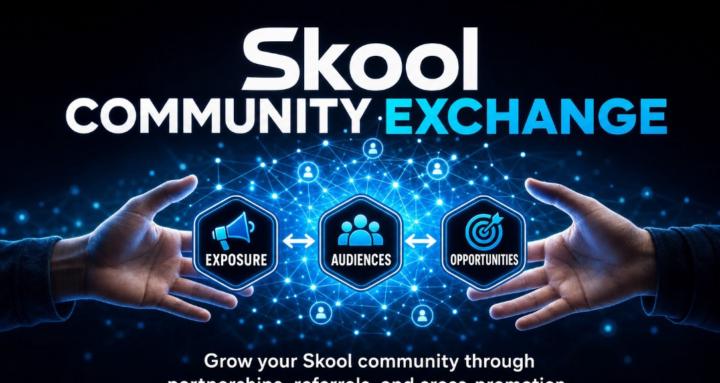
Think of Skool Community Exchange as a mini Skoolers community — and the Community Exchange as our own mini Discovery page. But there’s one important difference: Here, self-promotion is encouraged. You can share your community, include your community link in your posts and comments, connect with other community owners, and use DMs when you want to continue a conversation privately. The more active we all are, the more valuable — and visible — the Exchange becomes. Here are 3 simple ways to participate: 1. Post valuable content regularly 🔎 Share useful content related to your niche, experience, or expertise. When you write your posts, naturally include keywords people might search for and add your Skool community link at the end. This gives people inside the Exchange a chance to discover you and can also give search engines more context around your content and community. Don't just post: "Join my community!" Instead, teach something useful, answer a common question, share an experience, or solve a problem — then give people a way to find your community if they want more. 2. Add value to other members' posts 💬 Don't only create your own posts. Participate in other people's conversations. When you see a question or discussion where you have something useful to contribute, jump in and help. And when it's relevant, add your community link as a simple signature at the end of your response. That way, you're not spamming or randomly dropping links. You're providing value first and giving interested people a natural way to discover you. 3. Explore the Community Exchange 🤝 Visit the Community Exchange regularly and explore communities created by other members. If you find a community where you share an interest, can learn something useful, make a meaningful connection, or contribute your own knowledge — join it. Remember, this Exchange isn't only about getting new members for your own community.
5
0
Pinned
8d •
Community Partner Update
To all community partners. Please delete the Skool Community Exchange Discovery Portal in your classroom and install this one. 9027d5b56d93402fa6e0cc9302ada6ecda2d154bb9b449d9a46dd1f1440ed7a1 Then make sure to mark from draft to published. The New Portal should include links to 57 communities.


🔥
2d •
Progress, Not Perfection
Missed a workout? Had a rough day? Fell out of your routine? It doesn't mean you've failed. 🌱 At 𝐒𝐭𝐫𝐨𝐧𝐠𝐞𝐫 𝟐𝐠𝐞𝐭𝐡𝐞𝐫, we're learning that small, consistent steps matter more than perfection. If you're ready to build habits that fit your actual life, we'd love to have you alongside us! https://www.skool.com/stronger-together-4128/about
0
0
🔥
2d •
Understanding ADHD
ADHD is about so much more than what we see on the surface! 🧡 This month in 𝐍𝐞𝐮𝐫𝐨𝐝𝐢𝐯𝐞𝐫𝐬𝐞 𝐋𝐞𝐚𝐫𝐧𝐢𝐧𝐠 𝐇𝐮𝐛 (𝐍.𝐋.𝐇.), we're exploring ADHD beyond the behavior and learning how to better understand and support our kids. If you're a parent looking for practical ideas, encouragement, and connection, come join our community! https://www.skool.com/neurodiverse-learning-hub-5414/about?ref=a2465c07d77b4402b51f1318012c8ef7
0
0
1-30 of 233
powered by
Suggested communities
Powered by