Activity
Mon
Wed
Fri
Sun
Aug
Sep
Oct
Nov
Dec
Jan
Feb
Mar
Apr
May
Jun
What is this?
Less
More
Owned by Zdravka
The private space for B2B marketing pros navigating international exhibitions.
Memberships
The $5k Client Accelerator
8 members • $2,500
OBB1 Community Navigator
227 members • $7/month
Всеки Ден Майндфулнес
11 members • $27/month
The $5k Strategic Offer
20 members • $500
Big Business Entrepreneurs
21.3k members • Free
The AI Event Insider
186 members • $27/month
Booth Boss
86 members • Free
Event Planning Skool
44 members • Free
Engineers Can Sell:Accelerator
7 members • $5,800
6 contributions to Booth Boss

May 30 •
𝗜 𝗚𝗼𝘁 𝟱-𝟭𝟬 𝗛𝗢𝗨𝗥𝗦 𝗕𝗮𝗰𝗸 𝗟𝗮𝘀𝘁 𝗪𝗲𝗲𝗸 𝗪𝗶𝘁𝗵𝗼𝘂𝘁 𝗪𝗼𝗿𝗸𝗶𝗻𝗴 𝗙𝗮𝘀𝘁𝗲𝗿
It was soooo easy. (And close to free.) Last week, I saved HOURS. I didn't work faster. I just stopped doing the stuff Claude Extension could do while I was busy being human. 𝗛𝗲𝗿𝗲'𝘀 𝗮 𝗿𝗲𝗮𝗹 𝗲𝘅𝗮𝗺𝗽𝗹𝗲... My email blast looked perfect in Outlook. Then I checked it in Yahoo. The spacing was a mess. Fixing that kind of thing means digging into CSS files and HTML code. That's not a quick fix. Claude's Chrome Extension found the issue and corrected it while I kept working on other things. That's the point. I stayed human while AI fixed my tech problem. 𝗪𝗵𝗮𝘁 𝗶𝘁 𝗱𝗼𝗲𝘀: It lives inside your Chrome browser as a side panel. You tell it what to do and it gets to work. It clicks buttons, fills forms, pulls data from dashboards, and moves between tabs on its own. You don't have to stop what you're doing. It runs in the background while you stay focused on the work only you can do. 𝗪𝗵𝗮𝘁 𝗶𝘁 𝗰𝗼𝘀𝘁𝘀: It's free to download. You'll need a paid Claude plan to use it. I'm on the $20 a month Pro plan. Higher tier plans unlock more powerful features, but the Pro plan gets the job done. 𝗛𝗼𝘄 𝘁𝗼 𝘀𝗲𝘁 𝘂𝗽 𝗖𝗹𝗮𝘂𝗱𝗲 𝗘𝘅𝘁𝗲𝗻𝘀𝗶𝗼𝗻: 1 - Open Google Chrome 2 - Go to the Chrome Web Store and search "Claude AI for Chrome" 3 - Click Add to Chrome 4 - Sign in with your Claude account 5 - Click the puzzle piece icon in your toolbar and pin Claude 6 - Click the Claude icon to open your side panel 7 - Type what you want done and let it work You are welcome in advance. =) 𝗧𝗲𝗹𝗹 𝗺𝗲: - 𝘁𝗵𝗲 𝗼𝗻𝗲 𝘁𝗮𝘀𝗸 𝘆𝗼𝘂 𝗵𝗮𝘁𝗲 𝗱𝗼𝗶𝗻𝗴 𝗺𝗼𝘀𝘁. I might have a tool for that. - how Claude Extension can help with your next project, task, problem.


1 like • Jun 1
Thanks for sharing ! Will definitely check it out !
Apr 25 •
Are you not great at prompting AI... yet? 👇
You don't need to be with this FREE tool. How many times have you typed something vague into an AI chat, gotten a garbage answer, and then spent the next 20 minutes trying to fix it? Yeah. Me too. But, it wasn’t AI's fault. It was our first prompt. This free Chrome extension helps you nail it right out of the gate: 𝗣𝗿𝗼𝗺𝗽𝘁 𝗦𝗹𝗼𝘁𝗵. 5.0 stars on the Chrome Web Store. 30,000+ prompts already improved. And the free tier requires no credit card. How it works after downloaded: 1 - Type your rough idea in the chat prompt box. 2 - Click the purple diamond above it. 3 - Presto-magic: It turns your hot mess of a thought into a clean, structured prompt before you hit send. Marketing professionals are using it for things like: 💥Writing better briefs for ad copy and email campaigns 💥Getting cleaner outputs from AI tools the first time 💥Turning vague ideas into structured content requests 💥Building a private prompt library with reusable templates 💥Accessing a community library with // shortcuts It works inside ChatGPT, Claude, Gemini, Perplexity, Grok, and more. No extra tabs. It lives right where you already type. Pricing: - Free: 10 prompt enhancements per week, forever - Pro: $4.99/month or $3.99/month billed annually - Lifetime Pro: $89 one-time payment To get it, go to: https://promptsloth.com/ 👇Have you ever wasted 20 minutes in an AI chat because your first prompt was off? Drop a comment below so I don't think I'm the only one who has done that. 😊
0 likes • Jun 1
@Paul Defrin it’s a PM tool with now integrated AI for different tasks. We’re using notion for project management since 2019 and it works great 😊
0 likes • Jun 1
@Paul Defrin Notion could work well for all kind of project management :)
May 8 •
Download Videos for FREE!
Ever find a video online you NEED to save… but there's no download button? Yeah. Me too. All. The. Time. That's why I've been using a free Chrome extension called 𝗙𝗲𝘁𝗰𝗵 𝗩 for about a year now, and I just love it. Whether it's a training video, a competitor's ad, or content inspiration you want to reference later, this little tool makes it ridiculously easy. Here's how it works: 🔹 Open the page where the video lives 🔹 Click the Fetch V extension in your browser 🔹 Press play on the video (to confirm you're grabbing the right one) 🔹 Hit the download button 🔹 Wait for it to finalize 🔹 Click the green down SAVE button to save it 🔹 Move it wherever you need it for easy access later That's it. Done. I recorded a quick Loom to show you just how easy it is: https://lnkd.in/gPA8XrYJ ⚠️ 𝗔 𝗰𝗼𝘂𝗽𝗹𝗲 𝗵𝗲𝗮𝗱𝘀 𝘂𝗽𝘀: This won't work on EVERY video. If it's behind a subscription (Netflix, Circle, Skool) or on certain platforms like YouTube...no luck. The example I showed was hosted on Wistia and works perfectly. 𝗧𝗵𝗲 𝘀𝗶𝗺𝗽𝗹𝗲 𝗿𝘂𝗹𝗲: ✅ Video is open + standard format → works ❌ Video is protected, encrypted, or customized → fails Also, because it's free, there are a LOT of ads. That's literally the only irritating part of this whole thing. But for a free tool? I'll deal with it. JUST BE CAREFUL not to click on other things an sign up for other programs from this site. Grab the extension here: https://fetchv.net/ 👇 What's a free tool YOU use all the time that most people don't know about? Drop it below!

1 like • May 8
Interesting ! I’ll check it out;)
Apr 21 •
Quick question before I plan the next 90 days...
Poll Question: What would make you actually log in here every week?' Answer options: - A: More AI and marketing tools (keep doing Fridays) - B: Real talk about trade show strategy - C: A place to ask questions and get answers fast - D: All of the above, just be more consistent - E: None of the above (Post below what you are in need of these days.)
1 like • Apr 22
B and C ;)
Apr 17 •
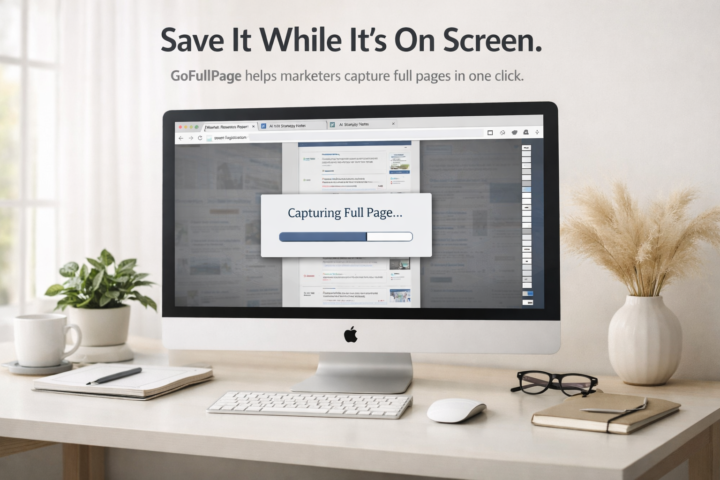
Save the ENTIRE page – no matter how long it is.
Okay this one is small but MIGHTY and I use it more than I expected to. GoFullPage by Full Page LLC. Free Chrome extension. 10 million users. 4.9 stars. Here is the situation it saves you from: 🤯You had a great AI chat with cited stats or a solid outline you want to reference later. But your chat history is a mess and the auto-naming is useless. Now you are scrolling forever trying to find it. 🤯You filled out a trade show order form online, got all the way to checkout, and the item details did not carry over. No record. Start over from scratch. GoFullPage captures the entire page, not just what is on your screen, and lets you download it as a PNG, JPEG, or PDF right then and there. A few ways marketers are using it: - Saving AI chats with stats or briefs worth keeping - Capturing trade show order details before checkout loses them - Documenting website pages before they change To get it, go to the Chrome Web Store, search GoFullPage, and grab the one by Full Page LLC. Two clicks. Your mission this week: Try it once on something you actually need to save. Then come back here and tell me what you used it for. I want to hear the specific situation. Bonus points if it saved you from a headache. 😄 I’ll go first…
1 like • Apr 17
Sounds like a great tool :) thanks for sharing!
1 like • Apr 18
@Heather Bundgaard thanks a lot, I think with AI we will soon get support on many operational tasks ;)
1-6 of 6

@zdravka-kambourova-4721
Helping Marketing Directors simplify their international B2B trade show campaigns.
Active 16m ago
Joined Nov 3, 2025