Activity
Mon
Wed
Fri
Sun
Oct
Nov
Dec
Jan
Feb
Mar
Apr
May
Jun
Jul
Aug
Sep
What is this?
Less
More
CG Python Academy
1.4k members • Free
11 contributions to CG Python Academy

Apr 11 •
Newcomer here
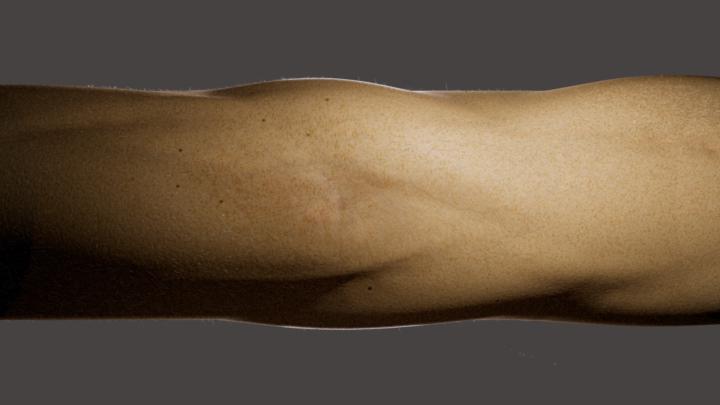
Hello everyone, I am a 71 years old mix between a photographer and mathematician. Tired of doing things that I did before I decided to go 3D to produce 100% realistic photos of things that don't exist. My aim is low: I want only still images. I am now in the process of building a procedural muscle generator with geometry nodes in blender. I am almost done but to be 100% realistic I need to add some noise around the muscle with a bump map. In order to do this I need to embed script into the GNs. I can give you thousands of textures, including skin textures derived from real photos that gives us a real skin. Also I have 2 body hair generators (one for the outline and one for the "field of the skin) that are to be use as a top layer in Photoshop. I'll be happy to share.

1 like • May 3
I’ve just seen your post and I’m really excited about your interests, because I also do a bit of photography myself and I have some ideas for Blender projects that combine abstract photography with 3D. For now, though, I don’t really have the time to dive into it—but as a teacher, the summer holidays are coming, so… 🙂 Anyway, I’m following your Blender journey with great interest and looking forward to hearing more. Best of luck!
0 likes • Jun 21
@John Smith Images Classical Sorry for delay but I was very busy. How I'm good in Blender? I don't know :D I'm sure I'm not pro user in this App.

Jun 14 •
Set Up Free Coding AI in VS Code
Hey everyone! 👋 I just created a video showing how to set up free coding AI models in VS Code using OpenRouter. Video can be found here: https://www.skool.com/cgpython/classroom/3eeec317?md=63db098b9fbf42fba6441a24e17e1c99 In the video, I walk through: - Creating an OpenRouter account - Generating an API key - Signing in with GitHub - Connecting OpenRouter models inside VS Code - Selecting and pinning free models This is a great option if you want to experiment with AI-assisted coding in VS Code without paying for premium models right away. There are some daily limits on the free models, but they're still useful for testing, learning, and smaller coding tasks. If you have any questions while setting it up drop them here, and I'll be happy to help!

0 likes • Jun 21
The holidays are just around the corner, and I will definitely get to know OpenRouter better – right now, I'm finishing a web application for creating photo zines, mainly for school students, and the application is based mostly on JS, HTML, and CSS. When working with AI, I divide tasks among different models (Gemini Flash, Pro, Flash Lite, and the free version of Claude). Drawing visual clues for the model is very helpful – often a prompt alone doesn't do much, and it's only when you map out the problem visually that the AI's reasoning gets a real boost. The planning mode is very helpful – it allows you to map out the required functions or the possibility of using appropriate libraries before coding, and only move on to the coding mode once the plan is approved. This saves a lot of tokens.
0 likes • Jun 21
@Victor Stepanov yes, I know, problem with OperRouter was in number free LLMs and how use it with VS Code. Thx fot this guide.!
May 18 •
Bumping the Coffee hangout ☕️
Hey, I have a conflict with the coffee Hangout this week. I’ll bump it to next week. ❤️ See you then!

0 likes • May 19
I have conficts with the coffe Hangout very week 🥲
Apr 13 •
Blender Python Cheatsheet
I found something interesting for Blender Python coders > Blender Python Cheatsheet. Available are PDF and Notion link (I love Notion for notes and other stuff). This is free of course link > https://salaivv.gumroad.com/l/blender-python-cheatsheet The author also offers a book "Blender Scripting Cookbook – Recipes for the Blender Python API" but a sample chapter is available for free only link > https://salaivv.gumroad.com/l/blender-scripting-cookbook
Apr 4 •
Single Axis Keying Panel addon
Hi again, I just want to update info on my small script for creating keyframes while animating in Blender. The current version is v0.30. What has changed? I cleaned up the code and added a feature that informs the user when no object is selected. Previously, if no object was selected, the name of the previously selected object was displayed, which was strange. Now, when no object is selected, it’s impossible to add keyframes. It works in B4.1+
1 like • Apr 7
@Victor Stepanov thx, the UX is more intuitive now :)
0 likes • Apr 8
I'm thinking about a new small features for this addon - any proposals?
1-10 of 11

Active 6d ago
Joined Jan 28, 2025
Warszawa
Powered by