Activity
Mon
Wed
Fri
Sun
Jul
Aug
Sep
Oct
Nov
Dec
Jan
Feb
Mar
Apr
May
What is this?
Less
More
Memberships
ZeroOne Systems
5.8k members • Free
Agency Vault
8.2k members • Free
AI Automation Society
387.3k members • Free
AI Consultant Incubator
2.8k members • Free
3 contributions to AI Automation Society

9h •
Claude Code Question
I keep seeing videos where people use Claude Code inside Cursor or another code editor, often with the Claude extension added. My question is: why use Claude Code through Cursor instead of just using the Claude desktop app directly and chatting with it there while it works on the project? What are the real benefits and differences between using Claude Code inside an editor like Cursor versus using Claude through the desktop app? Is it mostly workflow convenience, better file/project awareness, terminal access, version control, or something else?

💎
⭐
4d •
If you've ever felt "AI Overwhelm", please read this.
Every single person following AI right now is overwhelmed. Including me. I make videos about this stuff for a living and I still feel the pressure. New model drops. New framework. New feature update. It feels like every single day. But after hearing a ton of you guys bring up "AI overwhelm" week after week, I realized this: → There's a HUGE difference between knowing the "what" and knowing the "how." Staying aware does not mean testing everything. Most new tools and features only need the "what." You see the title. You understand what it does. You move on. The "how" is reserved for the stuff that solves a problem you actually have right now. So when something new drops, I ask myself one question: Does this solve a specific pain point I'm currently dealing with? If yes, I test it in a real scenario. I test it against something that actually matters to me. If no, I save the link. I mentally file it away. And I keep walking. Because here's the thing. Your north star is probably very different from mine. Part of my job is to experiment, form opinions, and share what I think is useful. So naturally I test a lot of stuff. But if your north star is building a business or getting better at your craft, then every shiny new tool might just be a distraction. The number one mistake I see people make is they try to learn everything. They watch every video. They test every tool. They jump to the next thing before the last thing even had a chance to work. And if I've contributed to your overwhelm with my daily uploads, I apologize. hehe. But a lot of people think that this ties directly into how you measure your day. Productivity is not how many hours you worked. It's how many meaningful outputs you created that actually moved the needle towards your north star. Someone can work 12 hours one day and feel insanely productive, but they were just watching tutorials and playing around with new tools. Meanwhile someone else sits down for 5 hours, ships the one thing that actually matters, and makes more progress.
4 likes • 2d
Solid post and very relatable. I'm working on myself to not get sucked in to testing all these tools.
💎
⭐
12d •
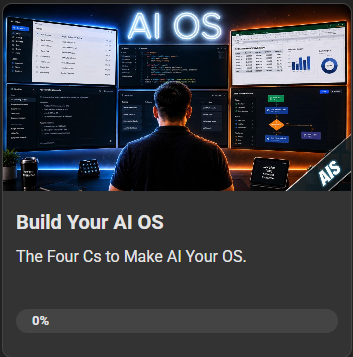
💻New AIS Course: Build Your AI OS
Just dropped a new course in the classroom and I'm pretty pumped about this one. It's the full step-by-step on building your own AI OS. Same exact setup I use every day to run the YouTube channel, the community, and my team. 8 lessons, all my templates and prompts, plus a free GitHub repo so you can skip the boring setup and just start building. To unlock it in the classroom, you just need to hit level 3 in the community. Honestly pretty easy: - Drop an intro post if you haven't yet - Engage with a few other members in the threads - Help somebody out who's stuck on something That's pretty much it. Get to level 3 and the whole thing opens up. See you in there. - Nate
1 like • 10d
Building right now
1-3 of 3

@zachary-bradley-7965
39 year old, semi retired, looking to add extra passive income to continue living the best life I can
Active 1h ago
Joined May 19, 2026
Powered by