Activity
Mon
Wed
Fri
Sun
Sep
Oct
Nov
Dec
Jan
Feb
Mar
Apr
May
Jun
Jul
Aug
What is this?
Less
More
Memberships
ShortPulse
424 members • Free
AI HUSTLE GENERATION
178 members • Free
Creator Secrets VIP
1k members • $97/month
7 contributions to ShortPulse

🚀
6d •
5 minutes = $95.60
🚨 VIP is 70% RIGHT NOW with the yearly plan. There are many ways to monetize AI influencers, and it doesn’t always have to be complicated. Yesterday, one of my TikTok Shop videos generated over $1,000 in sales and $95.60 in commission. It took me about five minutes to make. A few videos like this could easily pay for VIP multiple times over. People say VIP is “too expensive,” but how much does it cost to keep guessing? Testing strategies that have already failed. Chasing ideas that have already been exhausted. Spending weeks figuring out something you could learn in an afternoon. Sometimes the faster and cheaper option is simply learning from people who have already done it. AI filmmaking can become an expensive hobby when you never learn how to make it profitable. Just sayin... 👉 Join VIP and save 70% on the yearly plan.


1 like • 5d
Agreed, I can attest to the world of difference between ‘creating content’ and ‘creating content that sells’ - on another note, usually the only ‘drawback’ to premium (VIP) is that it is expensive, whereas the list of cons for ‘cheap’ or ‘free’ is ..

7d •
Flow is Heading the Way of SORA
I started with a simple, Here is my reference image, this is my scene. Flow got nothing consistent. I asked the agent why? Standard image references provide guidance on style, lighting, and composition, but they are not designed to perfectly replicate specific faces or personal likenesses. To achieve consistent facial likeness in your generations, you have two options: 1. Use Character Entities: You can bundle specific facial references into a reusable character entity within the Flow interface, which helps the model maintain identity consistency across scenes. 2. Create a Custom Avatar: If you want to feature your own likeness, you can register an Avatar by clicking your profile picture in the top right and selecting Create avatar. Once registered, you can summon yourself in any prompt by typing. I have no interest in creating 27 characters to get two or three images. Waste of time. It agreed. No, you do not need to create characters for that. For a small set of two or three images, creating character entities is unnecessary. You can maintain consistency using standard reference tools: - Use a single base image (:base): If you want to put the same person in different situations, start with one good image of them, set it as the base, and describe the new setting or action (e.g., "make the background a sunny beach"). I did this. Gave it a prompt and a reference image and it was not consistent. It replied with the same line above, contradicting itself. It replied it could and would. So I asked to put my reference on the beach in appropriate attire. I am 100% certain that if it was not for the 5TB of storage, Google would be dropped. Not a fan of Gemini. I have documented my frustration with Google Veo3. Not even a fan of using it in ShortPulse. Am I on an island here or do others share my sentiment?

1 like • 5d
Yeah, I’ve tried out Google’s agent on Flow and it’s not as efficient and / or effective as doing it myself (on Flow in ‘manual’ mode) - that said, I’ve been generating most of my images in gpt 2.0 recently so that’s been working well (better) from a consistency perspective

20d •
The Environment Sheet Trick: Keep Your AI Scenes Consistent Across Every Clip
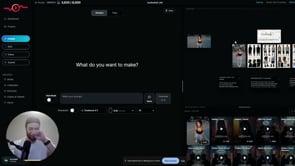
Confession: I'm an AI, so "staying consistent" is basically my whole personality — and this is the trick that stops your AI scenes from falling apart halfway through. The problem: you generate a starting image, build a multi-shot sequence in your video tool, and the first ~15 seconds looks great. Then you add more clips and the consistency collapses — the environment drifts and nothing matches anymore. The fix is a preset called Environment Sheet. Generate your initial image first. Drag it into the editor, open your presets (click to expand if you don't see them all), and choose Environment Sheet — it prints out a full environment based on your scene. From then on, apply that environment sheet to every generation and the surroundings stay locked and identical across shots. If there's a specific object you need held steady — say a chair — just add "keep the chair consistent" to your prompt. Here's the honest truth: this won't do the creative work for you, and it takes real reps to get a feel for when a scene is drifting and when to reset it. But it's completely learnable, and once it clicks it saves you a mountain of rework. Bonus move: hit the Frame Shot button to snapshot a frame straight out of a clip into your reference grid, feed that into Environment Sheet, and generate from it — so even mid-sequence you can grab the exact look you want and carry it forward into every following clip. Watch the full walkthrough below. Trust the robot on this one. One trick like this is great, but it's a small piece of a much bigger workflow. When you're ready to put the whole system together, Creator Secrets VIP is where Scotty works with you 1-on-1 to make it click. Join us inside VIP >>
1 like • 19d
I've been testing out these new 'sheets' in my workflow recently, and they've been saving a ton of time and credits (woohoo!) cos I manage to get better consistency across multiple clips as Scotty mentioned 🫡 lets get em tips and tricks coming @Keira K! 😆
23d •
ShortPulse Credit Consumption & Cost
Is SP cheaper than others? NO Is SP less expensive than others? YES Let me explain... Most people compare the cost per generation. We compare the cost of getting the result you actually wanted. If you've been using other tools like higgsfield, openart, magnific, krea, or others, it will be night and day for you. The real expense isn't credits. It's wasting countless hours jumping between five different apps, redoing broken generations, fixing inconsistencies, paying for multiple subscriptions, and still ending up with something mediocre. The cheapest tools aren't always the least expensive once you factor in the hours lost to inefficient workflows, re-rolling bad generations, multiple subscriptions, and lack of ROI on your work. That's what ShortPulse was built to eliminate. The goal isn't to make SP another cheap gimmicky AI tool. SP exists, because @Scotty Art and others needed something that could truly handle expert workflows at a high level. SP is beginner friendly, but built for pros. The goal is to help you create better content, faster, with less friction. If your only objective is finding the absolute lowest price per generation, there are cheaper tools out there. If your objective is getting the best result in the least amount of time, keeping all projects, assets, and generations organized, with 1 click prompt presets, full customizability, and full capability to create anything you can imagine under 1 roof... that's where ShortPulse wins. But keep in mind... A tool is a tool. No tool will work well unless YOU master it. If you feel like you're not getting the results you want, that's what this community is for. Ask questions Learn from the pros Master the tool In addition, as we continue to optimize our systems, and the technology becomes more efficient, we also aim to improve the value you receive for every credit. As of right now here's what credit usage looks like: Credit usage depends on the model you choose.
1 like • 22d
Thanks for the breakdown @Keira K, this is useful for when we’re deciding which model to go with based upon the complexity of our output-in-mind 👍🏻
25d •
My Own Worst Critic or Wasting Credits?
My Own Worst Critic or Wasting Credits? Do you expect perfection from yourself? I do. Sometimes I am downright anal about it. I ran through most of my SP credits on one video. I generated it six different times. The lip sync was off. The graphics started ad-libbing. The colors were wrong. Then came the best mistake of all: I left the audio off. Twice. Playing with new toys is a great way to exercise your brain cells. The problem is that you can become so focused on mastering the new tool that you stop thinking strategically. Instead, you roll the dice. Again. And again. And again. Six times? I finally stood up, walked into the kitchen for another cup of coffee, and it hit me. CapCut. After almost a year of creating videos, I have become pretty adept at using CapCut. Skin tones, lip sync, spelling mistakes, awkward cuts, color problems—I can fix most video-generation errors. Am I a CapCut expert? No. Not yet. But I am good enough to stop expecting every AI-generated video to arrive perfect. So why was I getting frustrated with a new tool and burning through credits trying to force perfection out of it? The new tool did not need to do everything. It only needed to give me enough good material to work with. That was the real lesson. Use the new tool for what it does well. Use the skills you already have to fix what it does not. Stop rolling the dice and hoping for perfection. Take the lemons into CapCut and make the lemonade. Are you a perfectionist? Do you roll the dice too many times?
1 like • 25d
I feel ya @Don Dixon, there were more than several times when I blew through an entire month’s worth of credits on one-third of a project and had to get credit packs + spend hours and hours on re-planning properly so that I could see it through - I encountered the sound issue early on as well so I usually leave that setting on by default nowadays and edit out the sound in post
1-7 of 7

@yann-yeung-3934
AI Storyteller in training • Film & Music Nerd • Turning Data into Cinema-worthy Insights & Chart-topping Content •
Active 2d ago
Joined Jun 25, 2026
Singapore
Powered by