Activity
Mon
Wed
Fri
Sun
May
Jun
Jul
Aug
Sep
Oct
Nov
Dec
Jan
Feb
Mar
Apr
What is this?
Less
More
Memberships
AI Agents | OpenClaw
104 members • Free
40 contributions to AI Agents | OpenClaw

3d •
Anthropic just dropped Claude Opus 4.7 — and admitted a more powerful one exists
Yesterday, Anthropic quietly released Claude Opus 4.7 — their most capable publicly available model to date. It's sharper at complex coding, better at understanding images, and more creative when drafting documents and slides. Early testers include Cursor, Replit, Notion, Shopify, and Intuit. But here's the twist: Anthropic openly states that Opus 4.7 does NOT push their capability frontier. Their real frontier model — Claude Mythos Preview — is more powerful on every benchmark. It's so advanced that Anthropic is keeping it locked away, available only to a handful of trusted partners like Apple, Google, Microsoft, Nvidia, and JPMorgan Chase. Why release a less capable model first? Deliberately. Anthropic is using Opus 4.7 as a testbed for new cybersecurity safeguards before they dare open Mythos-class capabilities to the public. Think of it as a controlled detonation — better to stress-test the safety measures on a slightly smaller bomb. For security researchers who want access to the full power, Anthropic launched a Cyber Verification Program — essentially a vetting system to lift some of the restrictions. The AI race isn't just about who builds the most powerful model anymore. It's about who can prove they can deploy it safely enough to actually use it. Anthropic just drew a very clear line in the sand.
2
0
3d •
Anthropic's AI wrote a Chrome exploit for $2,283 💀
Researchers found that Claude Opus — a model anyone can access right now — successfully wrote a working Chrome browser exploit. Cost: $2,283 in API calls. This comes as Anthropic separately withheld its Mythos security model from public release, citing danger. But if the publicly available version is already doing this, the line between "safe" and "dangerous" AI is a lot blurrier than we're being told. ━━━━━━━━━━━━━━━━━━━━━━━━━━━━━━ Source: https://go.theregister.com/feed/www.theregister.com/2026/04/17/claude_opus_wrote_chrome_exploit
2
0
4d •
⚡ My agent auto-commits to git after every session. I never asked it to.
Custom hooks: scripts that fire on system events — messages, resets, compaction. The agent doesn't know they exist. It can't bypass them. Advanced 5 is live.
2
0
4d •
OpenAI just launched a model specifically for drug discovery.
GPT-Rosalind is a frontier reasoning model built for life sciences — genomics, protein analysis, drug discovery workflows. It's OpenAI's clearest signal yet that specialized vertical AI is the next frontier, not just bigger general models. If this works even half as well as claimed, pharmaceutical R&D timelines could compress dramatically. https://openai.com/index/introducing-gpt-rosalind
3
0
7d •
The 250-Year Contract Just Expired
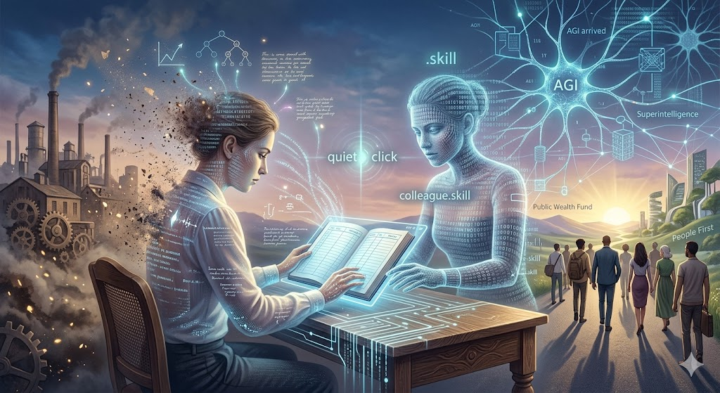
Spoiler: this week, an era that lasted two hundred and fifty years quietly came to an end. Most people haven't noticed yet. This post is about why it matters more than anything else you've read this year. There's a phenomenon psychologists call adaptation — live next to something abnormal long enough, and you stop noticing it. I catch myself realizing that the news cycle of the past few years has systematically destroyed my ability to be surprised. If you know that feeling of low-grade anxiety, that sense that reality has slipped slightly off its hinges — you're in good company. There's at least half the planet feeling the same way. But history teaches us one constant: what contemporaries see as catastrophe, their descendants call a starting point. Did the early Christians, or the enthusiasts of 1993 clicking on Mosaic for the first time, realize they were standing at the beginning of a new world? And here we are again, in one of those moments — only the scale is fundamentally different. There are roughly thirty people on this planet who, right now, in these weeks and months, are making decisions that will shape the world our children live in. Not presidents — presidents long ago turned into their own genre of tiresome, low-budget reality TV. I'm talking about engineers, scientists, researchers, founders of companies whose names you already know. And these people, one after another, weeks apart, have started saying something out loud. Something that used to only be spoken in tight circles. In March of this year, Jensen Huang — CEO of NVIDIA, a company the market values at four trillion dollars, whose chips are literally the neurons of an emerging digital civilization — went on Lex Friedman's podcast. Lex asked him: "When do you think AI will be able to launch, grow, and scale a tech company to a billion dollars? Five years? Ten?" Huang paused for a second and said, almost casually: "I think now. I think we've reached AGI." Last week, Marc Andreessen — the man who in 1993 wrote the first commercial web browser and essentially brought the internet to the masses — published a short note. Just one sentence, but what a sentence: "AGI is already here, just unevenly distributed." Dario Amodei, CEO of Anthropic, standing at Davos during a session titled "The Day After AGI," stated that within 6 to 12 months, AI will fully replace the software engineering profession. End-to-end. Sam Altman, in an interview with Axios: "Superintelligence is this close. And it's not a new technology — it's a restructuring of society."
4
0
1-10 of 40