Activity
Mon
Wed
Fri
Sun
Aug
Sep
Oct
Nov
Dec
Jan
Feb
Mar
Apr
May
Jun
What is this?
Less
More
Memberships
AI Agents For Beginners
1.2k members • $14/month
AI Agents Free (Starter Hub)
275 members • Free
Gamified EduTech
4.6k members • Free
3 contributions to AI Agents Free (Starter Hub)

Feb 15 •
Drop One Task Below — I’ll Tell You Which AI Tool To Use?
✅ Not sure whether to start with Gemini, NotebookLM, or Claude Cowork? 🌟 Drop one task you want AI to help with below, and I’ll tell you which tool I would start with. Quick guide: 👉 Gemini = build a custom AI assistant 👉 NotebookLM = organize files, notes, links, and research 👉 Claude Cowork = work with folders, documents, and real outputs on your computer 🙂 Comment your task below like this: “I want AI to help me with ______.” I’ll help point you in the right direction.😊 Check out our free resources here: ⭐ Free NotebookLM Resources > ⭐ Free Google Gemini AI Resources > ⭐ Free Claude Cowork Setup Resources > ✅ Create Your AI Team Here > Create Your First AI Agents Team HERE Limited Discount > 🙌 -- Diana 😊

2 likes • May 13
I want AI to help me with marking
Feb 15 •
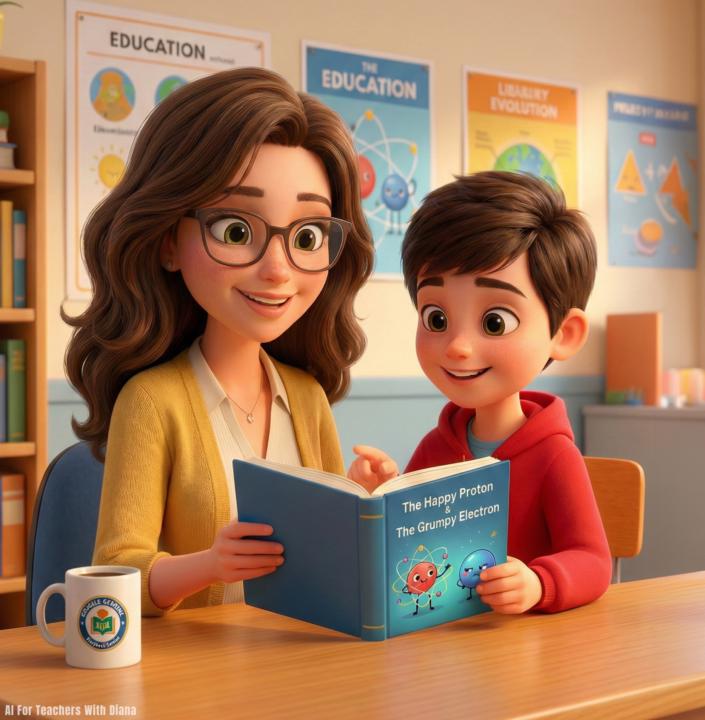
How to Use Google Gemini to create a Storybook in Seconds
Here’s how you can use the Google Gemini "Storybook" Gem to instantly turn any lesson plan or boring text into a fully illustrated, narrated digital book for free. Here's how I did it: 1. Open the "Storybook" Gem You don't need to be a designer. Open Google Gemini (on your phone or computer) and look for the "Gems" tab in the sidebar (the diamond icon). Click on the specific "Storybook" Gem. This activates a special mode designed solely for creating visual narratives. 2. Enter Your Prompt You don't need complex instructions. Just tell it what topic you want to teach. Prompt: "Create a story about a 'Happy Proton' who meets a 'Grumpy Electron.' Make it funny for 5th graders to help them understand atoms." 4. Watch It Build the Book Gemini will instantly generate a 10-page book with: * Narrative Text: Broken down into easy-to-read pages. * Custom Illustrations: It creates a matching image for every single page automatically. * Audio Narration: It includes a "Read Aloud" feature, making it perfect for listening stations or accessibility needs. Why this is a game-changer: It takes the "director" role off your plate. You simply give it the concept, and it directs the entire production—writing, illustrating, and narrating a complete digital book that you can project on the smartboard or share with parents. Drop STORY for the full step by step setup. How are you using the Storybook Gem to visualize learning? Let’s share ideas.
0 likes • May 13
Story

Apr 26 •
STEP ONE: Free Resources Below: Here👇👇👇
Choose the free AI tool you want to explore first: ⭐ Free NotebookLM Resources > ⭐ Free Google Gemini AI Resources > ⭐ Free Claude Cowork Setup Resources > Each hub includes free setup guides and templates to help you start using AI with no code! ✅ Create Your AI Team Here > Create Your First AI Agents Team HERE Limited Discount > 🙌 If you like these free resources share this with your friends and coworkers to help them too.🙌 (Top right button) - Diana 😊
1 like • May 13
Thank you 😊
1-3 of 3