Activity
Mon
Wed
Fri
Sun
Oct
Nov
Dec
Jan
Feb
Mar
Apr
May
Jun
Jul
Aug
Sep
What is this?
Less
More
Owned by Sybil
Grow your income without growing your workload. Build multiple income streams through simple weekly challenges we do together.
Hire your AI Dream Team with Claude so you can stop doing everything yourself. Build, test & automate AI employees alongside me. 🚀
Oracle Connections
4.9k members • Free
the skool CLASSIFIEDS
2.1k members • Free
Soulful Marketing Magic
18 members • $11,111/year
Business Synergy Sisterhood
5k members • Free
Empath Haven🦋🌈🪄
228 members • Free
Mini-Project Magic™
72 members • $5,555
Doodle Your Nervous System
58 members • $45
CLASSIFIEDS VIP HUB
22 members • $300/year
SkoolKit | Skool CRM Toolkit
956 members • $2/month
173 contributions to KDP Publishing

🔥
20h •
TRAINING: Are You Ready for Amazon Ads? 📚
I’ve been seeing more of you publishing, launching books, and asking the big question: 𝗛𝗼𝘄 𝗱𝗼 𝗜 𝗮𝗰𝘁𝘂𝗮𝗹𝗹𝘆 𝗴𝗲𝘁 𝗠𝗢𝗥𝗘 𝘀𝗮𝗹𝗲𝘀? So… are you ready to take the next step and start dialing in your Amazon Ads? In this brief training, I’m introducing you to my mentor Matt, who also runs a KDP community right here on Skool. Matt specializes in Amazon Ads and has helped me better understand how to optimize my campaigns, stop wasting ad spend, and improve profitability. 👉 JOIN MATT'S ADS BOOTCAMP If you already have a book published or you’ve tried Amazon Ads and felt completely lost, this training is for you. ▶️ 𝗪𝗮𝘁𝗰𝗵 𝘁𝗵𝗲 𝘁𝗿𝗮𝗶𝗻𝗶𝗻𝗴, 𝘁𝗵𝗲𝗻 𝗰𝗼𝗺𝗲 𝗯𝗮𝗰𝗸 𝗮𝗻𝗱 𝘀𝗵𝗮𝗿𝗲 𝗢𝗡𝗘 𝘁𝗵𝗶𝗻𝗴 𝘆𝗼𝘂 𝗹𝗲𝗮𝗿𝗻𝗲𝗱!

🔥
10 likes • 19h
Matt is great with Amazon ads!!
🔥
2d •
🌟 Level Up and Unlock BONUS CONTENT!
Let's Help Each Other LEVEL UP to Unlock BONUS CONTENT. Here's what you'll unlock along the way: 📚 Level 1: Top 25 Book Categories 🎤 Level 2: Guest Event Replays 🤖 Level 3: AI Prompts to Speed Up Your Book Writing ✅ Level 4: Self-Publishing Checklist 🎯 Level 5: 1:1 Strategy Call with Me 👇 DROP AN INSPIRING WORD AND FOLLOW COMMENT ON SOMEONE ELSE'S WORD WITH A GIF 🙌

🔥
7 likes • 2d
@Krista Brea, you are welcome! I just realized that I haven’t done my level 5 call yet! I’m going to get on your calendar soon! 🙏🏻
🔥
4 likes • 2d
@Tom Schoenfeld
🔥
2d •
Featured Book: Untangled
Congratulations to @Kim Job for officially publishing her first book. A message from Kim: After some hard things happened to me as a kid (abuse, foster care, homelessness) I became hyper independent and spent my whole life pushing, proving, and perfecting to be loved. I knew I could achieve anything I set my mind to. What I didn’t know is that achievement would be my deepest story to untangle. 👉 ORDER YOUR COPY HERE That’s what this book is. Not a theory I studied, but the things I lived and the path I walked to find my way out.Untangled gives you a mirror. You will see your own survival strategies and the stories you're still operating inside. And then it gives you a map. It shows you how to dissolve the stories and lead from your True Self. The part that was never tangled. Because no matter what happened to you, you get to CHOOSE what happens next. I'm also holding an 8 week Live Untangled Book Experience where we'll be walking through the book together. I don't want this to be just another book you read. I want it to shift your world. Get all the details about the book and the experience here: https://coachandkim.com/untangled

🔥
7 likes • 2d
Huge congratulations @Kim Job
🔥
15d •
🎉 Community Milestone CELEBRATION
𝗪𝗘 𝗛𝗜𝗧 #𝟮𝟱! First, I just want to say 𝘆𝗼𝘂 𝗴𝘂𝘆𝘀 𝗮𝗿𝗲 𝗮𝘄𝗲𝘀𝗼𝗺𝗲. I truly didn’t expect us to get this far this quickly. In fact, when I decided to close the group to new free members, I thought it might slow things down a little… but you proved me completely wrong. 😂 The group has actually been showing up 𝗺𝗼𝗿𝗲 𝘁𝗵𝗮𝗻 𝗲𝘃𝗲𝗿. Engagement is going up, conversations are growing, and people are continuing to comment, share, support each other, and bring real value into the community. Because of all of that, we just hit another huge milestone: #𝟮𝟱 𝗶𝗻 𝘁𝗵𝗲 𝗧𝗲𝗰𝗵 𝗰𝗮𝘁𝗲𝗴𝗼𝗿𝘆! 🎉 At this point, I don’t really have a specific reason why we 𝘯𝘦𝘦𝘥 to hit Top 20… but now I’m curious. 😂 𝗗𝗼 𝘆𝗼𝘂 𝘁𝗵𝗶𝗻𝗸 𝘄𝗲 𝗰𝗮𝗻 𝗺𝗮𝗸𝗲 𝗶𝘁 𝗶𝗻𝘁𝗼 𝘁𝗵𝗲 𝗧𝗼𝗽 𝟮𝟬? Thank you to everyone who has been showing up, commenting, engaging, sharing wins, dropping gems, helping other members, and simply being present here. Every bit of activity helps this community continue to grow, and I appreciate you being part of it. ❤️ Also, a quick reminder that the 𝗙𝗼𝘂𝗻𝗱𝗶𝗻𝗴 𝗠𝗲𝗺𝗯𝗲𝗿 𝗼𝗳𝗳𝗲𝗿 𝗰𝗹𝗼𝘀𝗲𝘀 𝗮𝗳𝘁𝗲𝗿 𝗦𝗲𝗽𝘁𝗲𝗺𝗯𝗲𝗿 𝟳𝘁𝗵. Right now, you can lock in a 𝗦𝘁𝗮𝗻𝗱𝗮𝗿𝗱 𝗔𝗻𝗻𝘂𝗮𝗹 𝗠𝗲𝗺𝗯𝗲𝗿𝘀𝗵𝗶𝗽 𝗳𝗼𝗿 𝗼𝗻𝗹𝘆 $𝟰𝟵 and get access to the 𝗔𝘂𝘁𝗵𝗼𝗿 𝗦𝘂𝗰𝗰𝗲𝘀𝘀 𝗞𝗶𝘁 included with your membership. ❤️❤️Premium members already have access to the Author Success Kit at no additional cost. If you’ve been thinking about upgrading, now is the time before the founding offer disappears. 👉 𝗨𝗣𝗚𝗥𝗔𝗗𝗘 𝗛𝗘𝗥𝗘 𝗙𝗢𝗥 $𝟰𝟵 Now… 𝗹𝗲𝘁’𝘀 𝘀𝗲𝗲 𝗶𝗳 𝘄𝗲 𝗰𝗮𝗻 𝗵𝗶𝘁 𝗧𝗼𝗽 𝟮𝟬! 👀🔥

🔥
6 likes • 15d
Amazing! Huge congratulations! You deserve this awesome milestone, @Krista Brea!!! 🤗🎁🚀❤️🎉
🔥
6 likes • 15d
@Krista Brea, and I just saw that you are at level 9!! That’s huge too! Congrats all around!
🔥
16d •
📚 Benable for Authors
𝗜𝘀 𝗧𝗵𝗶𝘀 𝗔𝗻𝗼𝘁𝗵𝗲𝗿 𝗣𝗹𝗮𝗰𝗲 𝗪𝗲 𝗦𝗵𝗼𝘂𝗹𝗱 𝗕𝗲 𝗠𝗮𝗿𝗸𝗲𝘁𝗶𝗻𝗴 𝗢𝘂𝗿 𝗕𝗼𝗼𝗸𝘀? Okay… I have been hearing about 𝗕𝗲𝗻𝗮𝗯𝗹𝗲 for over a week now, so clearly there is some BUZZ happening around this platform. 👀 So naturally, I had to check it out. 𝗪𝗵𝗮𝘁 𝗶𝘀 𝗕𝗲𝗻𝗮𝗯𝗹𝗲? Think of it as a mix between Pinterest, affiliate marketing, and curated recommendation lists. You create lists of things you personally recommend books, products, travel, business tools, resources, and more and other people can browse those recommendations. But here's where I think it gets interesting for 𝘀𝗲𝗹𝗳-𝗽𝘂𝗯𝗹𝗶𝘀𝗵𝗲𝗱 𝗮𝘂𝘁𝗵𝗼𝗿𝘀. 📚💰 I just opened my account and I'm starting to map out my strategy. 𝗠𝘆 𝗽𝗹𝗮𝗻 𝗶𝘀 𝘁𝗼 𝗰𝗿𝗲𝗮𝘁𝗲: 📖 Lists recommending books I personally love 💼 Lists around business, publishing, personal growth, etc. ✍️ A dedicated list featuring 𝗺𝘆 𝗼𝘄𝗻 𝘀𝗲𝗹𝗳-𝗽𝘂𝗯𝗹𝗶𝘀𝗵𝗲𝗱 𝗯𝗼𝗼𝗸𝘀 You can connect recommendations directly to Amazon, which means someone could discover one of your books through your Benable list and click over to Amazon to purchase it....And there is another potential income layer. Benable automatically monetizes eligible recommendations through its affiliate partnerships, including Amazon, and if you already have your own affiliate relationships, Benable says you can use those as well. So theoretically, your book recommendations can create multiple opportunities: 👉 More exposure for your books 👉 Another source of traffic going to your Amazon listings 👉 Potential affiliate commissions on qualifying purchases 👉 Your normal book royalties when someone purchases your book 👉 Another searchable piece of content working for you online 𝗧𝗵𝗮𝘁'𝘀 𝘁𝗵𝗲 𝗽𝗮𝗿𝘁 𝘁𝗵𝗮𝘁 𝗰𝗮𝘂𝗴𝗵𝘁 𝗺𝘆 𝗮𝘁𝘁𝗲𝗻𝘁𝗶𝗼𝗻. I'm always looking at ways we can build MORE places for readers to discover our books instead of relying only on Amazon search or constantly posting on social media. And Benable says it has a built-in audience and can distribute recommendations through feeds and search engines, which makes me especially curious about what kind of visibility these lists can generate over time. 🔎

🔥
5 likes • 16d
This sounds amazing! Thanks for sharing!
🔥
4 likes • 16d
@Krista Brea, yes! I just signed up and I’m interested in moving forward with it too! It’s pretty innovative! 🚀
1-10 of 173
🔥
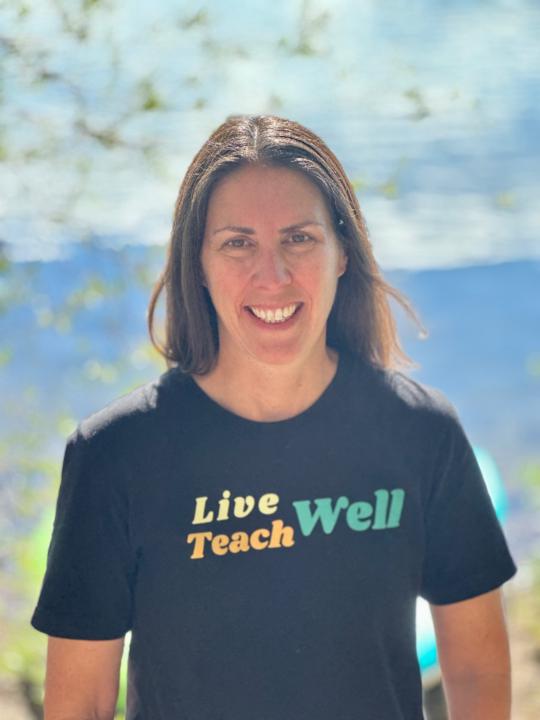
@sybil
Amazon + AI educator, bestselling author + Apple Distinguished Educator helping entrepreneurs build multiple income streams without burnout.
Active 1h ago
Joined Nov 15, 2025
ESFJ
Denver, Colorado
Powered by