Activity
Mon
Wed
Fri
Sun
Oct
Nov
Dec
Jan
Feb
Mar
Apr
May
Jun
Jul
Aug
Sep
What is this?
Less
More
Owned by Sondra
💥 AI finally made SIMPLE. Build your first AI Business Partner in 24 hrs with Claude. Join 825+ members. 💜
All AI Addicts Welcome! A classified-style hub for AI creators to Advertise, Build, Brag, Buy, & Banter. Promote offers, share ideas & have fun.
AI Workshop
1k members • $77/month
BraveBrand
418 members • $14/month
Claude Code Club
8.5k members • $9/month
Claude Code Profit Room
305 members • $77/month
AI Content Systems
203 members • $117/month
AI Online Educators & Coaches
3.4k members • Free
Grow With Evelyn
3.6k members • $29/month
Women's Business Community
1.8k members • $7/month
the skool CLASSIFIEDS
2.1k members • Free
5 contributions to AI Automation Society

🔥
25d •
SCREENSCROLL Chrome Extension - I built this!!
🤯 So I built my FIRST Chrome extension with Claude Code-- and it was EASIER than I thought!! Super excited and love feedback on it [its free to use] - It is my WIN for the week! This is how my day went yesterday.... and why this became a thing... The full screenshot extension I used every single day was gone from the Chrome Web Store. No warning. It was there, and then it was not. I was annoyed for about ten minutes. Then I did a thing... I built my own. 🤯 👉 𝗜𝘁 𝗶𝘀 𝗰𝗮𝗹𝗹𝗲𝗱 𝗦𝗰𝗿𝗲𝗲𝗻𝗦𝗰𝗿𝗼𝗹𝗹. One click and it photographs the ENTIRE page. Not the part on your screen. The whole thing, top to bottom, stitched into one clean image. 🔹 Full page in one click, or Alt+Shift+P if your hands are already on the keys 🔹 Saves as PNG, JPEG or PDF 🔹 Copies straight to your clipboard so it drops into Google Docs 🔹 It captures the apps that break every other screenshot tool... Claude, Gmail, Notion, anything that scrolls inside a panel instead of scrolling the page. I found that bug in my own build and fixed it the same day 𝗔𝗹𝗹 𝗼𝗳 𝘁𝗵𝗮𝘁 𝗶𝘀 𝗳𝗿𝗲𝗲. 𝗙𝗼𝗿𝗲𝘃𝗲𝗿. No trial. No card. No monthly anything. The one I lost billed me every single year. This one does not bill you at all. ------------ I decided to add a new feature-- and make it available at a 1-time cost (instead of monthly or even annually) to help generate some income from it... lets see if it works. Here is my Pro upgraded version: 🔹 Crop by dragging the edges 🔹 Boxes, arrows, lines, circles, text and 50 stickers 🔹 Blur anything private before you send it to anyone 🔹 A real multi-page PDF that never slices a sentence in half 🔹 The address and date stamped right on the image 🔹 A searchable history of every capture you have ever taken 🔹 Works on up to 5 of your browsers. Pro gives you Lifetime access. Not a subscription like the few others on Chrome store were. ------------ So the exciting part-- It JUST got approved by GOOGLE today!! ➡️ CLICK HERE: LINK TO INSTALL

🔥
2 likes • 25d
@Lana Frei Thank you!!
🔥
1 like • 25d
@Imran Muthuvappa Claude Code figured it all out-- not me :)

💎
Jun 26 •
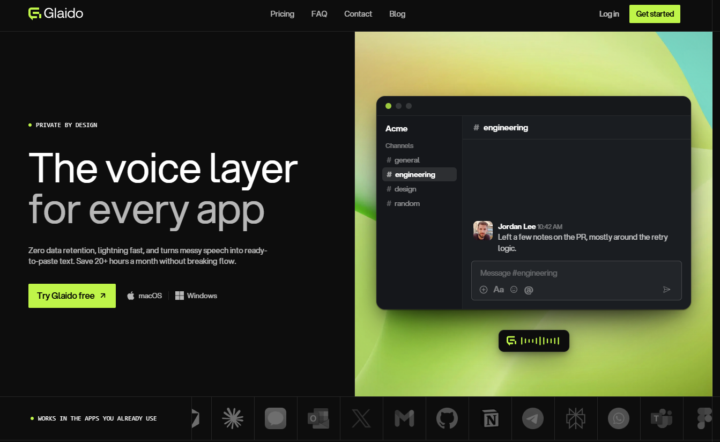
🎉LIMITED TIME try Glaido FREE, then 40% off.
I'm a co-founder of Glaido, building it with Jack Roberts, Dave Ebbelaar, and Jannis Moore. It's a voice tool built around two things: speed and privacy. Fastest on the market, completely private. It used to be Mac only. It's now on Windows too, so all of you can use it. You get 40% off your first 3 months ($20/mo → $12/mo) with this code: D5J6BIF8K4P Next 30 days only 👉 https://get.glaido.com/nate I switched from Wispr Flow a few months ago and it just felt better. If you're on Wispr, try Glaido free, use the code, and tell me if you feel the difference. If you want to switch back after, no hard feelings. Good to know - Mac + Windows - Snippets: insert any text instantly with one word - Dictionary: save your own words, import straight from Wispr Flow - Agentic Mode: manipulate any text on your screen with your voice - Webhooks coming to Agentic Mode soon (huge) - We action feedback almost immediately Give it a shot and drop your thoughts in the community.
🔥
4 likes • Jun 26
@Jackson Albert you are correct! It's on my list.. many are starting to do it now
💎
Jun 25 •
🚀New Video: I asked Claude Code to make me as much money as possible
I asked Claude Code to make me as much money as possible, and these four upgrades 3x'd my income in 30 days. Most people use AI wrong, and it quietly burns their time and money on stuff that was never going to work. But when you use Claude with this exact code to stack as much money as possible, these fixes change everything. Skip them and you're leaving real wealth on the table. Resources here: https://drive.google.com/drive/folders/1eCOxxiFSMz49UONwPlbOfDnkHj9QzDg5
🔥
4 likes • Jun 26
@John Hill so it's /code? And not /goal? What can I tell my Claude to find it
🔥
3 likes • Jun 26
@Andy Smith ah.. Ok thank you!
💎
May 27 •
If you've ever felt "AI Overwhelm", please read this.
Every single person following AI right now is overwhelmed. Including me. I make videos about this stuff for a living and I still feel the pressure. New model drops. New framework. New feature update. It feels like every single day. But after hearing a ton of you guys bring up "AI overwhelm" week after week, I realized this: → There's a HUGE difference between knowing the "what" and knowing the "how." Staying aware does not mean testing everything. Most new tools and features only need the "what." You see the title. You understand what it does. You move on. The "how" is reserved for the stuff that solves a problem you actually have right now. So when something new drops, I ask myself one question: Does this solve a specific pain point I'm currently dealing with? If yes, I test it in a real scenario. I test it against something that actually matters to me. If no, I save the link. I mentally file it away. And I keep walking. Because here's the thing. Your north star is probably very different from mine. Part of my job is to experiment, form opinions, and share what I think is useful. So naturally I test a lot of stuff. But if your north star is building a business or getting better at your craft, then every shiny new tool might just be a distraction. The number one mistake I see people make is they try to learn everything. They watch every video. They test every tool. They jump to the next thing before the last thing even had a chance to work. And if I've contributed to your overwhelm with my daily uploads, I apologize. hehe. But a lot of people think that this ties directly into how you measure your day. Productivity is not how many hours you worked. It's how many meaningful outputs you created that actually moved the needle towards your north star. Someone can work 12 hours one day and feel insanely productive, but they were just watching tutorials and playing around with new tools. Meanwhile someone else sits down for 5 hours, ships the one thing that actually matters, and makes more progress.
🔥
0 likes • May 28
@Sara McClintock sad but so true- in it now
💎
May 20 •
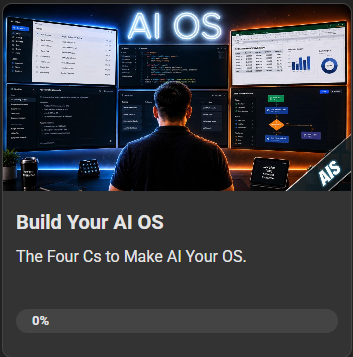
💻New AIS Course: Build Your AI OS
Just dropped a new course in the classroom and I'm pretty pumped about this one. It's the full step-by-step on building your own AI OS. Same exact setup I use every day to run the YouTube channel, the community, and my team. 8 lessons, all my templates and prompts, plus a free GitHub repo so you can skip the boring setup and just start building. To unlock it in the classroom, you just need to hit level 3 in the community. Honestly pretty easy: - Drop an intro post if you haven't yet - Engage with a few other members in the threads - Help somebody out who's stuck on something That's pretty much it. Get to level 3 and the whole thing opens up. See you in there. - Nate
🔥
5 likes • May 20
[attachment]
1-5 of 5

🔥
@sondra-verva
Helping coaches & solopreneurs build AI Business Specialists in 24 hours w no coding. Get seen, get your time back. Claude Specialist Society, $7/mo
Active 6h ago
Joined Mar 22, 2026
ENTJ
Jupiter, FL
Powered by