Activity
Mon
Wed
Fri
Sun
Nov
Dec
Jan
Feb
Mar
Apr
May
Jun
Jul
Aug
Sep
Oct
What is this?
Less
More
HIGGSFIELD
148
1.0
$17/m
2 contributions to HIGGSFIELD

Mar 19 •
How do you properly create an iPhone mockup with your app screenshot? Higgsfield keeps changing the content inside
Working on a project where I need to show my app on an iPhone screen — clean, like in real ads. Thought Higgsfield would handle it, but ran into a problem: it keeps modifying the content inside my screenshot. I upload my actual app screen and it starts "interpreting" it — changes text, icons, layout. The result looks similar but it's just not my app anymore. Question: how do you guys create iPhone mockups with a real app screenshot without the content getting distorted? What I've tried so far: - Higgsfield - rewrites the screen - Plain overlay in Canva - looks cheap and flat Heard about tools like Rotato, MockUPhone, shots.so - worth going that direction? Or is there a way to use AI video tools properly and just lock the screen content? Any advice appreciated, deadline is coming up 🙏
Mar 4 •
Voiceover question
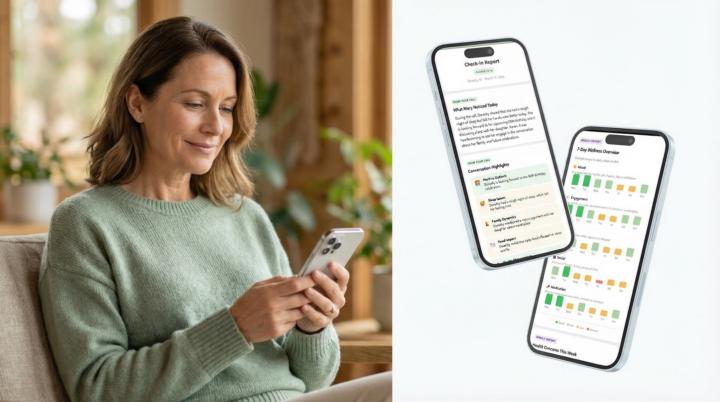
Making ads for an elder care SaaS and voiceover quality really matters here. Wrong tone or weird accent and people just don't trust it. Problem is I'm not always happy with the audio from Kling or Veo3. Sometimes the vibe is just off for this kind of audience. So I'm stuck between two ways of doing this: A - generate with audio in Veo3 and keep retrying until something good comes out B - generate video without sound, then do voiceover in HeyGen or ElevenLabs and sync it after Anyone here actually shipping ads this way? Which one saves more time? Also saw Higgsfield just released something with ElevenLabs which looks really cool. Should wee expect lessons about audio?

1-2 of 2