Activity
Mon
Wed
Fri
Sun
Oct
Nov
Dec
Jan
Feb
Mar
Apr
May
Jun
Jul
Aug
Sep
What is this?
Less
More
The RoboNuggets Network (free)
74.9k members • Free
Amplify Voice AI
111 members • $97/month
AI Visual Production Lab
5.1k members • Free
BuilderzGym
558 members • Free
Automation Network
15.2k members • Free
The 7-Day AI Agency Challenge
75 members • Free
AI Hustlers
353 members • Free
Maker Zero: Claude Code, AI
22.6k members • Free
AI Automation Base
1.2k members • Free
19 contributions to This AI Tool Does That

Feb 11 •
Claude Opus 4.6 Agent Teams… Humans, We Are COOKED!
Claude Code agent teams, AI automation, and workflow orchestration—all in one video. In this tutorial, you’ll learn how to install Claude Code, enable experimental agent teams, and run a real multi-agent system (planner, worker, critique) directly from your terminal. We’ll use a practical use case: generating a full 10-video YouTube content plan for an AI automation channel. In the first part of the video, you’ll see how to install the Claude Code CLI, set your system path, authenticate your account, and enable agent teams using a simple settings.json configuration. Then we walk through creating a project folder that becomes Claude Code’s sandboxed workspace—ensuring safe file access and predictable agent behavior. Next, we build an actual AI agent team: • Planner → breaks tasks into structured steps • Worker → drafts the deliverable • Critique → reviews, improves, and finalizes outcomes You’ll see these agents operate in sequence to produce a polished YouTube content strategy, complete with video ideas, talking points, monetization angles, thumbnail concepts, and more.

1 like • Feb 11
That is awesome
Feb 6 •
Claude Code Makes Agentic AI Workflows Ridiculously Simple
Learn how to build a personal AI assistant using Claude Code that actually thinks, plans, and remembers—all from your desktop without complex API setups. In this tutorial, I break down exactly what "agentic behavior" means and show you a simple, non-technical approach to building an AI assistant that behaves like a real executive aide. We use a desktop-first workflow to create an AI that can plan before acting, produce tangible artifacts, and maintain a long-term memory of your tasks and deadlines. Whether you are looking to eventually scale to n8n automation or just want a powerful AI operative living on your computer, this "vibe coding" style approach is the perfect starting point.
1 like • Feb 7
🔥🔥🔥
Jan 5 •
The seven rules of vibe coding
If you’re vibe coding and your app keeps breaking, you don’t need more prompts. You need 7 rules. ✅ Rule 1: Start with ONE sentence What the app does, who it’s for, and what “done” means. ✅ Rule 2: Ask for a plan before code “Give me the steps, file structure, and data model first.” ✅ Rule 3: Build the smallest working version One screen. One action. One result. Then expand. ✅ Rule 4: Lock decisions early Stack, routes, database, auth. Changing these mid-build is how projects die. ✅ Rule 5: Give constraints, not vibes Examples: TypeScript only. No new libraries. Validate inputs. Keep functions pure. ✅ Rule 6: Test as you go After every change: run it, click it, break it. Don’t pile up edits. ✅ Rule 7: When it bugs out, report like an engineer Not “it doesn’t work.” Say: error + what you expected + what happened + the file. Vibe coding works when you drive and the AI copilots. What tools do you currently use for vibe coding?
1 like • Jan 5
this is great thank you i will copy it i don't realy vibe code but for my website im using claude code
Jan 1 •
Happy New Year 🎉
In 2026, the people who win won’t be the ones who “use AI.” They’ll be the ones who build leverage with it. Leverage looks like: ✅ Automating repetitive work ✅ Turning knowledge into systems ✅ Creating assets that compound (content, workflows, products, income streams) My focus this year: sharing what’s working, what’s changing, and how to build real-world workflows that actually save time and create momentum and training 1M people to build leverage with AI. Wishing you clarity, courage, and consistency in 2026. What’s one thing you’re building this year?

0 likes • Jan 1
[attachment]
Dec '25 •
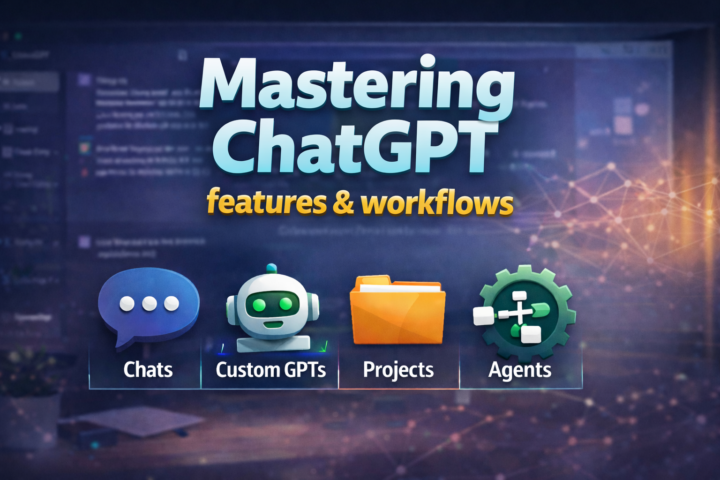
New Course Alert!!!
I just released a new course on Mastering ChatGPT and it's available in the Classroom in the community And the reason I made it is simple:Most people are leaving so much value on the table because they treat ChatGPT like a chat box. But ChatGPT isn’t just for asking questions.It’s for building leverage, systems that help you think, write, plan, decide, and execute faster. This course is designed to help you stop “prompting randomly” and start using ChatGPT like a real tool you can depend on. ✅ And yes, it’s included for free if you’re in the paid community. In 2026, the advantage isn’t “who has access to AI.”It’s who knows how to use it to multiply their output and build real leverage. The paid community (49/month) officially kicks off in January, with 3–4 sessions per month, including: - Live trainings - Workshops + implementation sessions - Templates and workflows you can plug into your life/business If you want to start 2026 with momentum (and not confusion), join us by clicking this link and selecting premium https://www.skool.com/thisaitooldoesthat-8281/plans
1 like • Dec '25
That's awesome keep growing
1-10 of 19

@reynoso-anubis-8987
The hustle is real. Empowering businesses with Voice AI, automation, dashboards, and practical solutions that save time and drive growth.
Active 3h ago
Joined Oct 12, 2025