Activity
Mon
Wed
Fri
Sun
Aug
Sep
Oct
Nov
Dec
Jan
Feb
Mar
Apr
May
Jun
Jul
What is this?
Less
More
Owned by Orestes
Memberships
AI Automation Society
425.4k members • Free
Automate What Academy
2.7k members • Free
Actual Tax Law
12.8k members • Free
14 contributions to Automate What Academy

Jun 9 •
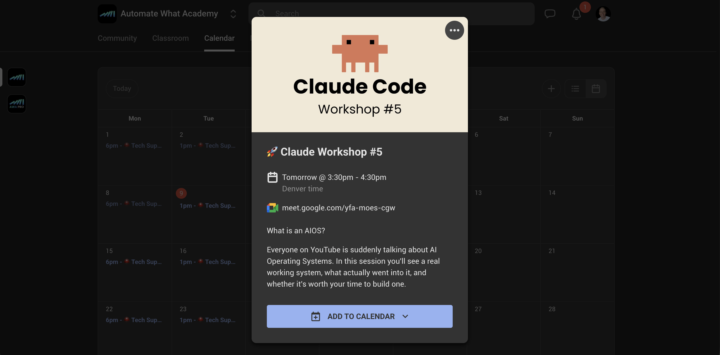
🧑💻 Claude Workshop #5
What is an AIOS? Everyone on YouTube is suddenly talking about AI Operating Systems. In this session you'll see a real working system, what actually went into it, and whether it's worth your time to build one. Wednesday June 10 @3:30pm MDT View in calendar

0 likes • 22h
Looking forward.
Jun 9 •
What would you build first with a free local image model?
Ideogram 4.0 just dropped, and it's their first ever open weights release. This is HUGE!! If you do any image work in your builds (thumbnails, ad creative, lead magnets, social graphics), pay attention to this one. What's actually new: - First Ideogram model you can download and run yourself. Every version before this was closed API only. - Native 2K output with text that renders correctly, baked in. No patching it in after the fact. - Ranked #1 among all open weight models on the DesignArena leaderboard. The only models scoring higher are closed ones from OpenAI and Google. - Don't want to self host? Run it through fal.ai. Pricing starts around $0.03 per megapixel in Turbo mode, and anything you generate through the API is yours to use commercially. The text rendering is the real story. That's the thing a lot of image models still botch, and it's exactly what matters for design and ad work. Hugging Face download links, API pricing, and more: https://docs.google.com/document/d/1vveMIlHaM12fNERyfSzAtvQiyFSfG4cYvGqgXgxtWlk/edit?usp=sharing
1 like • 7d
can we install it using LM Studio?

19d •
Blog post.
This workflow watches your WordPress posts, pulls the content, and turns it into platform ready updates. It automatically creates the copy, publishes it to X with the right media, and shares it on Telegram, keeping your content moving without the extra work. If you'd like this workflow tailored to your business, let's build it together.

1 like • 8d
Nice, congrats. I have a subflow for that. once I approve the content 1 flows go and publish it in wordpress, then triggers a 2nd flow that publish on GBP posts.
9d •
Do you run an LLM locally?
If you do share your set-up! I use LM Studio to load some open source LLM. It was fun. I have a Mackbook M3 Pro 18 Ram. The biggest issue i found was the context windows. I don't have too much ram so, the model load and process fast but the context windows was reduce to 17325 tokens.... If you are running any open source llm share the set-up, was model are you running, and what was the main challenge.
0
0
12d •
This Open-Source Model Just Matched Claude Opus 4.8
Open source just caught the frontier. GLM-5.2 sits 1% below Claude Opus 4.8 on real-world coding, beats GPT-5.5, and costs 1/6 the API price. Here's the link to get started with GLM 5.2 👍 https://docs.google.com/document/d/1q8WAqnyl-tE5r0qX8gvm3wfI6xXg0KbkOZCeEbwWfV4/edit?usp=sharing
1 like • 9d
The problem with the open souce model is the hardware to run it!!! I tryed Gemma 4 12B QAT version and Qwen 3 over the weekend and i got pretty good result for basic things, and analysis. The major issue was the context
1-10 of 14

@orestes-monteagudo-6374
I'm a seasoned IT professional with over a decade of experience in technical support and web development, SEO consulting, and front-end development.
Active 1h ago
Joined Nov 25, 2024
Powered by