Activity
Mon
Wed
Fri
Sun
Oct
Nov
Dec
Jan
Feb
Mar
Apr
May
Jun
Jul
Aug
Sep
What is this?
Less
More
Owned by Ryan
RAPIDLY grow your Community & MRR w/ Ads & without a single sales call.
3 contributions to Bitcoin

🔥
Nov '25 •
Saylor's 21 Rules of Bitcoin
Number 17 is damn true. Number 7 I sorta disagree with because how do u OWN 12 or 24 words? U don't. U just memorize them and they serve as your coordinates to your btc. Unless we wanna change the definition of ownership? :)


🍀
2 likes • Nov '25
[attachment]
🔥
Jun '25 •
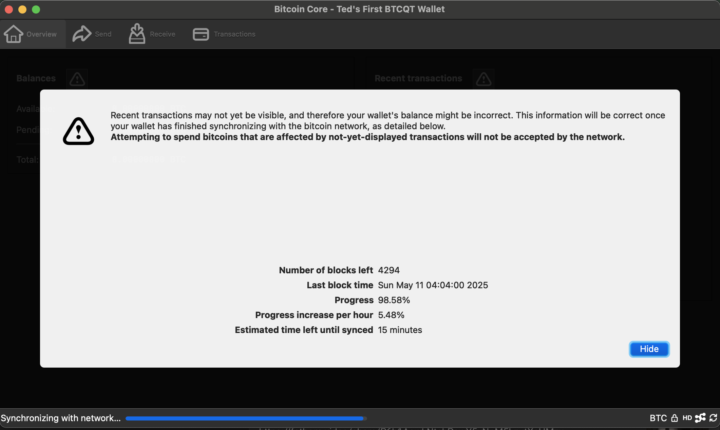
i'm running a full node!
it's almost done synchronizing.... how did I set it up? I asked chatgpt: "can you also help me set up a Bitcoin node on my MacBook?" here were the instructions I followed: Sure! Setting up a Bitcoin node on your MacBook is a great way to contribute to the network and gain more control over your transactions. Here's a simplified guide to get you started: 1. Install Bitcoin Core - Download Bitcoin Core: Head over to the official Bitcoin Core website and download the macOS version. - Install the Application: Once downloaded, open the .dmg file and drag Bitcoin Core into your Applications folder. 2. Initial Setup - Run Bitcoin Core: Open Bitcoin Core from your Applications folder. - Choose Data Directory: The first time you run it, you'll be asked where you want to store the blockchain data. The full blockchain is quite large (over 400GB), so make sure you have enough space. You can also choose an external drive if needed. - Initial Blockchain Sync: Bitcoin Core will start downloading the entire blockchain. This can take a while (even days) depending on your internet speed. Just let it run in the background. 3. Configuration - Bandwidth and Connections: If you want to limit the bandwidth usage, you can configure that in the settings under "Network". You can also choose how many connections you allow. - Privacy Settings: If you want to increase privacy, consider enabling Tor support in the settings so your node can connect over the Tor network. 4. Using Your Node - Once the blockchain is fully synced, your node will be up and running. You can use it to verify transactions, increase your privacy when making transactions, or even connect your own wallet directly to your node.
🍀
2 likes • Jun '25
@Ted Carr build a mining farm in Thailand bro, I heard the extra heat here lubricates them nicely
🍀
0 likes • Jun '25
@Ted Carr you tryna start shop on Iran?

🍀
3 likes • May '25
This dude knows things
1-3 of 3

Online now
Joined Dec 6, 2024
ENFP
skool.com/sauce
Powered by