Activity
Mon
Wed
Fri
Sun
Aug
Sep
Oct
Nov
Dec
Jan
Feb
Mar
Apr
May
Jun
Jul
What is this?
Less
More
Owned by Niki
This is for you if you 1: Had trauma you want to move beyond: follow my journey 2: Interested in true crime 3: Want to be a part of creating my book
Memberships
Money Made Simple with the FFC
40 members • Free
Income Without Burnout
238 members • Free
The Founders Guild
1.1k members • Free
The YouTube Skool
1.4k members • Free
🏁 UNDETERRED 🏁
272 members • $75/month
The Journaling Community
115 members • Free
GOOSIFY: Skool Made Fun
13.1k members • Free
Publish & Profit Challenge
4.9k members • Free
Dopamine Digital
7k members • Free
154 contributions to Income Without Burnout
🔥
8h •
Week 4: 💛 Focused 12 Weekly Check In
Before you start this week, take 90 seconds to reflect on last week. Why? Research shows that people improve performance when they regularly measure progress, reflect on results, and make small adjustments. Reflection creates awareness. Awareness creates better decisions. Better decisions create better results. This is not about perfection. It is about execution. Use the Weekly Celebration Tool to complete your reflection, then come back and comment below with your 90 Second Weekly Check-In. 90 Second Weekly Check In 1. Execution Score_____ % of planned commitments completed 2. Celebrate One Win 3. What Worked? 4. What Got in the Way? 5. One Lesson Learned 6. One Commitment for This Week Drop your check in below or create a new post. We are here to celebrate, encourage, and help you keep moving forward one week at a time. 🌱


2 likes • 5h
@Sybil Hall oh Ok. I thought it wasn’t like you to not show up!
1 like • 5h
90 Second Weekly Check In 1. Execution Score___75__ % of planned commitments completed 2. Celebrate One Win: achieved a successful TikTok live. 3. What Worked? Letting stuff / goals go 4. What Got in the Way? Still trying to do too much. 5. One Lesson Learned: guard my Energy – just because I’m doing something I enjoy, doesn’t mean it’s not going to take a lot of energy! 6. One Commitment for This Week: High commission products focus- identifying and gamify shoppable videos
🔥
8h •
Healing Happens Here
Yesterday I watched a mama great horned owl patiently teaching her baby to fly. A little later on our walk around the lake, I spotted a baby deer drinking from the lake. Those quiet moments reminded me why I spend so much time outside. Immersing myself in nature helps me slow down, clear my mind, and come back feeling more grounded. It’s one of the simplest ways I know to recharge and reconnect with what matters to me. Sometimes the greatest lessons aren’t found in books or on screens. They’re waiting for us in the woods, by the water, and in the stillness. 💛 What have you noticed in nature lately that made you pause?

2 likes • 6h
Nature can be such a gift.
🔥
1d •
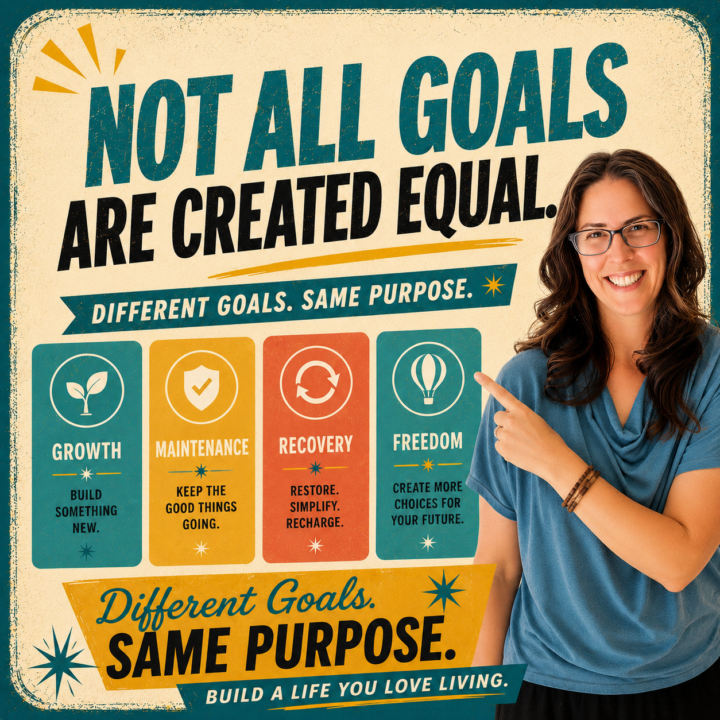
🎯 Let’s talk about goals
Not all goals are the same type. Some are growth goals. You’re building something new, learning a skill, launching a product, or increasing your income. Some are maintenance goals. Keeping healthy habits going. Serving existing clients well. Staying consistent. Protecting what you’ve already built. Some are recovery goals. Restoring your energy. Paying off debt. Simplifying your business. Creating margin again. Some are freedom goals. Building systems, assets, and income streams that give you more choices over time. 💛 Which type best describes your biggest goal right now? Or is it something else? Tell us about it in the comments!
Poll
7 members have voted
3 likes • 1d
Interesting breakdown of goals – I’ve never thought of it like that.
🔥
3d •
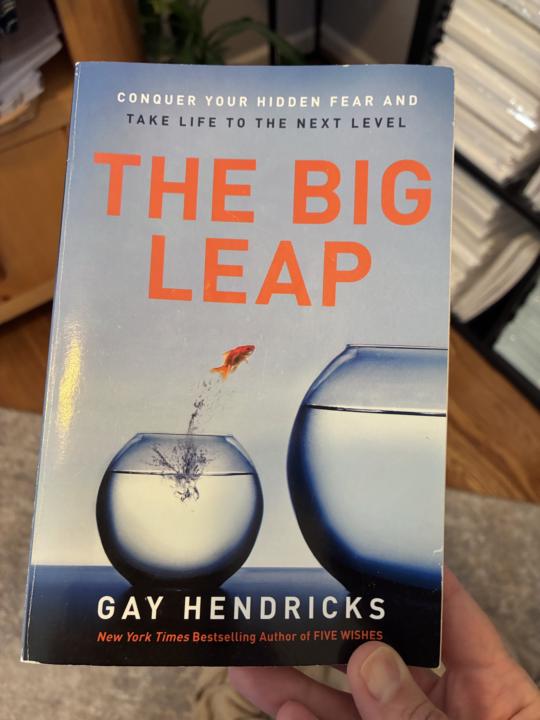
🧠 Fun Friday: Have You Heard of Einstein Time?
Today's idea comes from Gay Hendricks in The Big Leap, and it completely changed how I think about time. Most of us live in what he calls 𝗡𝗲𝘄𝘁𝗼𝗻𝗶𝗮𝗻 𝗧𝗶𝗺𝗲. "I don't have enough time." "I'm too busy." "There's never enough." But what if time isn't just something that happens to us? Hendricks introduces the idea of Einstein Time, where instead of saying: ❌ "I don't have enough time." you ask: ✅ "How am I creating my experience of time?" It's a subtle shift, but a powerful one. It moves us from feeling like victims of the clock to becoming more intentional about how we spend our time. Over the next few Fridays, I'd love to explore this idea together through the lens of Income Without Burnout. Not just how we manage time... But how we create more freedom with it. 💬 To start us off, finish this sentence in the comments: If I had two extra hours every day, I would...
1 like • 1d
If I had two hours extra per day, I would spend three of those days extra time decluttering, tidying and sorting. And the other four days of extra time painting, sketching and reading or thinking about painting, sketching and creative projects.
🔥
1d •
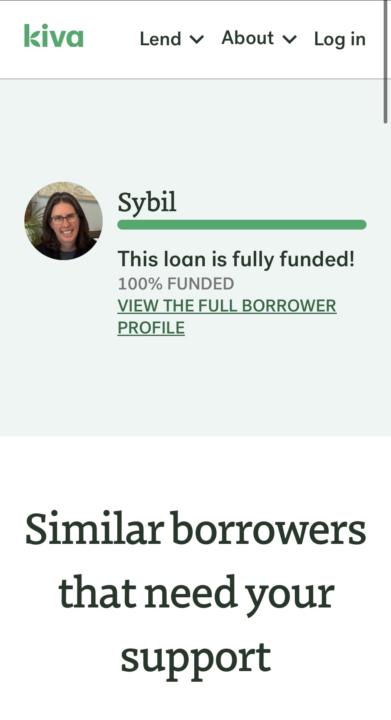
Update: My crowd-lending is fully funded! 🎁
You guys, I’m fully funded and so grateful! 🎉 Woohoo and thank you! Original message: The last few days have been huge for my Kiva loan, and it looks like I’ll reach the full $10,000 today! I’m feeling incredibly grateful. Just a few weeks ago I wasn’t sure I’d even make it through private fundraising. Now, thanks to so many people saying “yes,” this loan is 97% funded with 137 lenders behind it. 💚 If everything finishes as expected, Kiva pays out the funds just a few days after the loan reaches 100%. This loan will help me manufacture more journals and planners so I can continue growing Burn Bright, Not Out and Income Without Burnout. To every single person who lent, shared, commented, encouraged me, or simply cheered me on… thank you. You helped make this happen. I’ll be back with a celebratory update when that funding bar hits 100%! 🌱🎉
3 likes • 1d
What a ride! Cheering you on 🚀
1-10 of 154
@niki-duffy-5990
What if you gave yourself permission to be the Hero in your own life story?
Active 5h ago
Joined Dec 29, 2025
Lincolnshire Uk 🇬🇧