Activity
Mon
Wed
Fri
Sun
Apr
May
Jun
Jul
Aug
Sep
Oct
Nov
Dec
Jan
Feb
Mar
What is this?
Less
More

Memberships

The AI Advantage

77k members • Free

13 contributions to The Weavy Way™ | Master Nodes
Coffee hour today?
Last week I hosted a coffee hour in the morning European time. Since many of you are asleep at that time, I’m planning to host another coffee hour later in the day. I’d like to know if you’d be able to join if I schedule it around 9 p.m. Central European Time. We can talk about Weavy, general AI topics, or anything else on your mind—it’s a relaxed, open vibe. I’d really appreciate it if you can have your cameras on during the session; it’s all about getting to know each other.
Poll
6 members have voted
Coffee hour today?
0 likes • 3d
I can hop in that would be 4 pm in NYC time. But I have to be off the camera because I need to take the kid to sport activity. But I would love to know few things: 1. how to use mask more efficient. 2. when you say seed, how to find and use it. 3. If I have a person hold a bag in the hand, and I want to single that bag out as a product pack shot, what`s the best way to do it so it`s reading accurately. 4. How to cast models headshot and they all look identical with same lighting, angel, cloth etc and body anchor like headshot, bust shot, middle shot, full shot. If you can show some that would be great.
How to use mask or painter more effective?
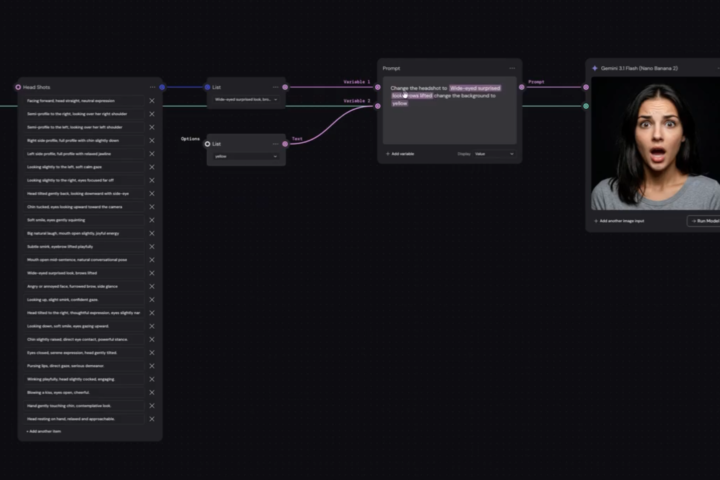
how to select a specific area and only change that in weavy? If I want to change a logo on the t shirt to different style, or change earing to different style without changing entire thing. What's the best way.
0 likes • 4d
@Jamy Vodegel I think the current mask function in weavy is a bit hard to use. I can't use it as lasso freehand way. It only recognizes shapes or areas which makes selection incredibly inaccurate. Maybe small editing still requires PS. Sometime I found generating very basic things is hard, such as move the layout slightly to the center or small change few details. Ai doesn't deliver so you end up using PS for the last retouch.
Messy workflow
I always show clean workflows but that is not the reality in my projects :) Especially in the first phase of concepting and iterating. But I do make sure to do a little but of householding after a few days. Are your team clean or team messy?
Poll
9 members have voted
Messy workflow
0 likes • 5d
@M Broza 🤯 impressive ! Do you have trouble move files around when it has many content. When I move stuff around I notice slow lagging situation not sure if it's just my network or the app itself . I have the same issue with figma too .
0 likes • 5d
@M Broza that's beyond and above ! Thanks for sharing .
Friday. End of the week. What did you build?
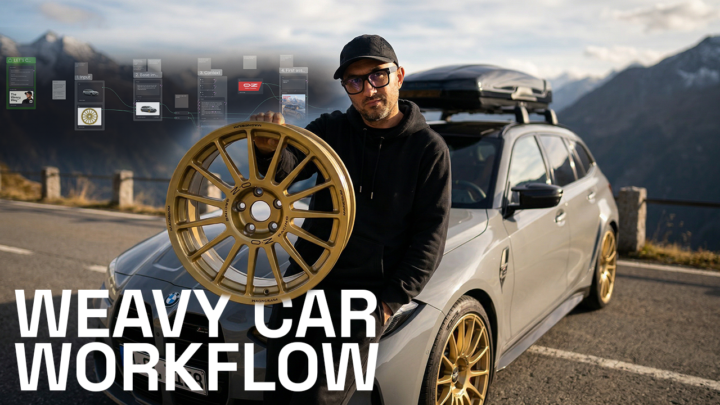
This week I worked on a hybrid shoot for a production house. We started in AI. Setting, lighting, mood, composition. All figured out before anyone picked up a camera. The photographer used that as direct input for his light setup. The result? No driving to eight different locations. No guessing on set. One studio day. Done. A real photographer, real images, but AI did the prep work. Faster, cheaper, and the photographer walked in knowing exactly what he was going for. That's what hybrid looks like to me. Now your turn. Share what you've been working on this week. Finished result, first setup, random node, whatever. Just drop it below. 👇
Friday. End of the week. What did you build?
1 like • 9d
@Jamy Vodegel yea I agree. The fancy shinning stuff are all over the place . Pinterest board has all those now too much it's getting out of cintrol . People who did those are not from real photographer or professional background.
1 like • 9d
@Jamy Vodegel 🤣 half ass product . It's great that you share the actual real work here with us . The ones I have seen so far are mostly speculative for all famous brands. I'm curious of how the real clients think of this new approach and also pricing strategies too ? It must be so different. What's the best approach to negotiate the project. Because clients may think oh great then I can pay you so little to get better result, all you need is some credits for the platform. Would they propose very low budget then ? Too many questions as usual 😂
Extracting/Up-scaling single images for a 3x3 storyboard.
The aim here is to stress-test weavy to extract a single image from a storyboard whilst keeping all details exactly the same as they appear in the the smaller grid images. I have played around with using image upscales such as Topaz with limited success. The AI seems to hallucinate and fill in details such as decals on the bike and also the bike itself. After many conversations with LLMs- in case Claude it appears that the best solution is to independently create 9 single high res images. Weavy does not like trying to extract 1 single image from a grid in one sweep- it gets confused and the details are muddled at best. I'm putting this in the community to see if anyone else has come across this issue and their workflows to resolve this.
Extracting/Up-scaling single images for a 3x3 storyboard.
1 like • 9d
Is this variables? Or you prompt in 9 different situations ? Upscaler seems always smooth things too much and immediately feels plastic .
1-10 of 13
Jigglypuff D
2
7points to level up
@mj-d-1236
Trying to learn something new

Active 24h ago
Joined Feb 14, 2026