Activity
Mon
Wed
Fri
Sun
May
Jun
Jul
Aug
Sep
Oct
Nov
Dec
Jan
Feb
Mar
Apr
What is this?
Less
More
Owned by Mithuran
Buy back 15+ hours every week with AI systems that actually work. For solopreneurs who want their time back
Memberships
The Content Revenue Lab
776 members • Free
Synthesizer: Free Skool Growth
40k members • Free
Skool Speedrun
12k members • $9/month
Real Estate Money Community
1.1k members • Free
Skoolers
194.6k members • Free
AI Automation Society
323.1k members • Free
Kourse (Free)
113.1k members • Free
24 contributions to THE AI EDGE

Mar 9 •
The AI EDGE PRO doors are OFFICIALLY CLOSED (SOLD OUT IN TWO DAYS!)
A massive shout-out to the founders who just snagged the founding member spots for The AI Edge Pro. We just doubled the "IQ" of our private build sessions. The "Pro" Advantage: - The 100+ Prompt Vault: Immediate access to my private, high-conversion library. - Weekly "Hot Seat" Builds: We don't just talk; we build. Every week, I take a member's business and build their AI automations live on the call. - The Founder Network: Access to a vetted circle of top-tier, growth-minded entrepreneurs who actually care about your success. - 10-Hour Time Recovery: Plug-and-play templates designed to reclaim 10+ hours of your week. IF YOU ARE A FOUNDING MEMBER, LET US KNOW IN THE COMMENTS ⬇️ The next wave will be priced at a higher price. However, I’ll be honouring a "Community Discount" for anyone who joins the waitlist today. Comment "WAITLIST" below to get the private link.
0
0

Mar 5 •
Welcome To Our NEW MEMBERS!
Welcome to our next members in THE AI EDGE: @Clay Merphie @Jaymie Kocer @Ahmed Abdel-aziz @Logan R @Kyra Ridgwell @Seika Anderson @George Fox @Theepan Balasubramaniam @Pratik Kadam @Aditya Das , Ai Agent @Chris Kaputo @Tyrell Leotaud @Élsio Mota @Ignacio Luquez @Pratik Patil @Ankita Dobariya @Christina Persaud Sorry, we have not done this in a while, so just catching up on those that did not get a shout-out for joing. WELCOME WELCOME WELCOME Feel free to let us know what you work on and how you are currently using AI to help you with your business or day-to-day!

0 likes • Mar 5
@Logan R That's awesome. Are you in real estate yourself or building for other realtors?
0 likes • Mar 5
@Logan R nice any active clients your building with? Feel free to share what you've built so far too!
Mar 3 •
VOTE NOW: AI Sales Outreach or The Admin Killer Workflow Giveaway
I want to get this group back up and running strong, as we are days away from launching our FIRST EVER paid community: The AI Edge PRO. We only have 10 spots available for founding members at $100/month. 7 spots are already taken, 3 more to go! If you want in, apply with the link below ⬇️ APPLY HERE: https://tally.so/r/QKAj6Ahttps://tally.so/r/QKAj6A I'm putting together a step-by-step guide on one of these two topics - which do you want? VOTE AWAY!
Poll
5 members have voted

0 likes • Mar 3
@Simon Schörkhuber @Malcolm Duvivier @Jathushan Selvarajah @Nivethan Amirthalingam @Tyler Woodcock @Marcus The Oddball Genius @Nirupan Nithiananthan @Maiyuran Gireedharan @Val Li @Hiteshari Vaja @Evan Weingartner VOTE AWAY!!
Feb 26 •
I owe you an apology...SORRY
I owe you guys an honest post. I disappeared for 2 months. Life happened, I was travelling, and if I'm being real — I wasn't sure if I was going to keep going with this. But I kept seeing the same thing everywhere I went. Entrepreneurs drowning in work, overwhelmed, doing everything manually — while AI is sitting right there ready to change everything for them. And nobody is actually teaching it in a way that makes sense for people running real businesses. That's why I started this. And that's why I'm not walking away from it. I'm back. Posting daily. And March 5th I'm launching our PAID community which I've been building quietly that I think is genuinely going to help a lot of you. This community is tailored to help entrepreneurs learn and actively implement AI into their day-to-day to help you grow quicker, while saving more time! STAY TUNED for details! No question this time. Just wanted to be real with you and say — I'm here, I'm not going anywhere, and the best stuff is coming. Watch this space. 🔥
1
0


🔥
Jan 10 •
What are you 2026 AI goals?
I'm curious, what are you working on in 2026? Are you building anything with AI or working on automation something in your life in order to save time and gain more freedom? I recently broke down a few goals of mine into little steps I am not tracking on a day to day basis. Then another member here on Skool sparked the idea to automate that tracker and now I am doing that whenever I have a little spare time. That's what I am working on at the moment
1 like • Jan 12
@Malcolm Duvivier @Tyler Woodcock @Maiyuran Gireedharan @Nivethan Amirthalingam What are your goals with AI this year?
1 like • Jan 12
@Simon Schörkhuber keep chipping away at it
1-10 of 24
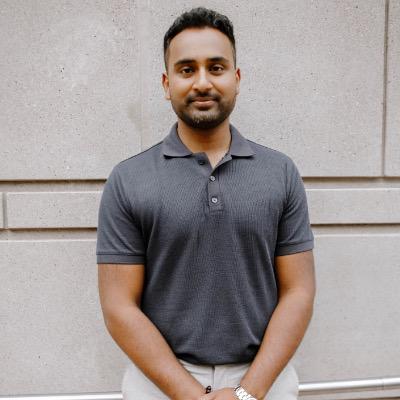
@mithuranm
I teach solopreneurs how to scale their business without increasing headcount
Active 3d ago
Joined Sep 7, 2025
Toronto, Canada