Activity
Mon
Wed
Fri
Sun
Jun
Jul
Aug
Sep
Oct
Nov
Dec
Jan
Feb
Mar
Apr
May
What is this?
Less
More
Memberships
Royale Business Academy
69.6k members • Free
4 contributions to The AI Advantage

3h •
Having issues
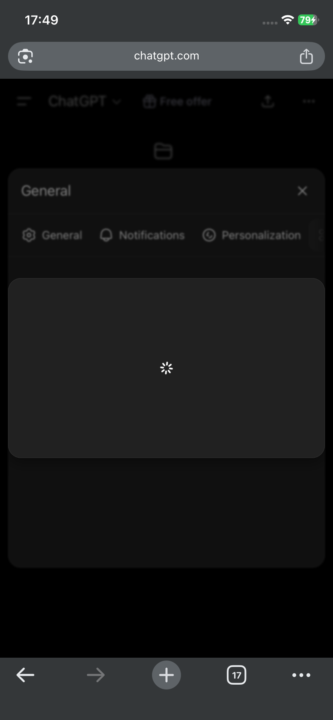
Hi everyone, I’ve been having issues linking my Google drive to ChatGPT. It keeps showing this. I used both app and website but still the same. What can I do? I didn’t get any response on the aiadvantageclub @AI Advantage Team @Igor Pogany

1 like • 3h
@Tiffany Pure-Heart That usually happens when the Google account permissions don’t sync properly with ChatGPT. A few things that may help: • Disconnect Google Drive completely from ChatGPT• Clear browser/app cache• Try reconnecting using an incognito/private browser• Make sure you’re logged into the correct Google account• Also check if third-party access is blocked in your Google security settings Sometimes it’s just a temporary OpenAI/Google sync issue too, so waiting a bit and retrying can help. If you can share the exact error message or screenshot, people might be able to troubleshoot it better.
1 like • 3h
@Tiffany Pure-Heart If you’ve never connected it before and incognito mode still didn’t work, then it may be either a permission issue on the Google account itself or a temporary integration bug between Google Drive and ChatGPT. A few more things you could try: • Go to your Google Account → Security → Third-party apps access and make sure nothing related to OpenAI/ChatGPT is blocked• Try connecting from a completely different browser/device• Make sure pop-ups are allowed during the connection process• If you have multiple Google accounts logged in, log out of the others temporarily and retry with only one active A lot of people run into this when Google authentication gets stuck during the permission step.

8h •
Writing a Book - How can I leverage AI without losing my voice
New to the community. Please give me a like so I can level up in skool
0 likes • 3h
@Caitlin Browne AI works best as an assistant, not a replacement for your voice. One thing that helps is using it for brainstorming, outlining, organizing ideas, or overcoming writer’s block — while keeping your personal stories, opinions, and final editing human. Your voice usually comes from your experiences and the way you naturally explain things, and AI can actually help amplify that if used correctly.
3h •
Productivity
AI gives me more ideas than I can organize sometimes What systems do you use to keep everything structured?
1-4 of 4

@michelle-daniels-5750
Curious mind on a mission to learn, grow, and connect with like-minded people. I joined Skool to expand my knowledge, share ideas.
Active 2h ago
Joined May 7, 2026
Powered by