Activity
Mon
Wed
Fri
Sun
May
Jun
Jul
Aug
Sep
Oct
Nov
Dec
Jan
Feb
Mar
What is this?
Less
More
Owned by Marisol
A bilingual community built for women who dream, design, and create while never leaving our kings behind. Men are welcome too! She is Me! He is Me!
Memberships
5 contributions to Canva Clicks

5h •
Challenge?
✨ Introducing: Weekly Design Challenges Something new is starting here and I am so excited about it. Every week I’m dropping a brand new design challenge — and we’re covering everything. Graphic design, brand identity, motion, web design — we’re rotating through it all. But here’s what makes these different from your typical design prompt you find online: You’re making something real. Every challenge has a specific deliverable — a poster, a landing page, a brand kit, whatever the week calls for — and you bring your product, brand, niche, or passion project to it. So instead of designing a fake coffee brand for the hundredth time, you’re actually building something you can use. 💪 Here’s how it works: 🗓️ A new challenge drops every Sunday after the live 🎨 You’ve got the whole week to create 📬 Submit your entry through the link included in each challenge post 🎥 Submissions get reviewed live on TikTok every Sunday @ 7pm EST 🎬 Can’t make it live? The replay will be available inside The Challenge module right after — exclusively for Premium members and above 🙈 Submit with your name or go completely anonymous — no one should sit this out because they don’t feel ready enough. There is no ready enough. Just make something and see what happens. Whether you’re just starting out or you’ve been designing for years, there’s a spot for you here. The challenges are designed to stretch you just enough without leaving you stranded. And if you ever need help bringing your design to life in Canva, just ask. That’s what this community is for. Also- make sure you invite some friends in! Submissions can only be made by Canva Clicks community members, any tier! First challenge drops tomorrow. 👀 Who’s in? 👇
2 likes • 5h
Ok I think I got this… I’m in 🤭
3d •
What are you working on?
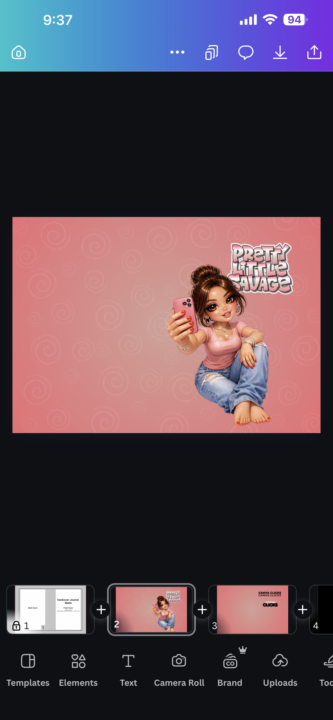
Please share your work! Please? Pretty please? I love seeing graphic design. And you may inspire someone else. It doesn’t need to be perfect. This is a judgement free zone! Want feedback? Guidance? Just say so when you share 😁 Too shy to post your work? I have a form where you can share it with me privately on the community page ♥️ Here’s what I’m working on (a journal cover)
1 like • 5h
@Missi Mullis aawww thank you Missi 🥰
0 likes • 5h
@Kathy Serreia these are beautiful 😍
6d •
Image Upscaling
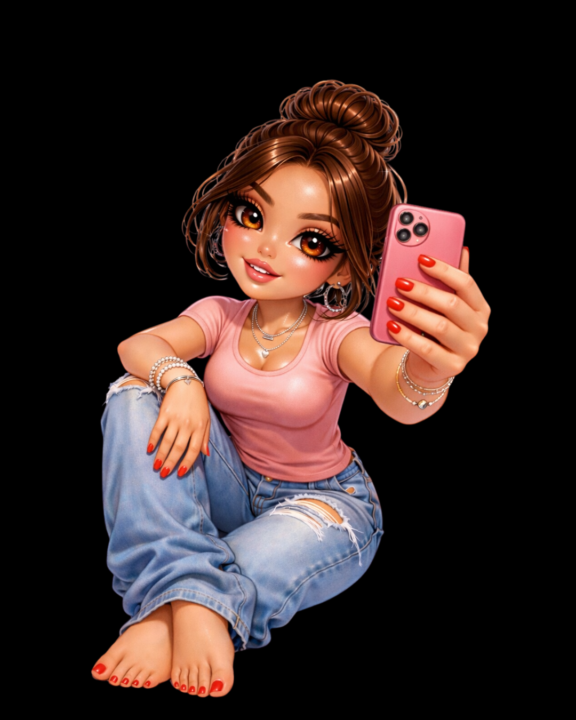
If you sell digital products (or products created from digital products/images) it's important to upscale your images! What is upscaling? Upscaling an image is increasing the dpi (dots per inch) of the image. The fewer dpi, the more "pixelated" an image looks. What is pixelated? That's all the little dots or squares you see when you zoom in on an image. Why is upscaling important? When you create a small digital image... say for a social media post... it's so compressed and small that you can't immediately notice low dpi. But what happens when you click on that image to enlarge it? What happens when you zoom in? If it hasn't been upscaled, you immediately notice how blurry the image is. Same thing happens when an image is enlarged - think tshirt prints, posters, journal covers, etc. Take a look at the images below. Go ahead, click on them, so that you can see each one in a larger view. Each one looks a little different as it relates to image quality. The first one was downloaded to Canva after saving from ChatGPT to PC, then downloaded from Canva as a png to PC. The second one was upscaled using the Image Upscaler app in Canva at 8x. The last one was upscaled using i💙img at 4x. Can you tell the difference?? If you were a customer purchasing this png, which one would you want to receive to use for your products?? Upscaling your images makes a HUGE difference. And not all upscalers are created equally, obviously! The website is iLoveIMG | The fastest free web app for easy image modification They allow 3 image upscales per day, or you can subscibe to (I believe) unlimited upscaling for $9/month. Let me know what you think in the comments below!
2 likes • 6d
I love that you made this post! This is something I’ve actually shared with Bri before, and she’s been trying to get me to do a class on it (you already know how I am with classes lol). But I’m really glad you brought it up and highlighted how important it is for everyone to upscale their images💕
17d •
Anything but Ordinary
The other night I hopped on a live class, got inspired, and you already know I couldn’t just sit there and behave 😌😂 So of course… I followed along but added my little razzle dazzle twist 🤭 Now listen… this is where my girl Missi came in like the real MVP 🏆 She helped me fix a few things AND put me onto some new tricks (because clearly I like to do the most 🤭) Sooo thankful for you Missi 💕🫶🏽 you understood the assignment!! Thank you Missi 🫶🏽 you a real one!! 1st pic is the inspo 2nd pic Mine (w/Missi tricks) 💕💕

Oct '25 •
Preferred Device
Cast your vote here for your preferred device to use Canva on, and comment the reason(s) why in this chat. You never know who may need the same things!
Poll
15 members have voted
2 likes • Oct '25
I choose Desktop (Mac) as I find it easier and faster to navigate through it, especially grouping it's so much better on a PC. I often have problems grouping from my Mobile and iPad.
1-5 of 5
@marisol-sosa-9683
I’m the heart behind She is Me Creativa, blending my passion and creativity to help creators bring unique visions to life. Let’s create together!
Online now
Joined Oct 16, 2025
Florida