Activity
Mon
Wed
Fri
Sun
Mar
Apr
May
Jun
Jul
Aug
Sep
Oct
Nov
Dec
Jan
Feb
What is this?
Less
More
Memberships
UGC World
7.7k members • Free
Ai Slop
157 members • Free
AI Creators Foundation
340 members • Free
Faceless Builder Academy
466 members • Free
ASMRSpreads Lab
446 members • Free
Pretty & Paid Playground
953 members • Free
AI INNER CIRCLE
665 members • Free
Broken To Banked
45 members • Free
The Minted Luxury
183 members • Free
1 contribution to HybridCode™✨AI Builders
6d •
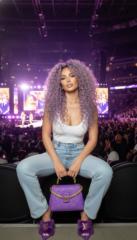
It's FRIDAY, that means FREE tips, Free Promo & Goodies
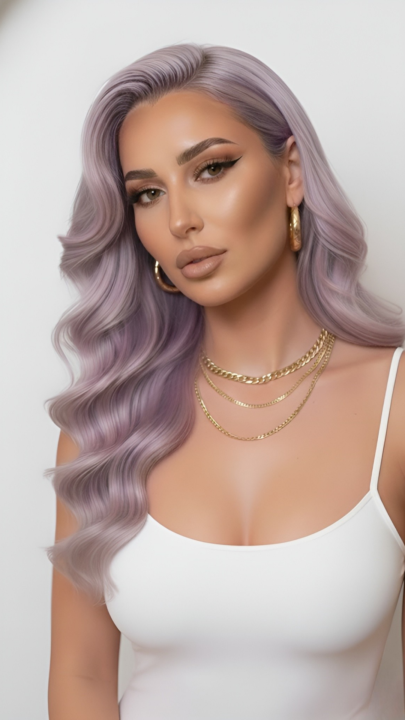
Skill stacking without overwhelm AI Realism (Quick Win)✨ AI Tip: How to get more realistic images If realism is the goal, accuracy beats length every time. Most “AI-looking” images don’t fail because of the model —they fail because the prompt is vague, over-stylized, or missing human detail. Realism comes from: - Describing skin texture, not “perfect skin” - Adding micro-details (pores, baby hairs, fine facial hair) - Using natural lighting language, not dramatic or cinematic by default - Below are 4 plug-and-play realism prompts you can use immediately 👇🏽 (I’ll drop these into a Google Doc for you to download + reuse.) REALISM PROMPT 1 — Natural Skin Texture Cinematic editorial headshot. Raw, hyper-detailed skin featuring visible pores, subtle freckles, and natural redness. Realistic under-eye texture and fine lines; zero airbrushing. Soft window light creates gentle falloff, highlighting a hydrated, organic glow. Neutral color balance, true-to-life tones, shallow depth of field. Authentic high-end photography, 8k resolution, intricate facial details. REALISM PROMPT 2 — Baby Hairs & Fine Details High-end cinematic editorial headshot, soft diffused daylight. Hyper-realistic focus on micro-texture: visible pores, fine facial hair, and delicate baby hairs with subtle flyaways. Realistic brow fibers and irregular individual lashes. Raw, un-smoothed skin detail. Sharp focus, organic textures, capturing the authentic complexity of human skin. Ultra-detailed 8k, masterfully lit, no shadows. REALISM PROMPT 3 — Correct Lighting for Realism Cinematic editorial headshot in high-key natural light. Soft fill eliminates shadows, creating gentle, matte highlights. Hyper-detailed skin texture reveals pores and fine lines with unfiltered realism. Balanced contrast ensures depth without drama. Professional studio aesthetic, sharp focus, neutral palette, raw photorealistic quality. No glam filters, just pure, high-fidelity detail. Access / Save "Realism Prompts" HERE

4 likes • 6d
My 4
1-1 of 1

@luella-moore-2072
My name is Luella I’m a mom to 3 kids and I love working from home and enjoying more time with my family
Active 7h ago
Joined Jan 21, 2026
Powered by