Activity
Mon
Wed
Fri
Sun
Apr
May
Jun
Jul
Aug
Sep
Oct
Nov
Dec
Jan
Feb
Mar
What is this?
Less
More
Owned by Kevin
Mindshare is where top agents sharpen their focus, build winning habits, and grow their business with intention.
Memberships
The Lordhair Lifestyle
426 members • Free
AI Automations by Kia
21.5k members • $1/month
AI Cyber Value Creators
8.5k members • Free
AI Automation Society
304.3k members • Free
Skoolers
189.5k members • Free
AI Automation Agency Hub
304.9k members • Free
70 contributions to Mindshare

20h •
Agents Who Learn AI First Will Win First
Tomorrow I’m teaching AI Powered Buyer & Listing Agent at Keller Williams Metropolitan in the training room from 1:00–2:30 PM. This is not a fluff class about AI. This is a practical training for agents who want to use AI from appointment to closing to work smarter, communicate better, and stand out in every transaction. We’ll cover how to use AI to create show-stopping presentations, run comps, evaluate feedback, review negotiation terms, analyze documents, build a smart correspondence plan, and take the lead with more confidence on both the buyer and listing side. If you want real tools you can apply immediately in your business, be in the room. Thursday, March 26 1:00–2:30 PM Keller Williams Metropolitan | Training Room Comment AI or message me if you want the details. #RealEstateAgent #RealEstateTraining #AIForRealEstate #BuyerAgent #ListingAgent #KellerWilliams #RealEstateTechnology #AgentTraining #AIStrategy #RealEstateEducation
1
0

21h •
The Agents Who Learn AI First Will Win First
Tomorrow I’m teaching AI Powered Buyer & Listing Agent at Keller Williams Metropolitan in the training room from 1:00–2:30 PM. This is not a fluff class about AI. This is a practical training for agents who want to use AI from appointment to closing to work smarter, communicate better, and stand out in every transaction. We’ll cover how to use AI to create show-stopping presentations, run comps, evaluate feedback, review negotiation terms, analyze documents, build a smart correspondence plan, and take the lead with more confidence on both the buyer and listing side. If you want real tools you can apply immediately in your business, be in the room. Thursday, March 26 1:00–2:30 PM Keller Williams Metropolitan | Training Room Comment AI or message me if you want the details. #RealEstateAgent #RealEstateTraining #AIForRealEstate #BuyerAgent #ListingAgent #KellerWilliams #RealEstateTechnology #AgentTraining #AIStrategy #RealEstateEducation

2d •
Using AI to find contact details from any address!!!!!
I wanted a faster way to enrich property/contact data without doing everything manually. So I used Claude to help write a Google Apps Script, connected it to CoreLogic, and ran it inside Google Sheets using my 21-day free trial. This was a solid example of how AI can help simplify a real business task. I started with an address list from my HAR-based contacts, uploaded it into Google Sheets, and used Claude to help build the script that connects the sheet to CoreLogic. Once the script was in place, I ran it through Apps Script and let it start pulling available property details into the spreadsheet. In my test run, it was able to return data like: - Owner name - Mailing address - City - State - ZIP code - Current owner information It matched some records, missed others, and helped me see just how much manual work this kind of setup can save. Since I’m using the free trial, I do have daily limits, but even with that restriction, it’s still a powerful workflow. The bigger lesson here is this:You do not have to be a coder to build useful automation anymore. If you understand the process you want, tools like Claude can help you build the bridge. What this teaches - AI can help write working scripts faster - Google Sheets can become a lightweight automation hub - CoreLogic data can be pulled into a usable workflow - Even a free trial can be enough to test a real business system - Simple automation can save serious time Basic steps 1. Gather your address/contact list 2. Upload it into Google Sheets 3. Use Claude to help create the Apps Script 4. Connect the script to CoreLogic 5. Run the script inside Apps Script 6. Review the matched records and returned fields 7. Repeat within your trial limits as needed If you’re in real estate and want to learn how to use AI tools to build simple systems like this, this is exactly the kind of workflow worth testing. Small automations like this can create a big advantage over time. AI is not just for writing content. It can help you build tools that actually make your business run better.
1
0

13d •
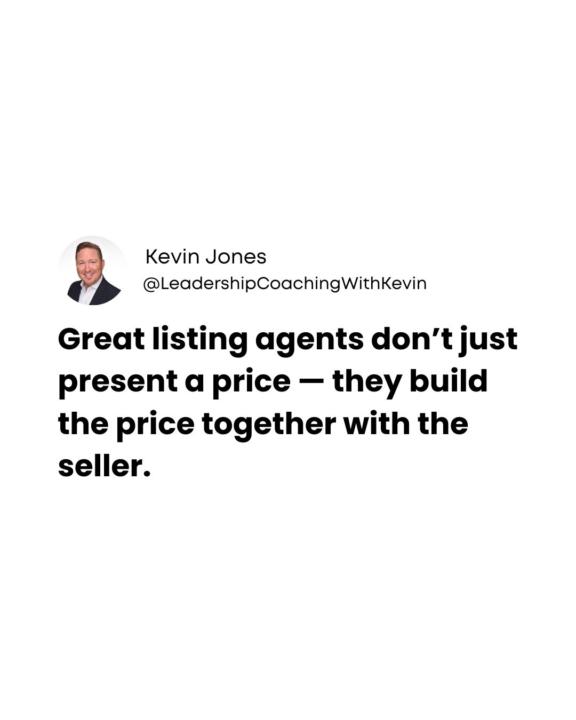
Seller Collaboration Pricing Strategy
When sellers are involved in the process, they feel heard, respected, and confident in the strategy. Instead of feeling like the price was decided for them, they become part of the decision. The best pricing conversations happen when the agent and seller work as a team to determine the right strategy for the market. Because trust isn’t built by telling sellers what the price is. It’s built by guiding them through the process. #SKALD #leadershipcoachingwithkevin #kw #kellerwilliams
3
0
21d •
Real Estate Bookkeeper!
https://www.facebook.com/littleleaftx/ I have known Kelsey for years! If you were in my Business Planning Clinic or Agent Financials, we talked about her! Shoot her a message! [email protected] 281-241-7332
0
0
1-10 of 70

@kevin-jones-9978
Founder @ Skald. Practical AI, automations, and SOPs. Less chaos, more clarity, real results.
Online now
Joined Oct 10, 2025
League City, TX
Powered by