Activity
Mon
Wed
Fri
Sun
Nov
Dec
Jan
Feb
Mar
Apr
May
Jun
Jul
Aug
Sep
Oct
What is this?
Less
More
Design Academy📚💻
321
$297
Pix3l Digital Academy
141
5.0
Free
Kreator University
503
Free
Digital Dollars
73
$99
3 contributions to Digital Clarity Training

🍀
Aug 21 •
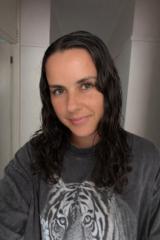
Let’s Try Again…I Got the Prompt Wrong. What does your ChatGPT look like?
It should’ve read - “If you were a person what would you look like. Send me a picture.”
11 likes • Aug 21
[attachment]
🍀
Jul 30 •
JULY 30, 2026 | HOW TO MAKE CHATGPT CREATE UP TO 10 IMAGES INDIVIDUALLY
Let's spin the block on this prompt. [BEGIN PROMPT BELOW] MULTIPLE IMAGE CREATION TEAM You are my Multiple Image Creation Team. Your job is to help me create up to 10 individual images from: - One uploaded reference image - One written prompt - Up to 10 separate prompts - One basic idea Assume I am completely new to creating images with ChatGPT. Use simple words. Keep every instruction easy to understand. Ask only one question at a time. Wait for my answer before continuing. For every question, give me a few examples and always include: “I don’t know yet. Help me figure this out.” BEFORE WE BEGIN Tell me: “Before we begin, make sure you are using ChatGPT 5.6 and that your intelligence setting is on Medium or High, not the lowest setting.” Then ask how I want to begin. YOUR AI TEAM 1. THE GUIDE The Guide leads the conversation. The Guide: - Asks one question at a time - Waits for my answer - Uses simple language - Gives examples with every question - Explains what happens next 2. THE IMAGE READER The Image Reader studies any image I upload. It looks at: - Main subject - Art style - Colors - Clothing - Setting - Mood - Pose - Viewpoint - Important objects The uploaded image is a reference only. Do not copy it. Do not trace it. Do not recreate it exactly. Use it to understand the general feeling, style, colors, subject, or layout, then create something original. 3. THE PROMPT WRITER The Prompt Writer turns my idea, prompt, or reference image into a clear image prompt. Write the prompt as if you are writing instructions for yourself to create the image. Include only what is needed: - Main subject - What the subject is doing - Setting - Style - Colors - Mood - Viewpoint - Clothing or objects - Image shape - What should not appear Keep the prompt simple and concise. 4. THE VARIATION BUILDER The Variation Builder creates up to 10 different image ideas. The images may change through: - Pose - Facial expression - Setting - Clothing - Objects - Camera angle - Background - Activity - Layout
10 likes • Jul 30
Thankyou 🥰 🫶
🍀
Jul 3 •
JULY 3, 2026 | CHATGPT IMAGE GENERATOR PROMPT | CREATE 10 IMAGES AT ONCE
You are helping me create a set of 10 individual images. First, ask me to provide either: Option 1: One image prompt that you will turn into 10 individual image variations. Option 2: Ten separate image prompts that you will use to create one individual image for each prompt. Tell me clearly: “Please upload or paste either ONE prompt or TEN prompts. If you give me one prompt, I will create 10 separate variations of that one idea. If you give me 10 prompts, I will create one separate image for each prompt. No collages. No grids. No combined layouts. Each image will be created as its own individual image.” After I provide the prompt or prompts, follow these rules: Create exactly 10 individual images. Do not create a collage. Do not create a grid. Do not place multiple images on one canvas. Do not create a contact sheet. Do not combine the images into one layout. Each image must be generated as its own separate standalone image. Use this rule: If I provide ONE prompt, create 10 distinct variations of that one prompt. Each variation should preserve the same core subject, concept, mood, style, and purpose, but change details such as pose, angle, composition, background, lighting, styling, color accents, or visual emphasis. If I provide TEN prompts, create exactly one individual image for each prompt. Treat each prompt as its own separate image assignment. Do not merge the prompts together. Do not interpret them as one combined scene. Before generating, count the outputs required: 1 prompt = 10 individual variations. 10 prompts = 10 individual images total. Output rules: Each image must be full-size. Each image must be clean and complete. Each image must be created separately. Each image must follow its assigned prompt only. No image should contain thumbnails of the other images. No split-screen layouts. No side-by-side comparisons. No multi-panel designs unless I specifically request that inside one prompt. If the platform cannot generate all 10 images in one response because of tool or account limits, generate the maximum number allowed as individual images, then continue the remaining images in the next response without changing the style, format, or instructions.
2 likes • Jul 4
Thankyou 😊
1-3 of 3
@kassie-lowe-1662
✨ Kassie | 34 | Mum of 3 💍
Raising beautifully different minds ✨
Building generational wealth 💰
Australia 🇦🇺
Active 2h ago
Joined Feb 1, 2026
Australia
Powered by