Activity
Mon
Wed
Fri
Sun
Oct
Nov
Dec
Jan
Feb
Mar
Apr
May
Jun
Jul
Aug
Sep
What is this?
Less
More
Owned by Karol
We focus on JS/TS, React, Next.js, Supabase, shadcn/ui, Tailwind CSS, and deployments on Netlify. We focus on fast learning.
Home Lab Explorers
1.6k
Free
Builder’s Console Log 🛠️
2.7k
Free
The Code Zone Skool
606
$7/m
Synthesizer Scaling
351
5.0
$1,950/m
Synthesizer
47k
5.0
Free
Software Developers
1.3k
Free
Disciples of Christ
885
Free
41 contributions to EngineeringTech

Mar 28 •
Hi everyone! Let's share your works
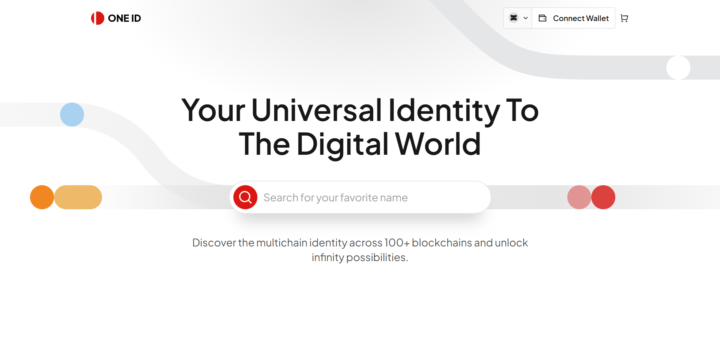
Hello devs, Welcome to this communiy and my post. I am a senior Full Stack and AI Engineer, currently I am gonna post my previous works. There are quite a few full-stack, AI, and software engineers in this community. I would be very grateful if you could leave comments sharing screenshots, GitHub links, or links to project websites of the projects you have previously developed. This will be beneficial for mutual cooperation, fostering opportunities, securing jobs, and the development of the community. I am presenting my work first.

2 likes • 22d
@Thando Siziba Hello Thando, what projects do you work on?
0 likes • 18d
@Thando Siziba What projects do you work on right now?
Aug 27 •
Any Omarchy Linux user here?
Anyone watch NetworkChuck or Lunduke? Has anyone here tried Omarchy, heard about it, or would like to try it? Has anyone seen that video
2
0
Aug 19 •
How do I sync files privately?
Are you tired of relying on big tech clouds for your personal data? In my latest video, I walk you through a complete, self-hosted solution for file synchronization that keeps your data private and under your control. This tutorial is designed for beginners but covers everything you need to know to sync files across Ubuntu, Windows, and Android devices seamlessly. 🎥 What You’ll Learn in This Video We break down the entire setup process into clear, manageable steps: - Getting Started: How to download and prepare a bootable Ubuntu flash drive. - Ubuntu Setup: A step-by-step guide to installing Ubuntu and configuring Syncthing for file syncing. - Windows Integration: Installing and setting up Syncthing on Windows to sync with your Linux machine. - Mobile Sync: An overview of mobile Syncthing clients and a specific configuration guide for Android. - Network Security: How to use Netbird to securely connect your Ubuntu and Android devices over the internet without exposing them publicly. - Live Testing: Real-time folder sharing and synchronization tests to prove it all works. 🛠️ The Tech Stack - OS: Ubuntu & Windows - Sync Tool: Syncthing (Open-source, decentralized) - Network Tool: Netbird (For secure, private connections) Whether you want to replace Google Drive, back up your Android photos to your PC, or simply learn how to manage your own data infrastructure, this video has you covered. You can find the video in the classroom section. Have fun ;)
2 likes • Aug 19
@Cameron Warech I hope this helps! Just let me know if you have any questions ;)
0 likes • Aug 20
@Omi Gento Tell me what you think when you check it :)
Aug 3 •
How I Installed ComfyUI (Generative AI) on Omarchy (Arch Linux)
I’m preparing my first YouTube video. Naturally, I decided to overcomplicate things by creating the thumbnail using only local tools. After some research, I found that ComfyUI is the best tool for this job. What is ComfyUI? - It allows users to visually connect components to build complex image-processing pipelines. - It supports different AI models through a node-based interface, enabling custom generative workflows without writing code. - It’s free and open source. If you’re on macOS or Windows, installation is straightforward, you just need to download the appropriate client. On Linux (like me), you’ll need to install it manually. There are a few ways to do this. The easiest method is using a Python virtual environment along with comfy-cli. Step-by-step installation, here’s the process I followed: 1. Create an empty directory and open it. 2. Open a terminal window. 3. Create a Python virtual environment: 'python -m venv venv' 4. Install the CLI: 'pip install comfy-cli' 5. Install shell completion: 'comfy --install-completion' 6. Run the setup wizard: 'comfy setup' 7. Complete the initial configuration. 8. Install ComfyUI: 'comfy install' 9. Launch ComfyUI: 'comfy launch' And now I can spend the next three months learning how to make a thumbnail. 😊
2
0

Jul 15 •
On Self-Promotion and Hiring Posts
One small rule to keep things valuable for everyone: this isn’t a place just for advertising. If someone joins only to promote themselves or post offers without contributing, they may be removed. That said, if you want to let people know you’re available for work or that you're looking someone for hire, that’s totally fine - just do it in a helpful way: - Show something you’ve built or a problem you solved - Share a bit of how you approached it - And then, if you want, mention that you're open to opportunities or that you're hiring This way others can actually see what you can do.
2
0
1-10 of 41

@karol-szykula-6027
Software engineer who built systems for a Fortune Global 500 company. I'll help you build and deploy web apps using Next.js, Netlify, and Supabase.
Active 30m ago
Joined Aug 10, 2024
INTJ
Poland