Activity
Mon
Wed
Fri
Sun
Oct
Nov
Dec
Jan
Feb
Mar
Apr
May
Jun
Jul
Aug
Sep
What is this?
Less
More
Laptop Lifestyle Freedom
238
5.0
$47/m
SkoolKit | Skool CRM Toolkit
1k
5.0
$2/m
AI UNLOCKED Academy
106
5.0
$27/m
The Great AI Shift
3.4k
Free
8 contributions to AI UNLOCKED Academy
5d •
🔥 TUESDAY NIGHT WEEKLY POWER UP! 🔥
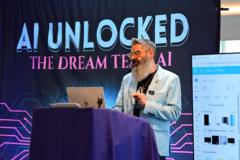
What a night inside AI UNLOCKED Academy! 🚀 🎤 We were joined by our guest speaker, friend, and epic storyteller Jeff Ross, who brought his energy and storytelling to tonight’s Power Up! Then we jumped into 20 SIMPLE AI POWER COMMANDS designed to help you get better results from AI without writing giant, complicated prompts. 💡 You don’t need longer prompts. Sometimes you just need better instructions. We covered commands like: ⚡ /steelman ⚡ /forecast ⚡ /risk ⚡ /gaps ⚡ /content ⚡ /client ⚡ /roleplay ⚡ /hooks ⚡ /action …and more! Another night of learning, sharing, laughing, and turning AI curiosity into AI confidence. 👇 Power Commands PDF is attached below save it and start experimenting! Work Smarter. Live Better. 💙🩷 #AIUNLOCKED #PowerUp #AIConfidence #ArtificialIntelligence PDF BELOW ⬇️⬇️⬇️

2 likes • 4d
@Stacie Marcinkowski My Absolute pleasure - Love seeing you all shine
5d •
🔥 TODAY’S AI CHALLENGE: WHAT’S ON YOUR SHELF?
Remember, these are coaching prompts designed to test your AI companion. Every month or so, we’ll do another one and see just how well your AI is learning and understanding YOU. 🤖🧠 Upload this empty-shelf image into ChatGPT and type: “Fill these shelves with objects, symbols, colors, memories, goals, hobbies, places, and little details that represent ME and my personality. Use everything you know about me to personalize it. Make it visually amazing and meaningful. Don’t ask me questions, surprise me! Create the image.” 🔥 BONUS: Look closely at what AI chose. What did it nail? What surprised you? And what did it completely miss? 😂 👇 Post your finished shelf in the comments! Let’s see how well your AI companion really knows you. 🔥

5 likes • 5d
this one was fun
3 likes • 5d
@Bruno Marcinkowski JR. can't believe it's being over 3.5 years using Chat GPT now... crazy how far this has come along

11d •
☀️ GOOD MORNING, SKOOLERS!
UPGRADE YESTERDAY’S Challenge : Today’s challenge is to create your own HEADSHOT SIGNATURE CARD! 🔥 📸 STEP 1 Upload your favorite headshot or photo into ChatGPT. 🏢 STEP 2 Upload the business logos you want included on your card. ✍️ STEP 3 Copy and paste the prompt below. Replace the information in [brackets] with your own name and brand colors. 🔥 COPY THIS PROMPT: Using the photo I upload, create a square 1:1 premium social media graphic. Transform the photo into a dramatic, high-contrast black-and-white studio portrait with a deep black background, rich shadows, crisp facial detail, and cinematic luxury lighting. Keep the person or people recognizable and make them the dominant focus. Across the lower-middle portion of the photo, add “[YOUR NAME]” in a large, elegant handwritten signature script with a sophisticated [YOUR BRAND COLORS] neon glow, subtle light streaks, and dimensional illumination. Across the very bottom, create a sleek, full-width branded footer with a dark background, thin glowing accent lines using [YOUR BRAND COLORS], and my uploaded business logos arranged cleanly and professionally. Preserve the logos accurately without redesigning them. Keep the entire graphic dark, upscale, modern, bold, polished, and uncluttered, with the bright branding and glowing typography providing contrast against the monochrome portrait. Do not add any other text unless I specifically request it. 🚀 STEP 4 Generate your image! If you want to change something, keep prompting. Try different colors, lighting, signature placement, or layouts until it feels like YOUR brand. 💥 STEP 5 Post your finished Headshot Signature Card below! 👇 Let’s see how creative our Skoolers can get today! 🔥

2 likes • 11d
Cool Prompt - love it
16d •
🎉 100 MEMBERS!!! BOOM!
Huge congratulations to my friends @Bruno Marcinkowski JR. & @Stacie Marcinkowski on hitting the first 100 members inside AI Unlocked! 🚀 But I know this isn't really about the number. It's about 100 real people who've chosen to step into a room, learn something new, grow together and figure out how to use AI to create a bigger future. I've had the privilege of watching Bruno & Stacey build this with genuine heart, energy and a desire to actually help people win — and seeing the community hit this milestone is bloody awesome. The first 100 are special. They’re the believers. The early adopters. The people who help shape what the community becomes. So take a moment and celebrate this one, guys. You earned it. ❤️ 100 down… and I have a feeling you're only just getting warmed up. 🔥 Here’s to the next 100, the next 1,000 and, most importantly, all the lives impacted along the way. Congratulations, legends. 🥂🚀 Onwards and UP!

2 likes • 16d
Apologies just saw the image has Stacie spelt wrong - I'll ask for forgiveness here :)
3 likes • 16d
@Bruno Marcinkowski JR. Such a pleasure working with obsessed and passionate ppl :) it's quite simple - every our team does all about creating leaders who elevate Humanity - Both you and @Stacie Marcinkowski and you team is doing just that one person at a time :) Game on
16d •
🚨 AI UNLOCKED FIELD TRIP ROLL CALL! 🚨
Who’s going with us TOMORROW to LIFE SURGE Reading?! 🙋♂️🙋♀️ 🎤 Just a few of incredible speakers we’ll be seeing: * 🔥 Tim Tebow * 🔥 Nick Vujicic * 🔥 Nick Foles 🔥 CONFIRMED SO FAR: ✅ @Bruno Marcinkowski JR. ✅ @Stacie Marcinkowski ✅ @Tony Jenkins ✅ @Dawn Little ✅ @Tina Crawford WHO ELSE IS IN?! Drop a YES! below so we can add you to the roll call! 👇 📍 We’ll all meet AT THE ENTRANCE before heading in together. 🚗 NE Philly crew: Stacie and I have room for 2 — maybe 3 more. If you want to meet at our house and ride with us, let us know! Going to be an AWESOME day with our AI UNLOCKED ACADEMY family! 💗⚡ LET’S GO! 🚀

2 likes • 16d
So very cool
1-8 of 8

@jross
Helping leaders become known, trusted & connected.
Co-Founder @ Voice To Influence™
Active 19h ago
Joined Apr 18, 2026
ENFJ
Launceston, TAS
Powered by