Activity
Mon
Wed
Fri
Sun
Aug
Sep
Oct
Nov
Dec
Jan
Feb
Mar
Apr
May
Jun
Jul
What is this?
Less
More
Memberships
Gen X Ads Community
60 members • Free
Claude Code Club
7k members • $9/month
The Success Club
13.8k members • Free
Oracle Connections
4.5k members • $7/month
Inner Brilliance Collective
161 members • Free
TheLogicalManifestor
52 members • Free
Empowered AI Collective™
3k members • Free
Manifestation Mastery
261 members • $15/month
The Smell of Money
190 members • Free
39 contributions to Income Without Burnout
🔥
29d •
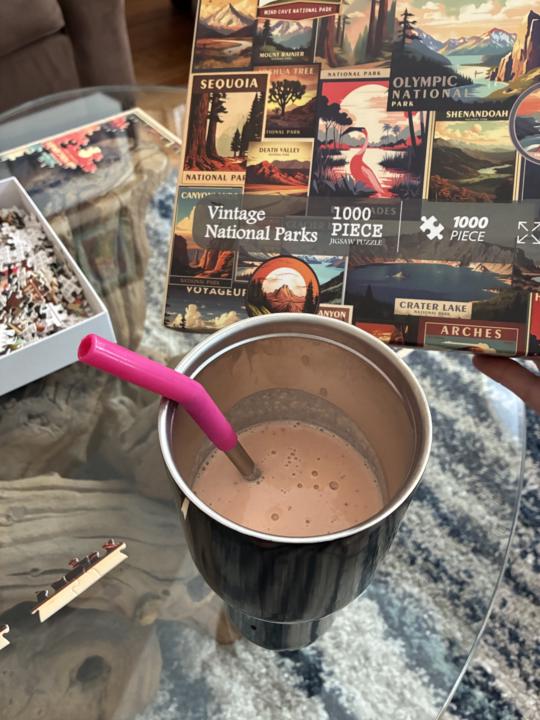
Puzzle & Smoothie Time 🧩🥤
One thing I’m working on this summer is getting better at taking breaks. Not scrolling breaks. Not “I’ll just answer one more email” breaks. Real breaks. Today that looks like a giant fruit and protein smoothie and a 1,000-piece Vintage National Parks puzzle spread out on the table. The interesting thing is that I used to think rest had to be earned. Finish the work. Cross everything off the list. Then rest. Now I’m learning that taking care of myself is part of the work. A short walk. A puzzle. A good book. Coffee with my husband. A few quiet minutes outside. These small moments help me show up with more energy, creativity, and patience for the things that matter most. What does a real break look like for you? Drop it below. I’d love to hear! 🌱

3 likes • 29d
@Lynsey Wall that sounds like abargain to bag 10 puzzles for that price - I hope you enjoy them.
2 likes • 29d
@Lynsey Wall what a co-incidence! enjoy - so far it's been a doozy! but I'm only letting myself do a couple of minutes at a time otherwise I'd be lost in there for a couple of hours :-)
🔥
Jun 7 •
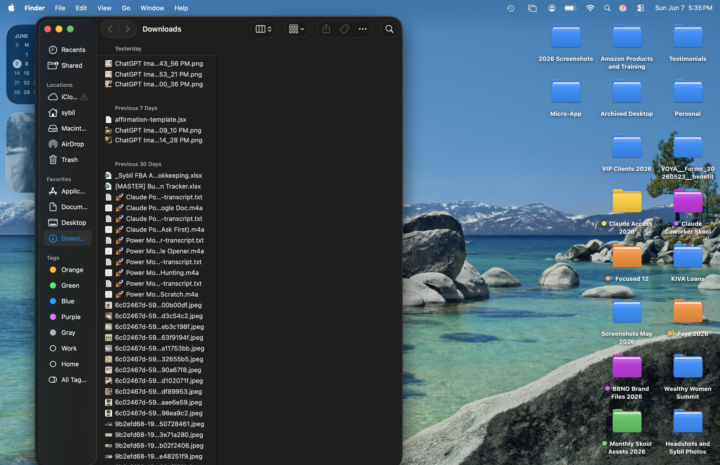
Digital Declutter Check-In 💻✨
I'm about an hour into a digital declutter session and have been working through my desktop and downloads folder. It's amazing how much mental space opens up when digital clutter starts disappearing too. If you were going to spend 30 minutes decluttering today, what would you tackle first? 🖥️ Desktop files 📥 Downloads folder 📧 Email inbox 📸 Photos/screenshots 📁 Cloud storage (Google Drive, Dropbox, etc.) 📱 Phone apps and notifications Drop your answer below and tell us what's been sitting there longer than it should. 😄 I'm off to see how many random files I can delete before dinner time! ☕️💛
4 likes • Jun 8
I'm working on deleting everything to do with a business model that I no longer do. I have so much digital stuff across so many drives it's taking me a while. The courses that I bought in past are no longer relevant but I still have to take a deep breath before I hit delete. So far I've deleted about 380GB and a lot more to go! Happy digital detoxing!
🔥
Jun 1 •
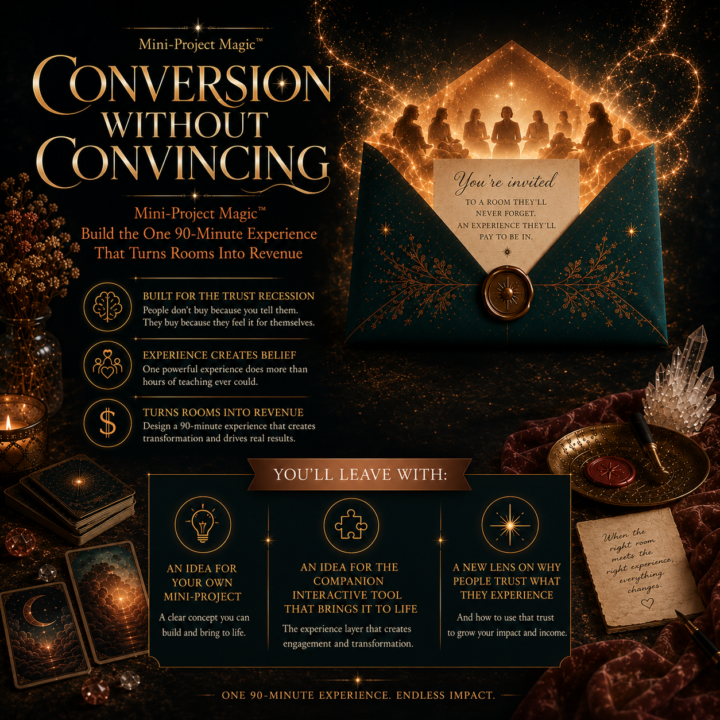
Live Event Tomorrow: Build the One 90 Minute Experience That Turns Rooms Into Revenue ☀️
Okayyyy… tomorrow is going to be GOOD. ☀️ 📅 Tuesday, June 2 ⏰ 12pm to 1:30pm Denver Time 🔗 Calendar Link @Katya McEwen's is coming into Income Without Burnout tomorrow for a live workshop called: “Conversion Without Convincing” You guys are going to love it. She will introduce us to Mini Project Magic™ Where you build the One 90 Minute Experience That Turns Rooms Into Revenue. One thing I have been thinking about a lot lately is this: People are tired of being “marketed to.” But people still love transformation. People still love connection. People still love experiences that actually help them move forward. That is exactly why this matters right now. Inside the workshop, Katya will help you get clarity on: ☀️ what your mini project could be ☀️ how to turn your knowledge into an experience ☀️ how trust is built through participation ☀️ how experiences can naturally lead to revenue And here is the part I think is absolutely incredible... IWB members will be able to submit their mini project ideas for feedback directly to Katya. 🤯 PLUS there will be weekly prize drawings for participants inside Oracle Connections. Even if you cannot make the live workshop, you can still watch the replay, submit your mini project idea, and participate in the fun alongside everyone else. I joined Oracle Connections VIP because I am serious about accelerating my growth this year and surrounding myself with people who are building intentionally, creatively, and collaboratively. And honestly, this reminds me so much of the energy we had during @Evelyn Weiss and Ben’s challenges inside this community with you! We are people building together. Trying things. Sharing wins. Learning in public. Getting momentum because they are not doing it alone. That energy changes people. And getting direct feedback from someone (thank you, Katya) who has built powerful experiences and communities?
Poll
4 members have voted
3 likes • Jun 2
this sounds good, thank you... "offer fatigue" is so up for me right now!
🔥
May 31 •
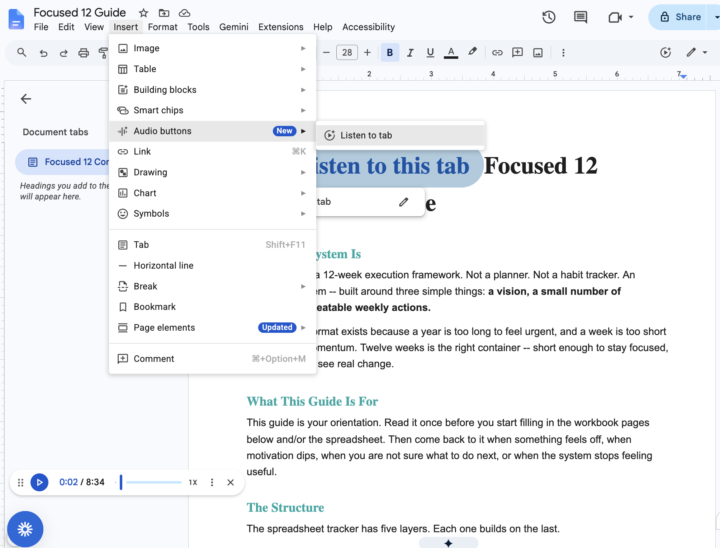
🎧 Tech Tip: Listen to Your Writing Out Loud
One of the most powerful editing strategies I use is listening to my writing rather than rereading it with my eyes. When you hear your words read aloud, your brain processes them differently. You notice: ☀️ awkward phrasing ☀️ sentences that are too long ☀️ repetitive words ☀️ missing transitions ☀️ places where your energy drops ☀️ spots that sound robotic instead of human There is actually science behind this. When we silently reread our own writing, our brains often “fill in the gaps” because we already know what we meant to say. We skip over errors and missing clarity because our brains predict the meaning. But hearing the words activates auditory processing differently. It slows you down enough to catch friction points and helps your brain notice rhythm, clarity, and emotional tone. This is especially helpful if you: ☀️ write with AI ☀️ create content quickly ☀️ struggle with overexplaining ☀️ want your writing to sound more human and natural ☀️ are editing sales pages, emails, posts, or scripts Here’s my simple workflow: 1 Work in Claude or the AI of your choice 2. Copy the text into a fresh Google Doc 3. Navigate to Insert 4. Select Audio Buttons 5. Click “Listen to this tab” 6. Pause the reading anytime you want to edit 7. Repeat until the writing sounds like you The goal is not perfect writing. The goal is writing that feels clear, natural, warm, and easy to follow. Your ears catch what your eyes miss.
3 likes • Jun 1
thank you! I did not know you could do this in google.
🔥
May 16 •
Game shows
Okay I’m curious 😂 I used to LOVE The Price Is Right and lately I’ve been thinking I need a new game show in my life. Something fun. Something cozy. Something that makes you accidentally yell answers at the TV 😅 Is anyone watching game shows these days? 👇

3 likes • May 18
@Mercedes Aspland we get the UK 1% club in Aus - it's quite funny what people come up with!
2 likes • May 19
@Mercedes Aspland let me know how you go with it!
1-10 of 39

Active 11h ago
Joined Feb 12, 2026
Queensland Australia