Activity
Mon
Wed
Fri
Sun
Nov
Dec
Jan
Feb
Mar
Apr
May
Jun
Jul
Aug
Sep
Oct
What is this?
Less
More
5 contributions to Underwater Creator Academy
Mar 2 •
UCA Updates 02/03/2026
What we are working on: Currently we’re developing 2 courses, the Camera Basics and Underwater Pro courses. Both of these focus on actual camera settings, in water techniques and how to set yourself up for success. I’ve taken a step back from the DaVinci Course now the lesson plan is set, so I can go back in with fresh eyes! Free Vs Premium Vs VIP: The free version of the UCA is the community. Here was can talk, ask questions and grow together. For those looking for more, there’s the premium plan. This is how you get access to all the online courses and the free presets, powergrades, LUTs and more in the resource vault! Currently it’s $15 per month on Early Access. If you sign up now it’ll stay this price for life! We’ve also had quite a few new people join the community over the last week! Welcome! Remember to introduce yourself in the community, and feel free to ask any questions! Keep creating! Jake
1 like • Mar 2
I would definitely encourage people to jump on to the premium plan - I am loving the courses and the presets have really helped with the heavy lifting as I learn to edit deliberately rather than randomly trying and applying stuff. Definitely money well invested!!!
Jan 31 •
Creating proxies - failing dismally!!!
Hi Jake, I’m running through the Da Vinci resolve course which is absolutely damn awesome by the way (almost Jackie-proof but not quite!) I’ve got to the creating proxies bit (which I so wished I’d know about earlier) I’ve imported the media and I have right clicked to create proxy and it does its thing all OK. But once I select ‘prefer proxy’ I immediately get a media off-line error however if I go back to prefer originals everything’s fine. Nowhere in the proxies step did it give me the option to say where they would be saved so when I go to re-connect proxy I don’t know where to look. I’m sure this is a Jackie problem and the rest of the planet knows what they’re doing but I’ve gone back to the beginning of the lesson multiple times and I still don’t understand what I’m doing wrong. Thanks.

1 like • Feb 2
Hi Jake - I generated the proxies in DV, which is the only way I know how… and I found where the save locally by accident. Once I manually reconnected the first original to that folder, it has worked OK since so ?? Thanks for such a speedy response and for adding to the course notes. I shall keep on trucking.
Jan 22 •
Use of blue light - night dive
I am fascinated by bioluminescence so, when I purchased my new dive light I chose one capable of emitting blue light (Dive Lantern V7000) - I have only used it once (and I do not have a yellow filter) but the GoPro11 footage was completely blown out even though it looked OK on the back screen. My question - I have my GoPro settings as per recommended in the Action camera course - should I make changes for night with blue light or am I doing something wrong with the way the light is set. Thanks
1 like • Jan 27
Hey Jake - looks like I deleted them in disgust (in my defence they were taken pre UCA) or at least I can’t find them. I haven't changed GoPro settings they are / were 4K, 120fsp so I can slow it down, about f18 (obviously), ISO auto and limited to 400. I am now in the Monties so will try again once this ex-cyclone wind disappears and come back to this post with the results.
Jan 20 •
*Update* DaVinci Resolve for Ocean Creators
I've made some updates to the DaVinci Resolve course over the past few days. I'm working through the colour workflow (its a big one and theres a lot to cover) - due to the amount of work that needs to go into it I took a break and finished up the EXPORTING part of the course. Now you can export in the right quality for the right platform. As an additional bonus theres 2 new downloadables for Resolve in the Resource Vault: 1. The UCA Pre-made Project - A blank canvas with a pre-made organisational structure and pre-made timelines set up so you can jump in straight away. 2. Export Presets - Theres so many different options and settings when exporting through DaVinci Resolve, so i've made it simple. Download and import the presets to get cinematic exports, as well as my custom built bulk export for reels (vertical clips), which exports all of the individual clips as individuals instead of one large clip. This is just the start - much more to come. Comment if theres anything you specifically want to see in this course. Jake
1 like • Jan 22
@Jake Mason One of my favourite little videos is the rescue of the Wobbegong ! Not fab footage, but definitely ticks the ‘we did something that mattered’ box !!! I have searched around inside the academy but I can’t find a link / place to become a paid member… can you please point me in the right direction. If I am going to pay for help in this I would prefer it to be with someone who not only knows what they are doing, but who’s ethics, greater purpose and impact I agreed with. Heading to the Monties tomorrow - can’t wait !!! Thanks
1 like • Jan 22
Don’t worry - found it under settings… all done 🥳🦈🐙🐬🐠🤿
Dec '25 •
Welcome — I’m Jake (Introduce Yourself Below)
Hey everyone, I’m Jake — a self-taught professional underwater photographer/videographer and the creator of The Underwater Creator Academy. I built this community because I know what it’s like trying to learn ocean content creation from scattered tips online. My goal here is to give you a clear path (shoot → edit → export → share) and a place to get real feedback from other creators who are just as obsessed with the ocean as you are. I’m keen to learn alongside you, see your work, and help you level up—no matter what you shoot on. My intro (use this as a template) - Name + location: Jake, Australia - What I shoot: Underwater photo + video (ocean wildlife + storytelling) - Gear: Sony A7siii in a Marelux MX-A1 Housing. I use a 24-70mm f2.8, Sony 14mm f1.8 and a sigma 105mm macro - I edit in Lightroom CC and use DaVinci Resolve Studio - Current level: Self-taught pro & Award winning filmmaker and photographer - 30-day goal: Help you build consistency and improve your results fast Your turn — introduce yourself below Copy/paste and fill this in: - Name + location: - What you shoot (photo/video/both): - Gear (optional): - Current level: - Your #1 goal for the next 30 days:
2 likes • Jan 15
- Name + location: Jackie, aboard Barefoot Sunset, currently heading north up the WA coast towards Indonesia - What you shoot (photo/video/both): Both - Gear (optional):GoPro 11, Olympus T6, lights (looking to upgrade later in the year) - Current level: Beginner - Your #1 goal for the next 30 days: Get super comfortable with my gear underwater and get started properly now I live on the ocean.
1-5 of 5
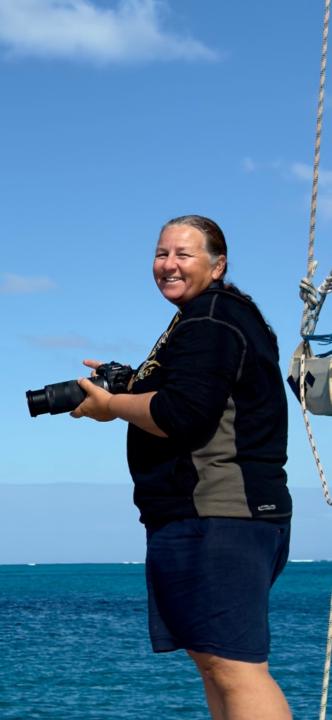
@jackie-campbell-2909
I live aboard my catamaran, Barefoot Sunset, full time… diving at any opportunity I can. Just beginning to take underwater videography seriously!
Active 142d ago
Joined Jan 12, 2026