Activity
Mon
Wed
Fri
Sun
Aug
Sep
Oct
Nov
Dec
Jan
Feb
Mar
Apr
May
Jun
Jul
What is this?
Less
More
Owned by Giovanni
Dimense Club connects designers and PSPs to create textured surfaces, share ideas, and turn print into premium interior experiences.
Memberships
Skoolers
165.6k members • Free
Interior Arts by Mad
71 members • Free
15 contributions to Dimense Club

May 14 •
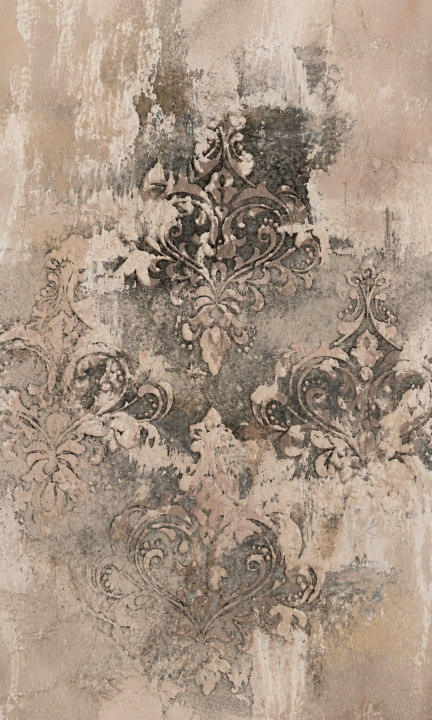
Ciao a tutti! Vorrei realizzare una grafica come quella della foto per una parete 4x3 metri. Suggerimenti?
[attachments]
0 likes • May 17
This analysis provides a structured workflow for replicating the provided distressed damask fresco at ultra-high resolution. To achieve an authentic result, we will combine Adobe Firefly for high-fidelity asset generation with a procedural layering technique in Photoshop to simulate the natural erosion of the plaster over the pattern. 1. Asset Generation (Adobe Firefly) Since the original image is a composite of organic textures and a structured pattern, we need to generate these elements separately to maintain maximum control and resolution. Prompt A: The Distressed Plaster Base for Create a high-resolution, non-repeating background texture. Prompt: Ultra-high-resolution photo of a severely distressed, textured fresco wall. Colors: mixed warm taupe, raw umber, weathered plaster white, and charcoal gray. Features deep, irregular textures, water stains, peeling lime-wash, and heavy mineral patina. No geometric patterns. Flat lighting, industrial-grade detail, 8K resolution. Prompt B: The Damask Motif (Source Element) Get a clean, high-detail version of the baroque ornament. Prompt: Baroque damask flourish motif, clean intricate line art, single central large ornament. Charcoal gray color on a pure white background. Highly detailed symmetrical scrollwork, victorian style, vector-like clarity for pattern making. 2. Procedural Layering Procedure (Photoshop) Instead of simply "drawing" the wear and tear, we will use a procedural mask workflow. This ensures that the erosion of the pattern is mathematically linked to the texture of the wall, creating a realistic "phantom" effect. Step 1: The Foundation (Plaster Layer) Place your generated Plaster Base (Prompt A) as the bottom layer. If working on a very large canvas (e.g., 5 meters wide), tile or stitch multiple generations using Content-Aware Fill to avoid visible seams. Step 2: The Pattern Array (Motif Layer) Clean the Damask Motif (Prompt B) by removing the white background. Convert it into a Pattern Overlay or a Linked Smart Object.
May 13 •
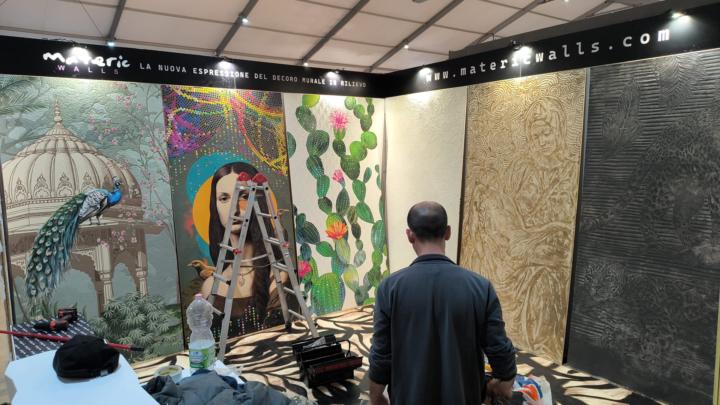
Materic walls in Lecce
@Alessandro Patera created the Materic Walls line that he will present at the Lecce decoration fair, presenting these magnificent material panels. Congratulations from all of us and happy fair!
3
0
May 11 •
Barcelona Events
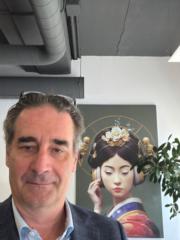
Thanks to Roland and Dimense team for their welcoming and hospitality in Barcelona. It was a great time et nice to meet you all and wish to see you all at FESPA next week.
0 likes • May 12
See you soon in Fespa.
May 6 •
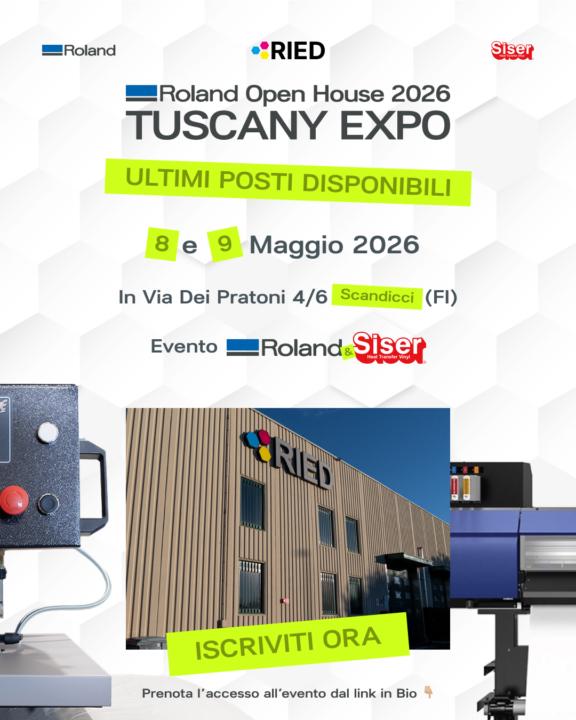
Roland Tuscany Expo 2026
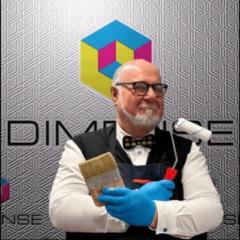
Roland Tuscany Expo 2026 is coming to Scandicci, Florence!Two days where innovation, creativity, and technology come together to shape the future of digital printing. May 8-9, 2026📌 RIED SRL | Scandicci (FI)🎟️ Free Entry RIED is proud to host an immersive experience dedicated to professionals in digital printing, graphics, personalization, apparel, and visual communication. This year, alongside the latest Roland DG technologies, visitors will also discover the innovative world of Siser materials and heat transfer solutions. A unique opportunity to explore how advanced printing systems and cutting-edge materials can create entirely new business opportunities. What to expect: Advanced UV flatbed technologies for object customization High-end print & cut systems with outstanding color and precision Exclusive previews of upcoming innovations Live demonstrations with Siser presses and materials Networking, technical insights, and real-world applications Special Guest Presence: We are excited to announce the participation of Giovanni Re, Roland DG Dimense Ambassador and creative technology storyteller, who will deliver live demos focused on the incredible world of Dimense textured printing. Experience how surfaces can become emotional, tactile, and immersive.Not just printing. An entirely new sensory dimension. Whether you are:• A print shop owner• A creative agency• A production manager• A textile decorator• A designer searching for new expressive possibilities This event is designed for you. Bonus for early registrations:The first 50 registered visitors will receive the exclusive practical guide:“75 Tips for Installing Large Printed Graphics” RIED SRLVia dei Pratoni 4/650018 Scandicci (FI) Register now and discover what happens when technology stops being just machinery… and becomes experience.
1
0

May 4 •
Rococodecor
Greetings to the community 🙂 I’d like to take this opportunity to thank Roland and Dimens for their hospitality in Barcelona. I’m happy I had the chance to meet you, and I hope that together we’ll be wiser and stronger in the future.
1 like • May 5
What a beautiful message… I truly felt it. Barcelona wasn’t just a meeting for me. It was one of those rare moments where you realize something deeper is happening beneath the surface. Not just technology, not just business… but a shared vision taking shape. I’m genuinely grateful I had the chance to meet you. Encounters like this don’t just make us “wiser and stronger”, they give meaning to what we are building together. Because in the end, this journey is not about printing… it’s about creating experiences that people can feel. And this is only the beginning. Very soon, I’d love to organize a videocall to show the community the beauty of what you’re creating. Not as a presentation, but as a moment of connection… where your work can inspire others, just like this meeting inspired me. Some things are too powerful to stay inside a message. They deserve to be shared, lived, and experienced together
1-10 of 15

@giovanni-re-7767
Giovanni Re, Engagement Specialist at Roland DG Mid Europe and Founder of the Italian Technological Artisans community
Active 3d ago
Joined Mar 17, 2026
San Benedetto del Tronto
Powered by