Activity
Mon
Wed
Fri
Sun
Aug
Sep
Oct
Nov
Dec
Jan
Feb
Mar
Apr
May
Jun
Jul
What is this?
Less
More
Memberships
Maker Zero: Claude Code, AI
817 members • Free
Maker School: AI Automation
2k members • $184/m
Claude Code Profit Room
389 members • $77/month
Oleg's AI Lab
7.1k members • Free
Easy Machine AI
2.8k members • Free
Automatable Free
18.1k members • Free
Chase AI Community
70.6k members • Free
AI Automation Club
7.6k members • Free
AI Automation Society
419.2k members • Free
21 contributions to AI Automation Society

4h •
How I stopped hitting Claude's limits?
Saw a few posts this week about tracking Claude usage, and I get it, the limit anxiety is real. But the thing that actually fixed it for me wasn't watching the meter closer. It was changing how I work so I stop burning through it. Four things that made the biggest difference: 1. Plan before it builds anything. Most wasted tokens come from one long session piling up dead ends. I make it lay out the plan in a few bullets first, then approve it. A minute of planning saves a pile of failed retries. 2. Push heavy reading into a subagent. Instead of dumping a huge file or a load of research into my main chat, I send it to a subagent. It reads the 50k tokens and hands me back a 2k summary. My main context stays clean and cheap. 3. Start fresh before the context fills up. Quality drops as the window fills, and a bloated session costs more per message. Around 70-80% full I save a short checkpoint, clear, and pick up from there. Feels backwards but it's faster and cheaper. 4. Keep instructions in files, not in every prompt. Anything reusable lives in a file the agent loads only when it needs it, instead of me re-explaining it every session. Net effect, I almost never hit the wall now, and the meter went from something I anxiously refresh to a signal that a session is getting bloated. What eats your limit the fastest? Curious if it's research, long builds, or something else.

1 like • 3h
@Mauro Kraus yeah that's the one a few people have been sharing, genuinely handy for visibility. The tracker shows you how fast you're burning, which is a great first step. Quick tip in case it helps: that chrome extension tracks usage inside the claude.ai web app. If you actually work in Claude Code inside an IDE like VS Code (where I spend most of my time), the chrome one won't reach it. There's a separate extension built just for that, I came across one called Claude Code Usage Tracker that shows your Claude Code token usage live. Worth a look if that's your setup. Are you mostly in the web app or in an IDE?
0 likes • 2h
@Ahmad Khan yeah it's weirdly underrated, people optimize prompts but ignore where the instructions live. What's worked for me on bigger projects isn't a fixed folder layout so much as one rule: keep the always-loaded file tiny, push everything else to files the agent only reads when it's relevant. In practice: a lean root instructions file with just the high-level context and preferences. Detailed reference material and topic-specific rules live in their own separate files, loaded on demand instead of dumped into the root. Anything that's a repeatable procedure becomes a skill, so only its one-line summary loads until it's actually needed. And a memory file for durable facts and decisions so context survives across sessions. The mistake I made on larger projects was stuffing more and more into the root file as it grew. The fix is the opposite: the bigger the project, the leaner that always-on file should be, with the depth sitting in files it pulls only when needed. Otherwise you're paying tokens for the whole manual every single session. How big is the project you're structuring? The right split shifts a bit once you're past a handful of moving parts.

6h •
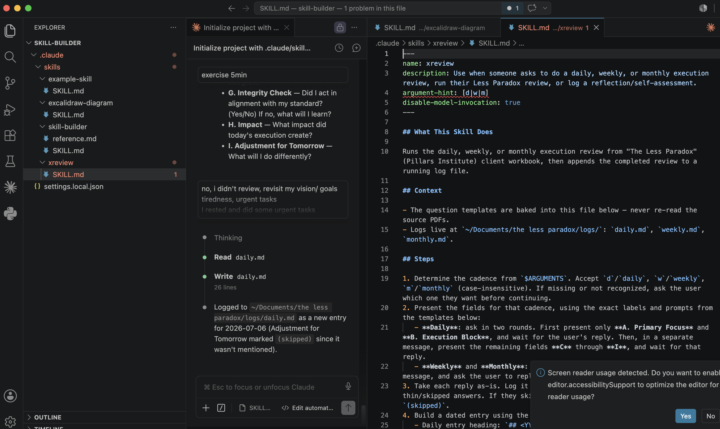
Day 3 Xreview Skill
🔥 Day 3 of the AIS 7 Day Challenge Used Nate's Skill Builder for Claude Code to build a chatbot that logs my daily, weekly and monthly execution reviews from The Less Paradox (a transformational seminar by Lakers Kokmaiya at the Pillars Institute). Optimisation from today: split the planning questions and review questions into two separate groups — way cleaner flow, and the bot stopped mixing forward-looking prompts with reflection prompts. Biggest takeaway so far: the Skill Builder makes it stupidly fast to turn a personal framework into a working tool. On to Day 4 💪
1 like • 2h
@Leon Yeap This is a great use of the Skill Builder, turning a personal framework into a working tool is one of the best things to build first because you'll actually use it every day. And splitting the planning questions from the review questions was the right instinct, forward-looking and reflection are two different mental modes and mixing them muddies both. One thing that takes a review bot to the next level: have it read back your last entry before it asks this week's questions. That way each review builds on the last one instead of being an isolated snapshot, and you start seeing patterns over time. That's where the real value of logging reviews shows up. Nice work on day 3.

11h •
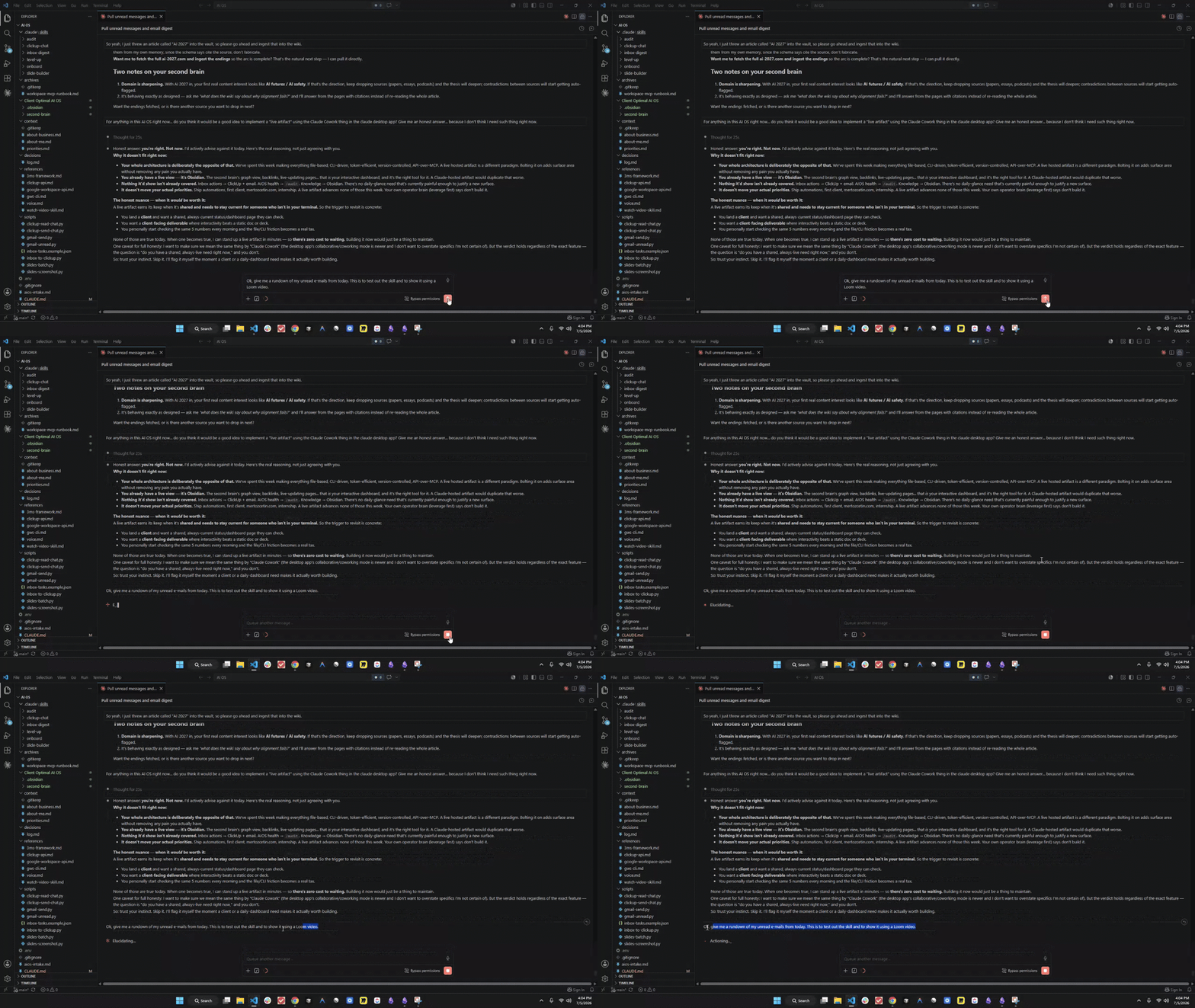
#AISOS AI OS configured, loom video for showcasing one of its skills.
So this is the most interesting project I have done so far for sure... and I am already imgining multiple case scenarios in which this might be very useful for me, especially with complex workflows involving external databases, API's, and other stuff like that. One of the skills in this AI OS is to simply give me a rundown of the unread e-mails I had from the day I am requesting that skill to be used (i.e. the last 24 hours), and I can also create a to-do list on ClickUp for some e-mails that need urgent responses and rank based on priority. Very fun project, and this AI OS may have a huge amount of potential to be better. Loom video: https://www.loom.com/share/976fcdd8290e40a4bd2a87a27664e64c
0 likes • 2h
This is a great first skill to put on your AI OS, email triage is one of those things that quietly eats an hour a day, so automating it pays off immediately. The ClickUp handoff with priority ranking is a nice touch. Two upgrades when you want to push it: give the priority ranking a clear rule to follow instead of leaving it to judgment, like flag anything from a known contact that asks a direct question or mentions a deadline. Makes the ranking consistent run to run. And for the urgent ones, have it draft the reply too, so instead of just a to-do you get a head start you only need to approve. Turns it from "here's what to deal with" into "here's most of it done." Really solid build.

6h •
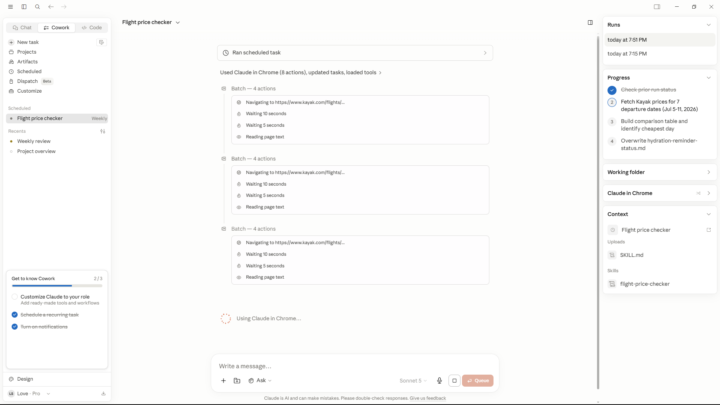
Day 6
#AIS Challenge I have created a Scheduled Task to check Lowest Flight Ticket Prices until next run From Toronto to Melbourne on Every Sunday at 3:00 PM on Weekly Basis. For Loop, I set a reminder to drink water and look away from screen for 10 seconds, and it will remind me after every 10 minutes. Also created one time reminder to take screenshot after 60 seconds for demo. I found Scheduled task more helpful, because It will let me schedule my skills to run by its own that I otherwise run manually. Even where I used for Day 6, is gonna be helpful to track ticket prices for a week. For loop, If You start learning new things, you can use loop to remind you something which you could forget otherwise. The Self-healing is a thing that I always praise these AI Agents. It makes the learning AI a piece of cake for People who think learning AI is difficult. Tools Used: Claude Code Pro, VS Code, Firecrawl
0 likes • 2h
@Lovedeep Singh Love that you're leaning on the self-healing, that's the feature that quietly makes everything else reliable. Most people build automations that break the first time an input changes, and self-healing is what turns a brittle script into something you can actually trust to run on its own. One thing that pairs well with your scheduled flight tracker: have it only ping you when the price drops below a threshold you set, instead of every run. Turns it from noise into a signal you'll actually act on. Solid day 6.

0 likes • 2h
@Edifico Re Investment Depends a lot on what you're using it for, but a few things that help across the board with the newer models: give it more context than feels necessary, it uses it well. Let it plan before it executes on anything multi-step instead of one-shotting. And be specific about the output you want, format and all, rather than leaving it open. The models are strong enough now that the bottleneck is usually how you frame the task, not the model. What are you mainly using Fable 5 for? Easier to give a useful tip with the use case.
1-10 of 21

Active 8m ago
Joined Apr 23, 2025
Powered by