Activity
Mon
Wed
Fri
Sun
Dec
Jan
Feb
Mar
Apr
May
Jun
Jul
Aug
Sep
Oct
Nov
What is this?
Less
More
Owned by David
Office hours for your business tech needs. For healers, practitioners, coaches, and related entrepreneurs in the natural health and freedom spaces.
GATORI Academy
69
Free
Congruent Business Portal
11
$99/m
Skoolers
148.8k
Free
Top 1% Podcasters
24
$99/m
Sovereign Secrets
50
$47/m
72 contributions to Top 1% Podcasters
9d •
YouTube coaching call replay (+ gdoc)
Here's the replay of today's coaching call! And here's the Google doc with the content machine framework https://docs.google.com/document/d/1h4r99zCoH-KWhAmhaj-GN8N5oFs2Nn_Y39mt3-Tovs0/edit?tab=t.0 P.S. @Rachael Cardoso here's what I found about Posts and Community: The Posts Section: Think of this as the creator's notice board. When a creator wants to share a behind-the-scenes photo, hype an upcoming video, or run a trivia quiz, they publish it here. Viewers see these updates in their main YouTube Subscriptions or Home feeds, but they can only interact by leaving a comment underneath the creator's post. The Community Section: This is a shared space for the fan base. When a creator enables a "Community" on their channel, a "Visit Community" prompt opens up a forum. Here, subscribers can upload their own fan art, start discussions about recent videos, or ask questions to fellow fans without needing to wait for the creator to post first. The creator retains complete moderation control to remove subscriber posts or restrict users if necessary When you post a written post in the Posts section, it doesn't appear in the community, but you can put it there manually if you want.

1 like • 6d
Thanks @Alberto Croce I hadn't heard the 24 hour thing before. I'll consider making some longer form clips.
1 like • 4d
@Alberto Croce Yep, I could. I'm stubborn about installing it because I'm minimizing tracking and using a privacy phone. I generally don't sign in to my Google accounts on my phone.
10d •
I was on another podcast, and I made another episode
Hi everyone. I wanted to share the things I did last week. I was on my friend Victoria's podcast, called the Give and Receive Podcast. I talked about Terrain and AI. https://www.youtube.com/watch?v=62qd8IagklA Then I did another episode of Healing Octopus Radio, where I talked with my friend Katie Kiss about the recent Wise Traditions conference. We pretty much went on lots of hilarious tangents instead of talking about the conference. https://www.youtube.com/watch?v=NmfMk1Ofvlg I also made 5 or so clips from that episode and put them on IG, YT Shorts, and TT. Plus I made a couple quote images for IG for those times when I accidentally said something cool. Leave some likes and comments and ALL THE THINGS.
1 like • 6d
@Alberto Croce Thanks! For my episode with Katie, I made about 6 vertical clips for IG, YT shorts, and TT. I posted them throughout the past week or so. I have been using the YT collab feature for that. For the episode with Victoria, I'll ask her if I can grab the whole video and make my own clips. She recorded that in Streamyard and posted some of her clips on IG.
1 like • 6d
@Veronica Tilden Thank you! Ha, it keeps pulling me back in! It's actually less pressure on making my content fit into a box if it's not tied to making money. I can just make and post whatever I want. I'm still on the job search though.
Oct 14 •
How to organize videos in Riverside?
Is there a recommended way to organize recordings in Riverside? I have a whole wall of thumbnails of my face and they're all named "David's Studio." I probably have gold somewhere in there but it's hard to find things and I just give up. Anything like naming schemes, folder organization, search, or other strategies? Thanks!
0 likes • 10d
@Alberto Croce Yeah I could definitely remove some recordings. I've just been keeping them all since Riverside doesn't charge for the storage (as far as I know) and sometimes I go back to a recording I didn't want to use before and I end up using it for something else. I don't have all the originals backed up anywhere either.
1 like • 6d
@Alberto Croce Thanks! Yeah I want to keep everything for repurposing, but finding it at the right time feels like a challenge because it's organized poorly. Awesome I'll check out the call replay.

24d •
Podcast coaching with meeee tomorrow!
10 am PT! Link's in the calendar. Be there or be square, lovely humans!

0 likes • 24d
Well I definitely don't want to be square...
Sep 28 •
Last Thursday's call recording is ready for ya!
Watch it if you wanna figure out how to launch a thing without posting on social and ALSO about how to let it be easier to record and edit your pod!!!

0 likes • Sep 30
We talked about making QR codes (and I ranted a bit). I made a demo of how to make QR codes, both with the web browser and with canva. I also clarified "dynamic" vs. "static" QR codes and when to choose each. https://app.sendrec.eu/watch/vpvTzDTEJuDALIJvzsxjtg I do these kinds of demos in my tech office hours, called Tech Clarity. Hit me up if you wanna join.
1-10 of 72
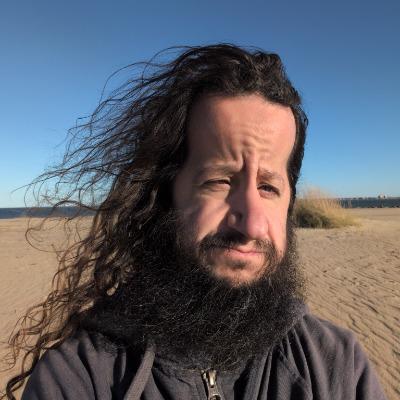
@david-barbarisi-6489
Former depressed software engineer turned Terrain nerd, voluntaryist, and reluctant human-in-progress.
Active 22h ago
Joined Nov 6, 2025
Norfolk, VA, USA
Powered by