Activity
Mon
Wed
Fri
Sun
Aug
Sep
Oct
Nov
Dec
Jan
Feb
Mar
Apr
May
Jun
Jul
What is this?
Less
More
Owned by Cody
Over 60? Feel Stronger, Steadier & More Independent in 6 Weeks — Even If You’ve Never Worked Out Before!
Memberships
Skool Extensions 🧩
617 members • Free
Synthesizer: Free Skool Growth
44.4k members • Free
AI Automation Society
419.1k members • Free
Skoolers
167.1k members • Free
Viral Coach Training Material
26.8k members • Free
The Success Club
13.7k members • Free
Clief Notes
41.3k members • Free
AGE WELL NETWORK
180 members • Free
SCALE by CreatorLaunch
7k members • Free
2 contributions to Skool Extensions 🧩

🔥
4d •
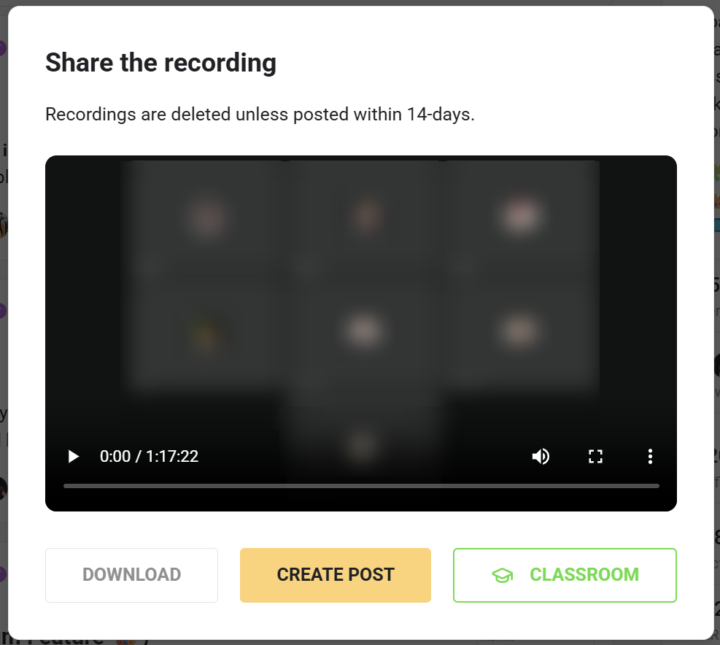
Recording → Classroom (Premium Feature 👑)
𝗥𝗲𝗰𝗼𝗿𝗱𝗶𝗻𝗴 𝗜𝗺𝗽𝗼𝗿𝘁 — 𝗧𝘂𝗿𝗻 𝗮 𝗟𝗶𝘃𝗲-𝗖𝗮𝗹𝗹 𝗥𝗲𝗰𝗼𝗿𝗱𝗶𝗻𝗴 𝗜𝗻𝘁𝗼 𝗮 𝗖𝗹𝗮𝘀𝘀𝗿𝗼𝗼𝗺 𝗟𝗲𝘀𝘀𝗼𝗻 A great live call ends up as a recording, and the usual way to reuse it means downloading the file and uploading it again as a classroom lesson by hand. Recording Import skips all of that: after a live call, community admins and owners get an "Add to classroom" button right in Skool's recording dialog, and one click turns the recording into a lesson without ever leaving Skool. You pick where it lands — the target community (any one where you're a native admin or owner), then either a new lesson inside a module or an existing classroom page — and give the lesson its title. A live progress strip walks the import through each step, from queued to downloading, uploading to Skool, processing and finally creating the lesson. Because the work runs server-side, you can close the window whenever you like — the import keeps going in the background and finishes on its own. Recording Import is toggled from the "Recording → Classroom" switch in the Live Call section of the Extension Settings. Turning it on asks for consent to sync your Skool session so the upload can run server-side. Premium-gated, and the button only appears for communities where you're a native admin or owner. --- 𝗥𝗲𝗰𝗼𝗿𝗱𝗶𝗻𝗴-𝗜𝗺𝗽𝗼𝗿𝘁 — 𝗘𝗶𝗻𝗲 𝗟𝗶𝘃𝗲-𝗖𝗮𝗹𝗹-𝗔𝘂𝗳𝘇𝗲𝗶𝗰𝗵𝗻𝘂𝗻𝗴 𝗶𝗻 𝗲𝗶𝗻𝗲 𝗖𝗹𝗮𝘀𝘀𝗿𝗼𝗼𝗺-𝗟𝗲𝗸𝘁𝗶𝗼𝗻 𝘃𝗲𝗿𝘄𝗮𝗻𝗱𝗲𝗹𝗻 Ein guter Live-Call landet als Aufzeichnung, und der übliche Weg, sie weiterzuverwenden, heißt: Datei herunterladen und von Hand wieder als Classroom-Lektion hochladen. Recording-Import spart dir das komplett: Nach einem Live-Call bekommen Community-Admins und Owner direkt in Skools Aufzeichnungs-Dialog einen „Zum Classroom hinzufügen"-Button, und ein Klick macht aus der Aufzeichnung eine Lektion, ohne Skool je zu verlassen. Du wählst, wo sie landet — die Ziel-Community (jede, in der du nativ Admin oder Owner bist), dann entweder eine neue Lektion in einem Modul oder eine bestehende Classroom-Seite — und gibst der Lektion ihren Titel. Ein Live-Fortschritt begleitet den Import durch jeden Schritt, von der Warteschlange über Download, Upload zu Skool und Verarbeitung bis zum Anlegen der Lektion. Weil die Arbeit serverseitig läuft, kannst du das Fenster jederzeit schließen — der Import läuft im Hintergrund weiter und wird von selbst fertig.

3 likes • 4d
This is cool! How do I get this extension? (I'm new here)

17d •
Adding Scheduled post?
Hi, just love Skool Extensions. Wanted to ask will you be adding scheduling posts as well, there is a few extensions out there but not all of them have the option to schedule posts for our communities.
2 likes • 7d
@Marco Berlin awesome! I'm still fleshing things out in a new community but I know this will be valuable for me down the road.
1-2 of 2

@cody-limbaugh-4398
20+ year Strength and Conditioning Coach turned Senior Fitness Specialist. I'm breaking the ties between aging and decrepitude.
Active 5h ago
Joined Jun 17, 2026
Powered by