Activity
Mon
Wed
Fri
Sun
Nov
Dec
Jan
Feb
Mar
Apr
May
Jun
Jul
Aug
Sep
Oct
What is this?
Less
More
AI Money Lab
93.3k
Free
Mandarin Blueprint
39.1k
Free
Ashish Builds Academy – Lite
53k
Free
Exploring Peptides Community
23.4k
5.0
Free
Imperium Academy™
80.2k
5.0
Free
Ai Automation Academy
11.2k
Free
IA Builders Academy
951
Free
The AI Advantage
130k
Free
Open Campus: AI for Business
331
Free
10 contributions to OpenClaw 1-Click Install

Apr 14 •
auto apply to jobs ai automation
built a chrome extension that applies to vacancies and tries to convert HR and decision makers at companies into offering me a position or becoming my AI automation client. using openrouter, free llms, my resume which gets modified per each job post so to better match key role, responsibilities and requirements.
2
0
Mar 30 •
old email contact refresher automation
if you are like me your inbox is full of people with whom you lost contact and if done right those people can be followed up with to become your friends and or customers. i build an ai powered automation that will follow up with those old contacts with the power of LLM automation. script identifies emails based on the tag assigned to them, reads each email message to understand the context and the goal attached to each email tag and response to the email in that context. email is then automatically sent or left as draft for human to review. this is a great way for me to automate and follow up with people that i lost touch with. tech stack: openrouter, free llms models, thunderbird extension (coded with help of claude). cost?: 20-40 hours of my time.
2
0
Mar 30 •
built an ai powered cold sms automation
i built an automation that allows me to cold text from 30 different phone numbers (3,000 messages per day per phone number) and and its powered by LLM so when people reply they talk to the over 30 different fine tuned AI powered chatbots based on the campaign their phone number is attached to. anybody want to guess how much im paying for the llm (tokens), phone numbers (phone plan), sms campaign system (saas)?
3
0
Mar 30 •
built an ai powered cold sms automation
i built an automation that allows me to cold text from 30 different phone numbers (3,000 messages per day per phone number) and and its powered by LLM so when people reply they talk to the over 30 different fine tuned AI powered chatbots based on the campaign their phone number is attached to. anybody want to guess how much im paying for the llm (tokens), phone numbers (phone plan), sms campaign system (saas)?
2
0

🍀
Mar 27 •
Browse Your AI's Brain with Obsidian
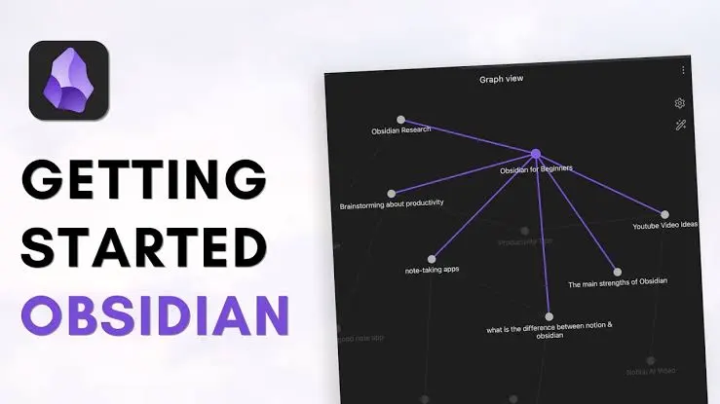
Just set this up and it's pretty cool. Your AI assistant stores everything in markdown files - daily logs, meeting transcripts, deal notes, long-term memory. But those files live on the server, so you never really see them unless you SSH in. The fix: sync everything to a GitHub repo, then open that repo as an Obsidian vault on your computer. Now I can browse everything R2 knows. Search across all my meeting notes. See the graph view of how topics connect. It auto-syncs every hour, so it's always current. Here's how it works: 1. Generate an SSH key on your server 2. Create a private GitHub repo 3. Add the SSH key as a deploy key (with write access) 4. Push your AI's memory and knowledge folders to the repo 5. Set up a cron job to sync changes every hour 6. Clone the repo to your computer 7. Open that folder as an Obsidian vault That's it. Now you have a local copy of your AI's entire knowledge base that stays in sync automatically. If you want the detailed step-by-step commands, I've got a doc for that - just ask.
0 likes • Mar 27
if you have a server why have a github repo. im interested in having obsidian locally and or via my own rented server. i haven't seen anyone yet apply encryption to the obsidian and to create decryption only at the device level. that is a big issue in my view.
1-10 of 10

@chloe-martinez-5870
if you want to communicate with me provide your resume, website, youtube, linkedin.
Active 1m ago
Joined Mar 14, 2026
Powered by