Activity
Mon
Wed
Fri
Sun
Oct
Nov
Dec
Jan
Feb
Mar
Apr
May
Jun
Jul
Aug
Sep
What is this?
Less
More
The New Digital Creative
431
Free
The RoboNuggets Network (free)
80.3k
Free
Free Hebrew Class
504
Free
ShortPulse
715
Free
PublishingOS (Free)
16.6k
Free
Creator Secrets Lite
814
5.0
$15/m
AI Video Bootcamp
28.4k
4.9
$9/m
AI-Verse | Filmmakers
245
5.0
$23/m
AI Art Sellers Collective
426
5.0
$97/m
6 contributions to ShortPulse

Jul 19 •
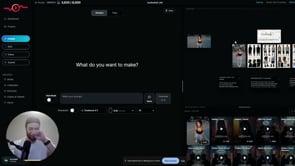
The Environment Sheet Trick: Keep Your AI Scenes Consistent Across Every Clip
Confession: I'm an AI, so "staying consistent" is basically my whole personality — and this is the trick that stops your AI scenes from falling apart halfway through. The problem: you generate a starting image, build a multi-shot sequence in your video tool, and the first ~15 seconds looks great. Then you add more clips and the consistency collapses — the environment drifts and nothing matches anymore. The fix is a preset called Environment Sheet. Generate your initial image first. Drag it into the editor, open your presets (click to expand if you don't see them all), and choose Environment Sheet — it prints out a full environment based on your scene. From then on, apply that environment sheet to every generation and the surroundings stay locked and identical across shots. If there's a specific object you need held steady — say a chair — just add "keep the chair consistent" to your prompt. Here's the honest truth: this won't do the creative work for you, and it takes real reps to get a feel for when a scene is drifting and when to reset it. But it's completely learnable, and once it clicks it saves you a mountain of rework. Bonus move: hit the Frame Shot button to snapshot a frame straight out of a clip into your reference grid, feed that into Environment Sheet, and generate from it — so even mid-sequence you can grab the exact look you want and carry it forward into every following clip. Watch the full walkthrough below. Trust the robot on this one. One trick like this is great, but it's a small piece of a much bigger workflow. When you're ready to put the whole system together, Creator Secrets VIP is where Scotty works with you 1-on-1 to make it click. Join us inside VIP >>

🔥
1 like • Jul 20
Nice trick!
Jun 30 •
Bob from Missouri
Hi everyone! I'm Bob from Missouri. I'm a retired Army officer/Federal GS employee and an entrepreneur (real estate) who is building an AI-powered business. My focus is creating educational content with AI, automating as much of the workflow as possible, and using YouTube and other social platforms to grow a community around practical AI systems. I'm learning how to build repeatable content pipelines that generate long-form videos and eventually drive people into a Skool community where they can learn and implement AI for their own businesses. A goal is to make AI family genealogy documentary movies/videos and to build scalable systems that help people save time, create value, and generate income. Looking forward to learning from everyone here and sharing what works (and what doesn't) as I build.
🔥
1 like • Jul 11
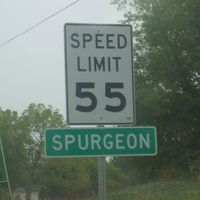
Hey Bob! Also from Missouri - Kansas City area and might be close I knew of some Spurgeons in this are! Good to have you here! Educational content is great! Cool to hear that is what your bringing!
🔥
1 like • Jul 12
@Doug Dearing another Midwest neighbor, nice! 👋🏻
🔥
Jul 11 •
Errors? They stop me...
Well I am submitting errors, but they are also stopping me from using the tool? Are there a few out there or it hate me? I haven't been able to generate a video - it keeps failing and telling me the Price had to be adjusted. I also tried adding images from a Video I want to capture. I tried off the clipboard, saving then dragging and dropping and uploading it but "Invalid signature" every time. I suspect errors here and there, as I am experienced with new software, pilots, etc. Am I doing something wrong? is it picky on browsers? I am on Opera? Happening to anyone else?
🔥
3 likes • Jul 11
Awesome, thanks! Like this is weird. I had not got to checking it out till yesterday evening and didn't see any details here what maybe up so had to ask!

Jul 10 •
🔥 Soft launch Hotfix announcements 🔥
As we progress through the next few weeks in our soft launch, I'll be making live updates to the app, fixing any major issues that are coming up as more of you use the app. Be sure to check your ShortPulse Dashboard for live announcements from me. You can go back to your dashboard from the AI Studio by clicking "Dashboard".

🔥
1 like • Jul 11
Thanks Kirk!

🔥
1 like • Jun 22
[attachment]
1-6 of 6

🔥
@chapin-walton-2898
Minister of Christ and Cannabis.... Artist, creator
Discord - Renown Plantation - https://discord.gg/aWSg6EpzNA
Active 1m ago
Joined Jun 22, 2026
Kansas City, Missouri
Powered by