Activity
Mon
Wed
Fri
Sun
Jun
Jul
Aug
Sep
Oct
Nov
Dec
Jan
Feb
Mar
Apr
What is this?
Less
More
Owned by Brenden
Your hub for professional audio. Get exclusive show files, advanced mixing & production techniques, and direct coaching to elevate your sound.
Memberships
Skoolers
193.1k members • Free
15 contributions to BERA: Audio Design Lab
14d •
Reddit Crosspost / General Update: BERA Downloads have moved and are now only available to qualified customers and paid members of the BERA Audio Design Lab 🎛️
Greetings All! Allow me to say, this community means a lot to me. I only wish to help you and platform others that wish to help each other. Now that I'm in the post SMF cool-down, I am turning a new leaf and leveling up my career. If you know me, you know that I am quite avid to raise the bar! That's why I'm thrilled to announce that I have become an audio dealer of boutique sound systems, as well as, widely distributed audio to suit my custom integration and premium design business. Let's go build some rigs together! As a requirement, I have removed all transactional features of berasolutions.com and will pivot the availability of my digital download products; now limited to pro integration customers and paid members of the BERA Audio Design Lab What does this mean in plain english? I will share my designs and templates in the classroom for discussion to members, AND you can get my professional mixer templates when you buy digital mixer products from me. Reach out to me anytime for a quote: [email protected] The free tools posted in the lab will remain free to the free members and the paid memberships will soon be realigned with updated content. Join here. Speaking of updated content... As this community grows, we can all expect the content to grow as well. I have just finished a 17-day festival production and I have an entire second week recap to share, plus the bonus stuff. All good things to come! I am so thankful for all of you getting in early and participating, let's spread the word! Truly, Brenden
0
0
Mar 19 •
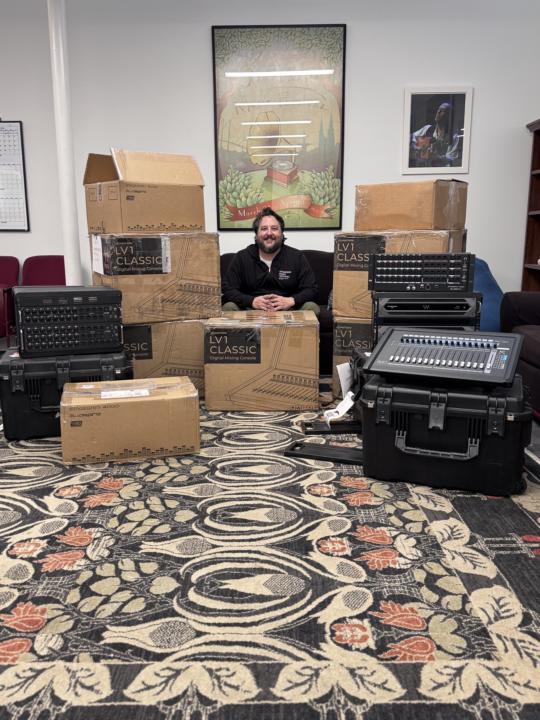
The dawn of festival season 2026
I have been preparing for months and now we are here! ☑️ New tools in the inventory ☑️ New show templates ☑️ New business networks and relationships ☑️ New skills unlocked and local team trained Let’s get to work!
1
0
Mar 14 •
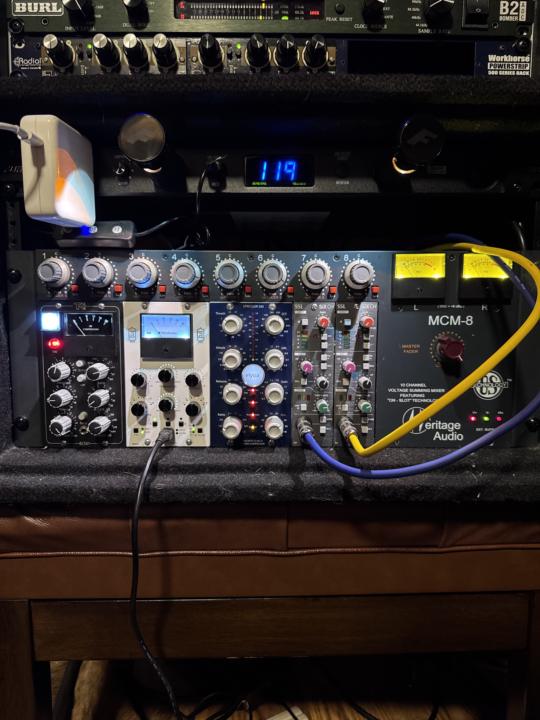
We are cooking now!
The analog bus rack is in full working order and delivering proven results! I’ve been procuring and assembling the bulk of this rig for the last 30 days or so. My standard bus paths travel out of the mixer/interface and into the Heritage MCM8 summing, then into Burl B2 for conversion. From left to right: the Bc501 is for Drums, Rhea for Instruments, Xpressor for Vocals (the path has the Electra EQs in front), the Sub/LFE go to 2 SixCh, the dry bus travels through the Aux IN for the parallel. I monitor the analog performance with a TC Electronics Clarity M meter that helps me double check balance and correlation. This is the versatility for any live or studio gig I have been looking for. Comment your favorite outboard flavors!
0
0
Feb 22 •
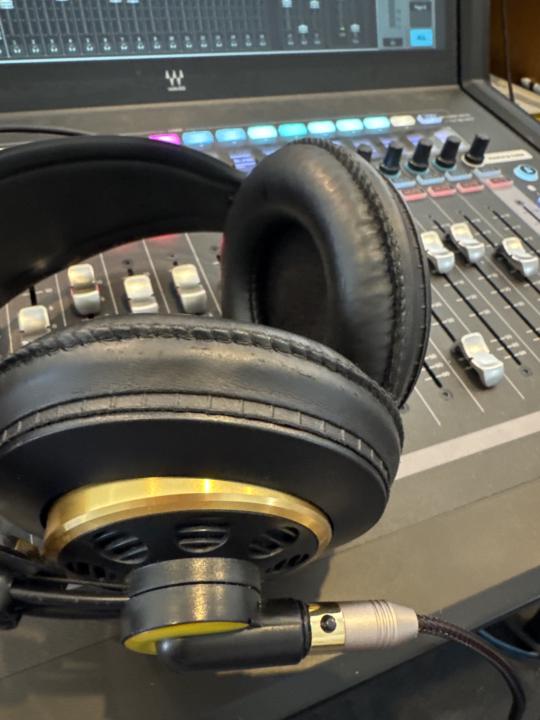
The clean environment vs the dirty 🧹
It’s been a while since the days of the dirty van tours & low rent clubs of my youth, but there will always be a venue that “bootstraps”. Last night, the local band I work for played a ticketed gig, but, today I’m in my church gig. The Saturday night venue is open air, smoking, and there is a layer of dirt on everything. The church hires professionals to clean and has reliable gear. What I realize this morning is that an untidy workspace creates mental friction and speed bumps little by little, and suddenly you are 7 hours in without a break, covered in sweat and dirt, rather than enjoying the entertainment you have worked hard to deliver. I knew very well the Saturday location includes questionable tech and power, or in other words, an uphill battle. I should have hired an A2 and allocated some responsibility manning the ship. Had I done so, I may have had more time to control the atmosphere, participate in the fellowship, and raise the bar for the venue to my standards as an A1. The difference in a clean production and a dirty one really comes down to teamwork and leadership. Everyone needs to do what they are called to do and needs someone to call them. If you, I, or the bootstrapping club owner individually put everything on our backs, then we will waste our collective potential, and the time to enjoy our fruits will pass too quickly.
1
0
Jan 31 •
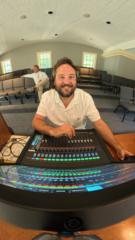
🔌 Part 4: Stage — Mics, Monitors & Racks
Every mix starts at the source. Join me on stage for a quick look at the mic choices and racks powering this show. The series is complete. > We’ve covered the console, the snapshots, and the tuning. Now, we’re looking at the stage setup that makes it all possible. This is a brief look at the physical I/O and monitor layout for this theater run. What’s inside: - Our mic selection for this production. - Monitor placement for the performers. - The I/O racks powering the Soundcraft Vi3000. 💬 FINAL TASK: What was the most helpful part of this 4-part series? Comment below to earn your final "Level Up" points for the week!
0
0
1-10 of 15
@brenden-robertson-2918
I launched my first business in high school. Today I’m still launching businesses. CTS - Sound Technology Consulting and Design.
Active 12d ago
Joined Aug 24, 2025