Activity
Mon
Wed
Fri
Sun
Sep
Oct
Nov
Dec
Jan
Feb
Mar
Apr
May
Jun
Jul
Aug
What is this?
Less
More
Memberships
210 contributions to Growthub Agent OS Academy

Jun 18 •
AI Social Content Agents: How I Hit 100K+ Impressions Weekly in 1 Hour/Week
I built a system of AI content agents that pump out 10–15 high-quality social posts daily — and it only takes me about an hour weekly to manage. In this video I break down the exact workflow. What I cover: → The "save & reverse-engineer" method → The Content Marketing Funnel & 5 Stages of Awareness for posting strategy → Branding images in seconds with the Growthub AI image agent → A Claude skill that analyzes your best posts every 90 days → Wiring the Buffer API to AI to auto-schedule based on what's performing → Agents for comment replies, follow-ups, and outreach at scale Watch the full video 👇 https://youtu.be/6AffOpY4rfU
3
0
May 15 •
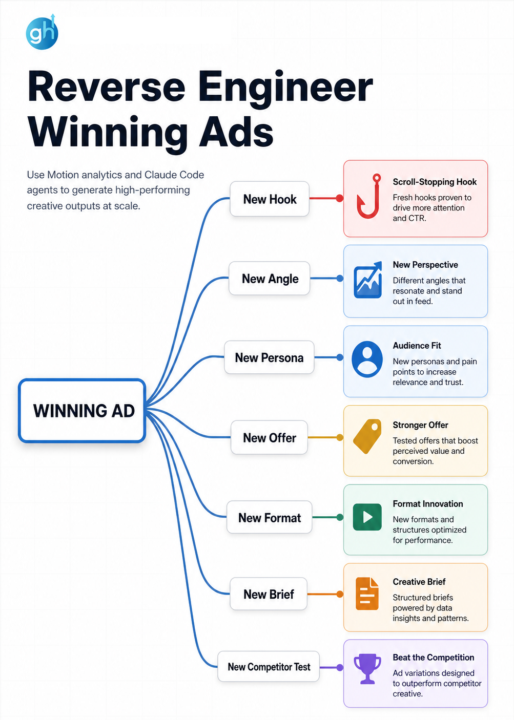
Reverse Enginneer Winning Ads 🔥
We spent 100+ hours analyzing 5,000+ top-performing ad hooks and uncovered a repeatable science. Most marketers write hooks based on "instinct" and wonder why their hit rate is in the gutter. Never try to re-invent the wheel or make decision based on a pure gut feeling. Use proven signals and frameworks to drive breakthrough results. New AI Tools from Motion (Creative Analytics) have been a game changer for our teams to eliminate guesswork. How they help? What if your AI was trained on the secret common denominator responsible for the top 1% of high-scale creative achieving... They took the characteristics from the best performing ads across industries & created a data-backed grading method for hooks. It’s a powerful filtering mechanism that we use before hand-off to video editors. Want free access? 👇 Comment "AI" & I'll share the link!
0 likes • May 26
@Mateo Castillo heres the link: https://hooks.motionapp.com/
0 likes • May 26
@Pradeep Verma heres the link: https://hooks.motionapp.com/
May 8 •
🔥 How We Use AI Agents to Grade Creative Hooks (Full Workflow)
We spent 100+ hours analyzing 5,000+ top-performing ad hooks and uncovered a repeatable science. Most marketers write hooks based on "instinct" and wonder why their hit rate is in the gutter. Never try to re-invent the wheel or make decision based on a pure gut feeling. Use proven signals and frameworks to drive breakthrough results. New AI Tools from Motion (Creative Analytics) have been a game changer for our teams to eliminate guesswork. How they help? What if your AI was trained on the secret common denominator responsible for the top 1% of high-scale creative achieving... They took the characteristics from the best performing ads across industries & created a data-backed grading method for hooks. It’s a powerful filtering mechanism that we use before hand-off to video editors. Want free access? 👇 Comment "AI" & I'll share the link!
0 likes • May 11
@Keppy Khanal https://hooks.motionapp.com/
Apr 25 •
🤖 GTM Agent Swarms: How to get 100x leverage with local agents
In this video breakdown, I show you how we are deploying GTM Agent Swarms through the Growthub OS to achieve 100x leverage. We aren't just using single AI chatbots; we are deploying coordinated, localized agent environments that work in parallel to execute entire campaign architectures in hours, not months. Get access to the open source repo here 👇 👉 Github: https://github.com/Growthub-ai/growth...
2
0

0 likes • Apr 10
YES! WHat do u have in mind?
1-10 of 210

Active 1d ago
Joined Apr 5, 2024
Powered by