Activity
Mon
Wed
Fri
Sun
Aug
Sep
Oct
Nov
Dec
Jan
Feb
Mar
Apr
May
Jun
Jul
What is this?
Less
More
Memberships
🟠 AI Systems Society
6.1k members • Free
Zamboni Inner Circle
1.9k members • Free
Online Business Friends
103.1k members • Free
Profit Pulse System
336 members • Free
1138 contributions to Zamboni Inner Circle

2d •
Consent requirements for email tracking are changing
Hubspot have sent this alert in a recentemail: Regulators in France and Italy have issued guidance on consent requirements for email open and click tracking. If you send tracked emails to recipients in these jurisdictions, review your marketing email and one-to-one email tracking settings, and confirm that you have obtained any required recipient consent before the applicable compliance dates.

2 likes • 1d
@Anthony Sunderland I also got his the other day, and now the pain is trying to know where people come from.

12d •
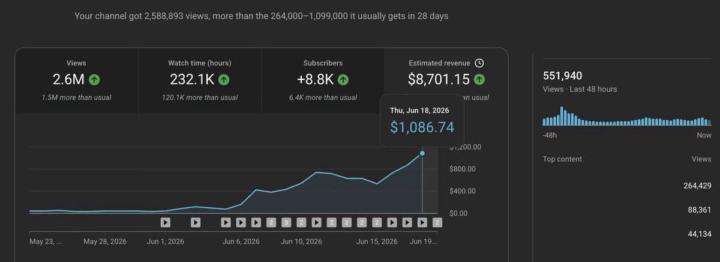
You can make a LOT of money from YouTube Automation… and I mean A LOT!!! 💸🔥
People are building faceless channels, getting views daily, and earning consistently without showing their face. This is not hype — it’s a real opportunity if you do it right. If you’ve been sleeping on YouTube Automation, this is your sign to START. The earlier you begin, the faster you learn and grow. I’m helping people get started the right way 👇 Join my Telegram channel to learn step-by-step and stay updated.Joined Our Telegram Update channel Link 🔗 https://tinyurl.com/youtubegrowthlab
2 likes • 11d
@John Obed Please remove your post or you will be banned from here. The main rule in here is that you may not do any self-promotions or affiliate promotions in here either in the main threads, through Chat or in your BIO. Failure to comply with this rule will mean instant removal and being blocked from this Community.

14d •
Which products have you tried?
So I'm new here. Curious to know which products of Alessandro's you've tried. I have quite a few. I have the Horror Game book, Kids Silly Stories, Christmas stories and a few others. How about you?
3 likes • 14d
@Julie T Welcome to the group. There are many great and helpful people in here and it is all about helping each other. Enjoy your time here.

20d •
Rundown - Learn how to connect Canva to ChatGPT
AI TRAINING 🎨 Turn any ChatGPT image into an editable Canva design The Rundown: Learn how to connect Canva to ChatGPT and turn one generated image into a Canva project you can keep editing. Instead of regenerating the same visual every time you need a new format, you can move it into Canva and keep working from the same starting point. Step-by-step: 1. Open ChatGPT desktop, go to Settings > Apps > Browse Apps, and add Canva. 2. Go back to ChatGPT, start a new thread, and generate an image like a social post or an infographic. 3. In that same thread, type @Canva, then hit Enter so ChatGPT confirms the app mention. Use this prompt: “Now turn it into a new @Canva project.” 4. Once Canva creates the project, keep going in chat. Use this prompt: “Okay, now resize that as a new @Canva project for a story post.” 5. From there, keep editing in ChatGPT. Ask Canva to adjust layout, swap text, clean up spacing, or make more versions without starting over from a fresh image. Pro tip: If you do not mention @Canva first, ChatGPT may treat this like a normal text instruction instead of sending it to the Canva app.
1 like • 20d
@Thad Zylka Thank you for that, something to try that can be very useful
21d •
The US Just Banned Claude Fable
From Ryan Doser Well, that aged fast. On Saturday I sent you my honest review of Claude Fable 5. A few days later, the US government stepped in and Anthropic pulled it offline. Same story for Mythos 5. Read My Original Fable 5 Breakdown Here's what actually went down, because the headlines are messier than "banned": - It started as a foreign-national order, not a full ban. The Commerce Department told Anthropic to cut off all foreign nationals, including its own non-citizen employees. To comply, Anthropic had to shut Fable 5 and Mythos 5 down for everyone. - The stated reason was narrow. The government flagged one method to get around Fable's safeguards using code review. Anthropic argues it's a single edge case, that GPT-5.5 can do the same thing, and that no model is perfectly jailbreak-proof. - Follow the incentives. Amazon's CEO warned the White House that Fable could aid cyberattacks. Amazon is both an Anthropic investor and a competitor, and this is happening right before Anthropic's IPO. Read into that what you want. Anthropic says it's working to restore access, with no timeline yet. Other Claude models are untouched. You can read Anthropic's official statement for more details. So What Should You Do Now? This is the only question that matters to us. And honestly? Don't panic, and don't change much. Claude Opus 4.8 and GPT-5.5 are still incredibly powerful models and cover 99% of real knowledge work. Marketing, copywriting, research, strategy, etc. Fable was overkill for most of that anyway, which is exactly what I told you the other day. But here's what has me thinking. This is a slippery slope. How does a government decide a model is "too powerful"? How much of that call is real safety versus competitors lobbying behind the scenes?
1 like • 20d
@Angela H I agree with you there, I still mainly use ChatGPT for everything.
1-10 of 1,138
@glen-merrick-2893
An old fellow learning young fellows things online
Active 1d ago
Joined Aug 3, 2023