
2d • Show Your Work
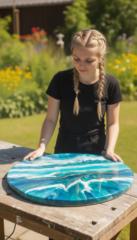
Broken Plate Mosaic Patio Table
Third Video
My Mistake and the Solution — Wire Mesh Table Issue
Hey everyone! I'm sharing my final video, but I also wanted to share an important lesson I learned during this project — it might help someone else running into the same thing.
What went wrong:
While using the tutorial's prompt to generate Image 5 (the partially-cemented table), every output kept showing a visible wire mesh grid at the table's edges and gaps — even though the tutorial's reference image showed a fully solid cement surface with no mesh at all.
What I tried (that didn't work):
- Added negative phrases like "no wire mesh visible" to the prompt
- Made the instructions more detailed and repeated them
- Tried generating a fully-cemented reference image from scratch
Even after all this, mesh kept showing up, especially around the outer rim of the table.
The actual root cause:
I asked the course instructor, Brenner, about this, and he explained something really important:
- Image generation models don't subtract on negation — meaning when you write "no wire mesh," the model actually weights that concept (wire mesh) higher instead of removing it. So writing "no mesh" backfires.
- The original prompt explicitly described the table as a "wire mesh table," which kept reinforcing the model to draw mesh
- One of the reference images had exposed mesh built into it by design, so the model was copying that exact pattern
My workaround (before getting his reply):
I used Photoshop's clone stamp tool to manually fill in the mesh on Image 5 (sampling from the surrounding cement texture), then uploaded that fixed image as a new clean reference into Google Flow. All subsequent images were generated using that clean reference, and the mesh issue disappeared.
The instructor's official fix:
Brenner rewrote the prompt using this approach: start from the finished table and work backward. Instead of describing an incomplete table with unfilled mesh gaps, describe a fully-finished mosaic table first, then explain that a few shards simply "haven't been placed yet" (with wet cement shown in their place). This way, the model never needs a negative instruction ("no mesh") — it only gets positive descriptions of solid cement that's already established as the base state.
Key takeaways:
- Always use positive language in image generation prompts — describe what you want, not what you don't want
- If an unwanted element (like mesh) keeps appearing, check whether that word itself exists somewhere in your prompt or reference images
- "Working backward from the finished state" is a powerful technique when you need to generate an intermediate stage of a process
Hope this helps anyone else running into a similar issue!
1
1 comment
Broken Plate Mosaic Patio Table

skool.com/crafted-motion-academy
Create viral AI videos and turn them into income 🔥 Learn the exact prompts and workflows behind 1B+ views and 1M+ followers.
Leaderboard (30-day)
1

+17
2

+15
3
+11
4

+10
5
+9
Powered by