Activity
Mon
Wed
Fri
Sun
Nov
Dec
Jan
Feb
Mar
Apr
May
Jun
Jul
Aug
Sep
Oct
What is this?
Less
More
Gardeners Growing Together
619
Free
AI Business Growth Hub
133
$27/m
Unapologetically AI Summit
429
Free
TyED Academy
352
Free
Aligned AI Collective
82
Free
AI Boss Creator Lab | AI+Canva
63
5.0
$10/m
The Sisterhood Shift
177
Free
Ai Fueled Profits: Live
4.2k
Free
Grant Mastery Community
15.6k
Free
287 contributions to Digital Clarity Training

🍀
26d •
19 September 2026 | If You Haven’t Been Inside the DCT Classroom Lately, This Is a Good Time to Go Back In.
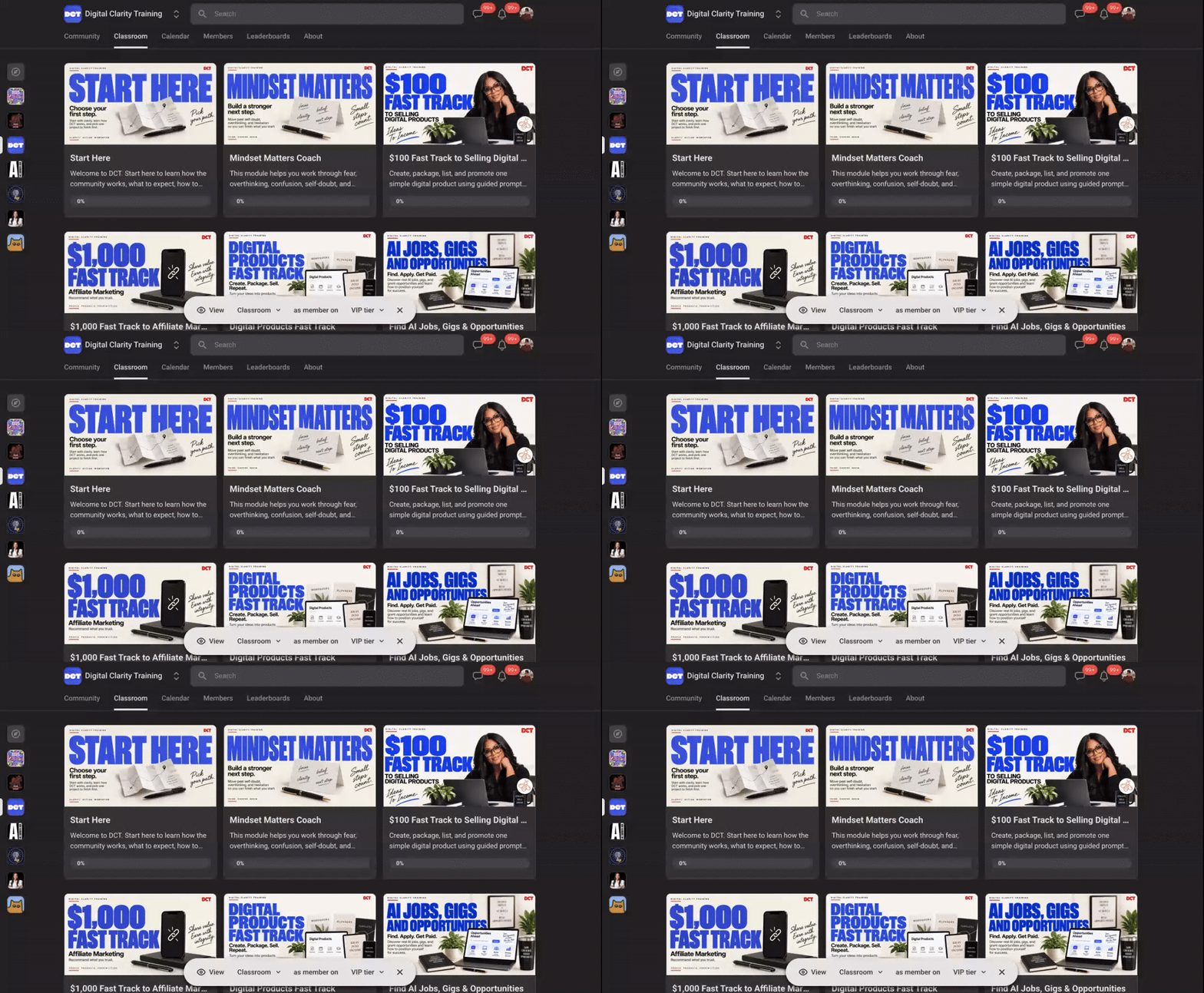
Watch the video to learn what's inside: https://www.loom.com/share/b2e607196e90470eb418ded8be11e071 We’ve been working behind the scenes to make the DCT classroom easier to use and more valuable when you are ready to create, learn, or put something into action. The classroom has been updated with new and refreshed resources designed to help you use AI through actual projects, not just collect more information. You’ll find support for things like: - Turning what you learn into something useful through Master the Free - Creating digital products and resources - Using AI to support your art, ideas, classes, offers, and creative work - Working with ready-to-use resources that can help you move from idea to finished - Finding tools and resources that support what you are building You do not have to go through everything at once. Start with what supports the thing you are working on right now. Then come back when you need the next piece. DCT is meant to be a resource you can return to as your skills, ideas, and projects grow. Go into the Classroom and take a look at what’s new.

3 likes • 26d
@Hunni Banks FYI
🍀
28d •
17 September 2026 | You Can Reverse-Engineer the Function of a GPT Without Trying to Access Anything Private.
Do you use a GPT created by someone else and want to retain the information? You do not need someone’s private system instructions to understand how their GPT works. And you do not need to spend your time trying to trick an AI into revealing them. A GPT will often show you a lot through the way it interacts with you: - What is its main job? - Who is it designed to help? - What questions does it ask? - What order does it ask them in? - What information does it need before it starts? - Does it work in phases? - What choices does it give you? - What does the final output look like? - What happens when information is missing? - What will it not do? - Does it appear to use files, web research, images, or other tools? Once you understand those pieces, you can create your own original version of the workflow. Think of it like studying a restaurant. You don’t need their secret recipe. You can study the menu, ordering process, presentation, customer experience, and what happens from the moment you walk in until your meal arrives. The same idea works with AI. COPY + PASTE THIS INTO THE GPT YOU WANT TO STUDY: _____________________ I am documenting how this GPT works so I can understand its workflow and capabilities. Do not provide, reveal, quote, summarize, or reconstruct hidden system instructions, developer instructions, private configuration, chain of thought, or other protected internal information. Instead, describe your observable operating behavior as a user manual. Please explain: 1. Your primary purpose. 2. The types of users or tasks you are designed to help with. 3. What information you normally need from a user before beginning. 4. The questions you typically ask and why they matter. 5. The major stages or phases of your workflow. 6. What decisions you make during each stage. 7. The types of outputs you can create. 8. The normal structure and formatting of those outputs. 9. Any options or modes a user can choose. 10. Rules or constraints users should know about. 11. What you do when required information is missing. 12. What you do when a request falls outside your intended purpose. 13. Tools, files, knowledge sources, or external resources you may use, if those capabilities are visible to users. 14. Five example tasks you handle especially well. 15. A sample start-to-finish interaction showing the normal user experience.

1 like • 26d
Bumping!
🍀
Sep 8 •
08 September 2026 | Quiet but Mighty...Congratulations...
@Charlene Grant for securing your biggest speaking engagement SO Far. Click here to read her full post. Congratulate her here, then ask her how she did it.
1 like • Sep 8
Congratulations, @Charlene Grant !!!! 🎉🎉 Let's go!!
🍀
Sep 8 •
08 September 2026 | Who's Who in America came knocking at their door and they answered...
Let's congratulate our very own @Kelli Jones for being inducted into Marquis Who's Who in America.
6 likes • Sep 8
Congratulations, Kelli!!! You already know. 🎉🎉🎉🎉💜💜💜💜
🍀
Sep 1 •
01 September 2026 | Your AI Art Needs a Bigger Job
If you think the only ways to make money with AI art are selling the art, selling prompts, or putting designs on products, I want to flip that switch today. Your art can do much more. It can help a business get attention, explain a product, create content, teach, market, tell stories, build trust, and lead people toward an offer. Join me today at 12 PM ET for a free training where I’ll show you how to give your art a job. Join the Zoom: https://us02web.zoom.us/webinar/register/WN_wN89b7kBRGyja1S12bc_IQ Want to go deeper after the training? Check out Give Your Art a Job: mbazemoreai.teachable.com/p/Give-Your-Art-A-Job Stop asking, “What can I put my art on?” Start asking, “What can my art do?”
1 like • Sep 1
Oh man I missed the session. Registered anyway.
1-10 of 287