Activity
Mon
Wed
Fri
Sun
Jun
Jul
Aug
Sep
Oct
Nov
Dec
Jan
Feb
Mar
Apr
May
What is this?
Less
More
Owned by Isabel
Comunidad para mujeres 40+ que quieren crear contenido, crecer online y empezar a generar ingresos usando IA, sin complicarse ni sentirse perdidas.
Memberships
SerenaMENTE
9 members • Free
Pinterest Skool
4.5k members • Free
Nido Tiroides Feliz
21 members • Free
NEGOCIOS IA con GHL (Free)
1.9k members • Free
Manychat Funnels 🚀
255 members • Free
Guardianas del CHI
82 members • Free
Skoolers
189.2k members • Free
AI Money Lab
73.2k members • Free
OfferLab
9.5k members • Free
40 contributions to Online Profit Mastery

Feb 23 •
Thank You, Michelle!
Hi Michelle! I’ve been following you on this platform for a while now, but since I’ve been focused on developing my own products, I hadn’t really taken the time to fully dive into your content the way I should have. I’m still relatively new to Skool (less than a year) and learning the platform step by step. I will be serving the Spanish-speaking market, and I’m honestly getting so much value from your content — I’m excited to adapt and implement what I’m learning with my audience. Thank you for sharing such great insights!
1 like • 17d
@Kelly Otis thank you 😊

🔥
24d •
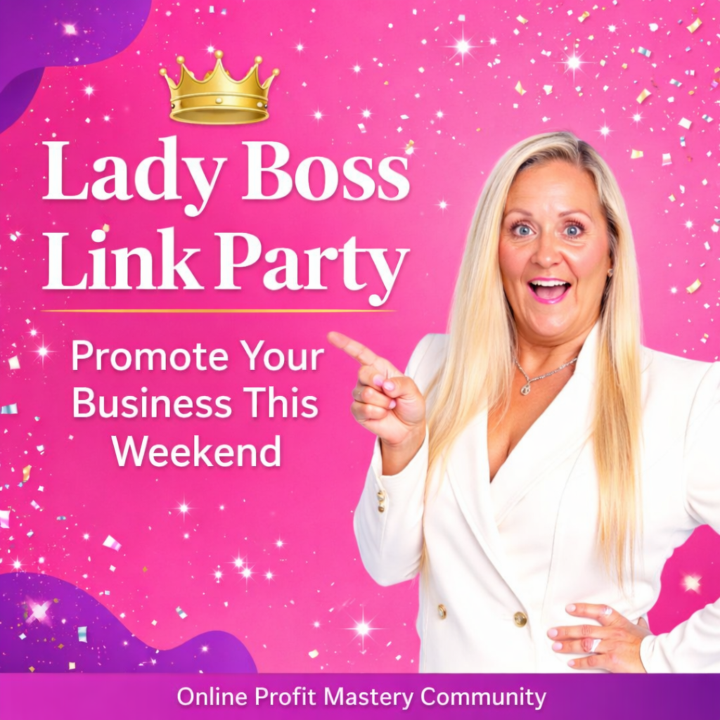
👑 Lady Boss Link Party (SHARE YOUR BUSINESS) 👇
Hey Lady Wealth Warriors! 💃 𝐖𝐞 𝐚𝐫𝐞 𝐬𝐭𝐚𝐫𝐭𝐢𝐧𝐠 𝐚 𝐋𝐚𝐝𝐲 𝐁𝐨𝐬𝐬 𝐋𝐢𝐧𝐤 𝐏𝐚𝐫𝐭𝐲, 𝐰𝐡𝐞𝐫𝐞 𝐰𝐞 𝐬𝐩𝐨𝐭𝐥𝐢𝐠𝐡𝐭 𝐭𝐡𝐞 𝐢𝐧𝐜𝐫𝐞𝐝𝐢𝐛𝐥𝐞 𝐛𝐮𝐬𝐢𝐧𝐞𝐬𝐬𝐞𝐬 𝐢𝐧𝐬𝐢𝐝𝐞 𝐭𝐡𝐢𝐬 𝐜𝐨𝐦𝐦𝐮𝐧𝐢𝐭𝐲. For the next 48 hours, this post becomes your stage to share what you’re building. If you’ve got a business, product, offer, service, Etsy shop, course, freebie, or event… this is your moment to let the community see it. 𝐖𝐞’𝐫𝐞 𝐭𝐮𝐫𝐧𝐢𝐧𝐠 𝐭𝐡𝐢𝐬 𝐭𝐡𝐫𝐞𝐚𝐝 𝐢𝐧𝐭𝐨 𝐚 𝐯𝐢𝐬𝐢𝐛𝐢𝐥𝐢𝐭𝐲 𝐛𝐨𝐨𝐬𝐭 𝐟𝐨𝐫 𝐞𝐯𝐞𝐫𝐲 𝐋𝐚𝐝𝐲 𝐁𝐨𝐬𝐬 𝐢𝐧 𝐡𝐞𝐫𝐞. 💎 𝗛𝗼𝘄 𝗜𝘁 𝗪𝗼𝗿𝗸𝘀 For this weekend only, you can promote your business 𝒊𝒏𝒔𝒊𝒅𝒆 𝒕𝒉𝒆 𝒄𝒐𝒎𝒎𝒆𝒏𝒕𝒔 𝒐𝒇 𝒕𝒉𝒊𝒔 𝒑𝒐𝒔𝒕. 𝗙𝗼𝗹𝗹𝗼𝘄 𝘁𝗵𝗲𝘀𝗲 𝘀𝗶𝗺𝗽𝗹𝗲 𝗿𝘂𝗹𝗲𝘀 𝘀𝗼 𝗲𝘃𝗲𝗿𝘆𝗼𝗻𝗲 𝗴𝗲𝘁𝘀 𝘃𝗶𝘀𝗶𝗯𝗶𝗹𝗶𝘁𝘆: ✔ Post your own offer or link (no affiliate links) ✔ You may post once per hour if you have multiple offers ✔ Every time you post, leave 2 thoughtful comments supporting other members ✔ Like at least 5 other posts in the thread ✔ Change up your posts each time (new photo, story, angle, or offer) This isn’t just about promotion. It’s about connection, collaboration, and lifting each other up. 💬 𝗪𝗵𝗮𝘁 𝗧𝗼 𝗣𝗼𝘀𝘁 You can share things like: • Your website • Your course or coaching offer • Your Etsy or digital shop • Your lead magnet or freebie • Your latest product launch • Your service business • Your social media page Tell us what you do and who you help, then drop your link. 🔥 𝗣𝗿𝗼 𝗧𝗶𝗽 The posts that get the most attention usually include: • A photo • A short story • Who you help • A clear link Don’t just drop a link… tell us why we should check it out. 💖 𝗖𝗼𝗺𝗺𝘂𝗻𝗶𝘁𝘆 𝗥𝘂𝗹𝗲 Support goes both ways. If you share your link, take a moment to discover someone else's business too. You might find a new collaboration, customer, or connection. 👑 Alright Lady Boss… Drop your link below and tell us: What do you sell and who do you help? Let’s show this community what you’re building. 💪
2 likes • 21d
@Andrea Daly-Dickson thank you so much, I really appreciate that 😊I’m excited to keep building and learning along the way.
2 likes • 20d
@Isabel Bar Hello Isabel!
22d •
Plugins Meta pixel tracking
Hi, @Michelle Spark I have a question. I created my About page and set up a Pixel dataset at that time to track where my members were coming from. Now I’m working on my first ad, and I created a new dataset with a different ID. When I try to add it in the Meta Ads plugin, I can still see the one I created before, but I don’t see a way to add a second one. Is that not possible? what I should do? Can you have two, or do I need to delete the previous one? I would really appreciate any help. Thank you!
2 likes • 22d
Well, after fixing one thing after another, I was finally able to get everything working. I think I’ve officially become an expert in ads now… haha! And thank you for offering your help earlier, I really appreciate it.
🔥
22d •
🚨 COMMUNITY ALERT – PLEASE READ 🚨
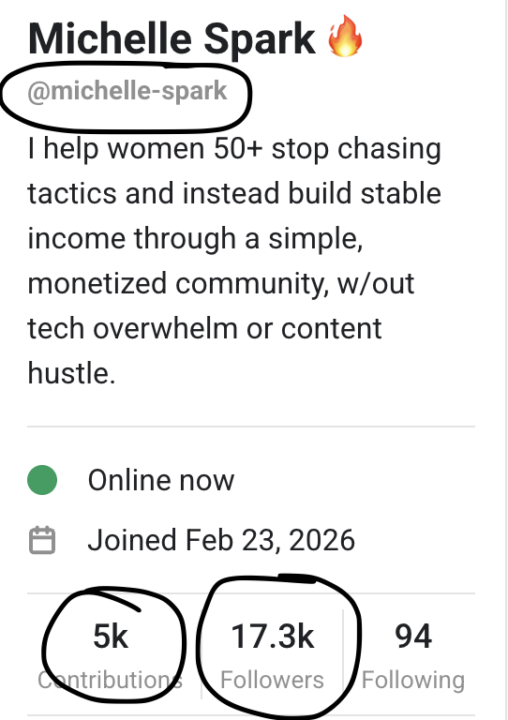
Hey warrior, I need your help for a moment. I recently had someone join the group that changed their name, profile picture, and bio to impersonate me and started DMing members pretending to be me. Let me be VERY clear: 👉 I will never ask you for personal info or money in DMs 👉 If I reach out, you will KNOW it’s me. If you are apprehensive always ask for a video chat. 👉 The OWNER of a community will be listed as an owner or Admin/moderator at the very least! 𝗧𝗛𝗜𝗦 𝗜𝗦 𝗡𝗢𝗪 𝗛𝗔𝗣𝗣𝗘𝗡𝗜𝗡𝗚 𝗜𝗡 𝗟𝗢𝗧𝗦 𝗢𝗙 𝗢𝗧𝗛𝗘𝗥 𝗖𝗢𝗠𝗠𝗨𝗡𝗜𝗧𝗜𝗘𝗦! This kind of behavior is not just spammy, it’s intentional impersonation, and we don’t tolerate that here. 👇Please do the following: 1. If someone is DMing you AS ME and it doesn't sound right CLICK ON THE PROFILE PIC! (Correct profile information pic is below 👇) 2. Let me know ASAP! 3. Report the account immediately 4. Block them Also, if you run your own community, I highly recommend you double-check your member list to make sure this person didn’t slip in there as well. (Do a search for you OWN name) I've also attached the second profile I know of using my name. Skool has deleted this guy!
3 likes • 22d
WHAT!!! Thank you for the heads up.That is so important to share, especially with how common this is becoming.I ’m definitely going to double check my own member list too.
2 likes • 22d
@Heather Boers yes!!
🔥
25d •
Get Canva AI 2.0! TOO LATE! 1 MILLION USERS GRABBED IT!
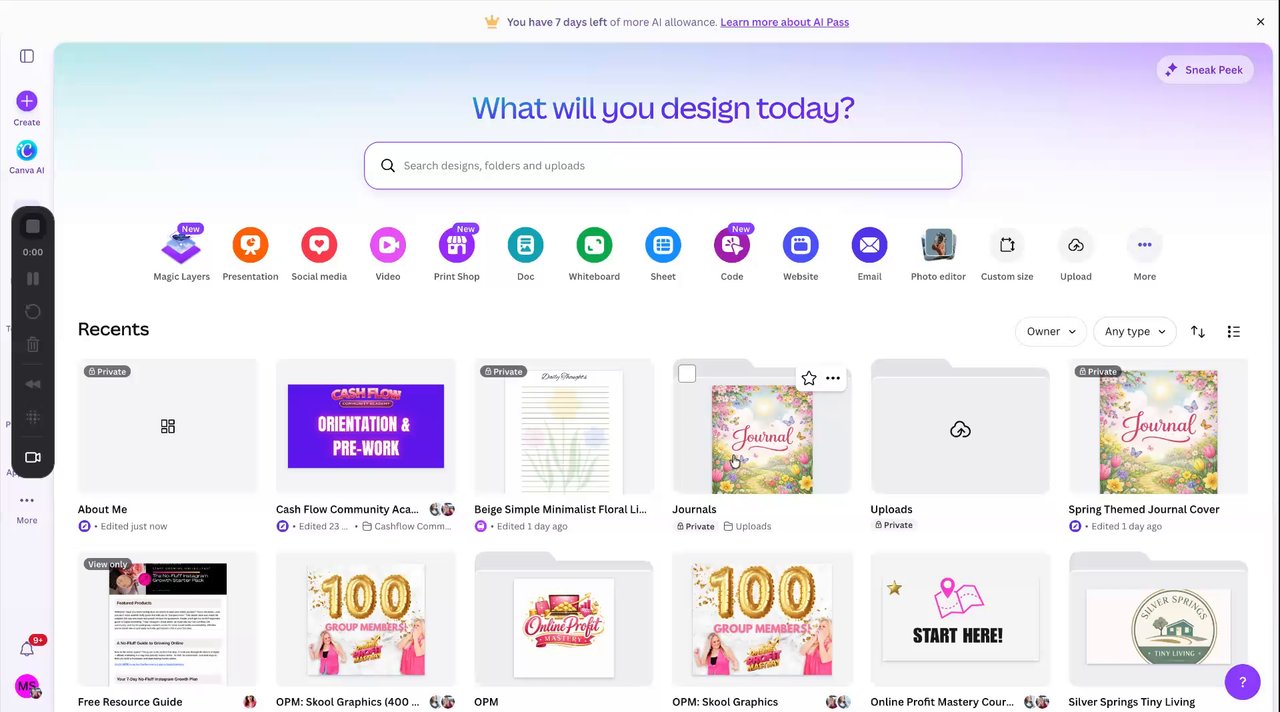
Canva has released that they are giving Canva AI 2.0 to the first 1 million people that know the "secret" password. 𝗜 𝗺𝗮𝗱𝗲 𝗮 𝘃𝗶𝗱𝗲𝗼 𝗯𝗲𝗹𝗼𝘄👇 𝘁𝗼 𝘀𝗵𝗼𝘄 𝘆𝗼𝘂 𝗲𝘅𝗮𝗰𝘁𝗹𝘆 𝘄𝗵𝗮𝘁 𝘆𝗼𝘂 𝗵𝗮𝘃𝗲 𝘁𝗼 𝗱𝗼 𝗮𝗻𝗱 𝗵𝗼𝘄 𝘁𝗼 𝗴𝗲𝘁 𝘁𝗵𝗲𝗺! Canva’s most recent AI release, often referred to as Canva AI 2.0, centers on making design more conversational, more editable, and more tightly integrated with the rest of Canva’s Visual Suite. The biggest changes are AI-assisted creation and editing directly in the editor, along with newer tools for charts, spreadsheets, code, video, and brand-aware content. 𝗠𝗮𝗶𝗻 𝗰𝗵𝗮𝗻𝗴𝗲𝘀 - Conversational editing. Canva AI 2.0 lets you chat with AI to create and edit designs, including changing elements and styles inside a project. - AI that understands your design. Canva says the assistant can “see” your design, which makes it easier to ask for specific edits instead of rebuilding from scratch. - AI woven into the workflow. Canva’s latest launch page says AI is now embedded across the Visual Suite, not treated as a separate add-on. - New creative tools. Recent launches highlight AI-powered design generation, AI-generated elements, style matching, and video creation features. - More data and productivity tools. Canva’s newer suite also includes Sheets, Magic Charts, Canva Code, and workflow improvements aimed at mixing design with data and interactivity. 𝗪𝗵𝗮𝘁 𝘁𝗵𝗶𝘀 𝗺𝗲𝗮𝗻𝘀 The shift is less about one single “magic” feature and more about Canva becoming a broader AI design workspace. In practice, that means you can draft content, refine visuals, turn data into graphics, and even build interactive or branded assets with fewer handoffs between tools. 𝗡𝗼𝘁𝗮𝗯𝗹𝗲 𝗲𝘅𝘁𝗿𝗮𝘀 Recent reporting on Canva’s 2026 updates also points to Magic Layers, which turns flat images into fully editable multi-layer designs, plus newer AI workflow upgrades like image-to-video, style match, and on-brand AI writing. Canva also appears to be expanding its AI experience across assistants like Claude, ChatGPT, and Microsoft Copilot for a more consistent experience outside Canva itself.
Poll
16 members have voted
5 likes • 25d
This is so cool, thanks for keeping us informed
1-10 of 40
@isabel-perez-4476
Ayudo a mujeres 40+ a crear contenido, usar IA y empezar a crecer online con estrategias simples.
Online now
Joined Dec 21, 2025
USA
Powered by